Aspecten
 Download (9.2 GB)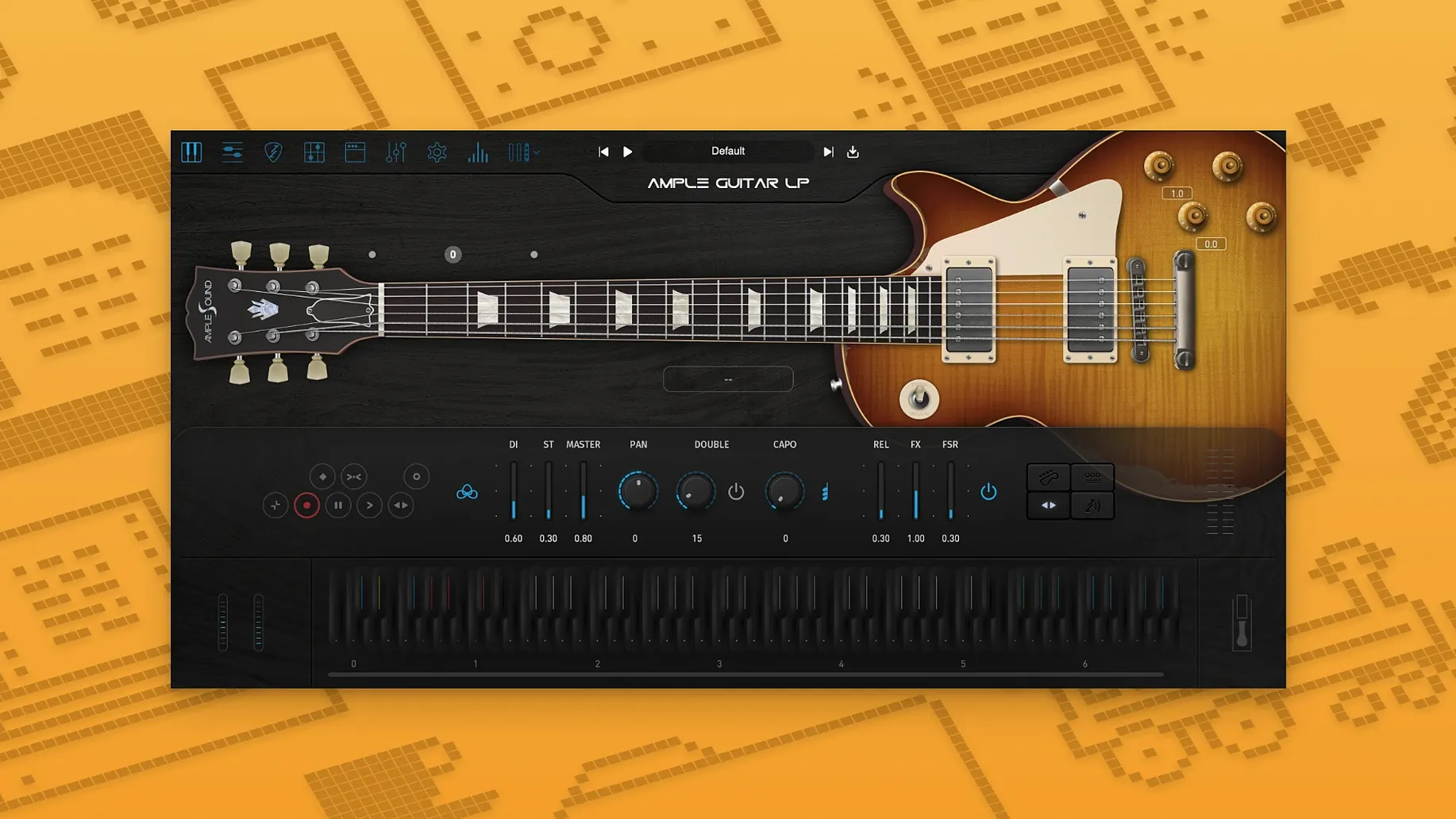
A dry rhythm track needs bite. You load the plugin, set the pick position, and push the strum time a fraction behind the beat. The take settles into the pocket without doubling.
Dialling in the right attack
The pick position slider moves from a round neck tone to a sharper bridge edge. The velocity response curve underneath it keeps quieter notes clean instead of disappearing.
Placing the part in a stereo field
The built-in doubled-track control spreads the signal left and right with a single slider. Detune amount and delay time remain subtle enough to avoid phasing on a mono check.
Keeping the low end controlled
The onboard equaliser defaults to a gentle low-cut that leaves room for bass and kick. Boosting the presence band pulls chord strums forward without adding harshness around 3 kHz.
Building chord parts in the Strummer tab
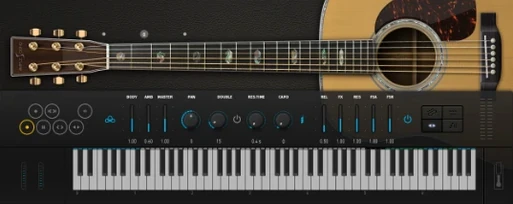
Open your DAW, add a software instrument track, and load Ample Guitar LP III. The plugin window shows a Les Paul body against a dark background. Switch to the Strummer tab first if the part is chordal — a chord wheel sits on the left, a rhythm pattern grid on the right. Click a chord slot, pick a pattern from the factory list, and play a single MIDI note. The engine voices all six strings with natural timing scatter.
Move to the Riffer tab for a picked lead line. Draw a few notes in the piano roll, keeping velocities between 80 and 110. Open the Articulation panel and assign a slide between two notes, then add a hammer-on at the phrase end. Listen back. The legato transition sounds smooth but not artificial — the sample engine crossfades the sustain and the hammer-on without a gap. Adjust the release sample volume slider down two decibels so the string noise does not mask the next note attack.
Now open the built-in amp section. Select a British-style crunch preset, pull the gain back to 40 percent, and raise the master volume until the output meter hovers around -12 dB. Add a touch of spring reverb from the effects rack. Play the phrase again. The tone has weight without mud, and the reverb tail sits behind the dry signal instead of washing it out.
For a doubled rhythm track, activate the Doubler, set the spread to 30 percent, and lock the detune to six cents. Pan the original take slightly left and the doubled signal slightly right. Bounce the track, flip the output to mono on your monitor controller, and confirm the centre image stays solid. The phase relationship between the two signals holds across the whole fretboard range.
Skipping session guitarists with the strum engine
Songwriters who build arrangements track by track, playing keys or pads rather than guitar, find the strum engine saves hours. Instead of learning picking patterns or booking a session player, they sketch a chord progression in the Strummer, audition a dozen rhythms, and commit a take that sounds like fingers on strings.
Media composers working to picture get the benefit of the articulation switching via keyswitch or velocity. A single MIDI region can hold palm-muted power chords, open-position arpeggios, and a slide-laden blues lick — all triggered without opening the plugin window again. The memory footprint stays modest, around 2 GB with the full sample set loaded, which leaves headroom for orchestral libraries on the same machine.
Guitarists who record at night or in untreated rooms use the plugin as a silent alternative. The fingerstyle library added in version 4 covers the soft attack of a thumb on the low E and the brighter snap of a nail on the high strings. Plugging a MIDI guitar controller into the instrument slot turns the plugin into a real-time performance tool, though the tightest timing still comes from drawing notes by hand.
Fingerpicking a sparse indie-folk verse at 72 bpm
A producer building a sparse indie-folk track needs a fingerpicked verse part that breathes. She loads the 1959 Reissue fingerstyle preset and sets the tempo to 72 bpm. The chord progression cycles through Am, G, C, and Fmaj7. In the Strummer she selects a Travis-picking pattern variant, adjusts the pattern speed to double-time, and trims the pattern length to two bars.
She nudges the strum time knob forward by three milliseconds so the notes land just after the grid. The humanise control randomises velocity and timing within a narrow window. She records a four-bar loop, then opens the Capo panel and transposes the virtual capo to the fifth fret. The voicing shifts upward, the timbre brightens, and the part sits above the cello and piano without EQ intervention. She prints the track, mutes the MIDI, and carries on with the vocal comp.
Later she doubles the part with a felt piano and a soft synth pad. The low-mid overlap between the guitar body resonance and the piano’s left hand starts to cloud the mix, so she opens the guitar channel EQ and drops the 200 Hz band by 3 dB with a medium Q. The mud clears. She saves the preset as “Folk Verse Capo 5” for the next session.
Pointing the sample library to an external SSD first
Point the sample library path to an external SSD before doing anything else. The factory content is large, and keeping it off the system drive prevents disk-speed bottlenecks later. Launch the Activation Manager once, complete the challenge-code step, and quit it. The plugin remembers the licence; you will not need to open the manager again unless you move machines.
Spend the first afternoon auditioning presets by articulation category, not by song style. The preset names describe playing techniques — “Finger Open,” “Pick Mute,” “Slide Up Slow” — and learning those labels makes patch selection faster than scrolling through genre folders. Mark four or five favourites with the star icon.
Test the Strummer with a simple I-IV-V progression before writing a full arrangement. Drag a chord set onto the wheel, assign a pattern, and record a few bars. If the strum feels stiff, increase the humanise percentage in increments of five until the timing relaxes. Save that tweaked pattern to the user library so it becomes a template for future sessions.
Check the String Force and Resonance sliders in the Settings tab. The factory defaults work for most material, but lowering string force by ten percent on a busy mix reduces finger-squeak clutter without dulling the tone. If you work on an ample guitar mac torrent setup where disk access might be fragmented, defragmenting the sample drive or re-copying the library after a clean download can resolve dropouts during fast strum passages. Keep a backup of the user presets folder — it lives inside the Ample Sound application support directory — so a system migration does not wipe your saved patterns and amp settings.