Aspecten
 Download (107 MB)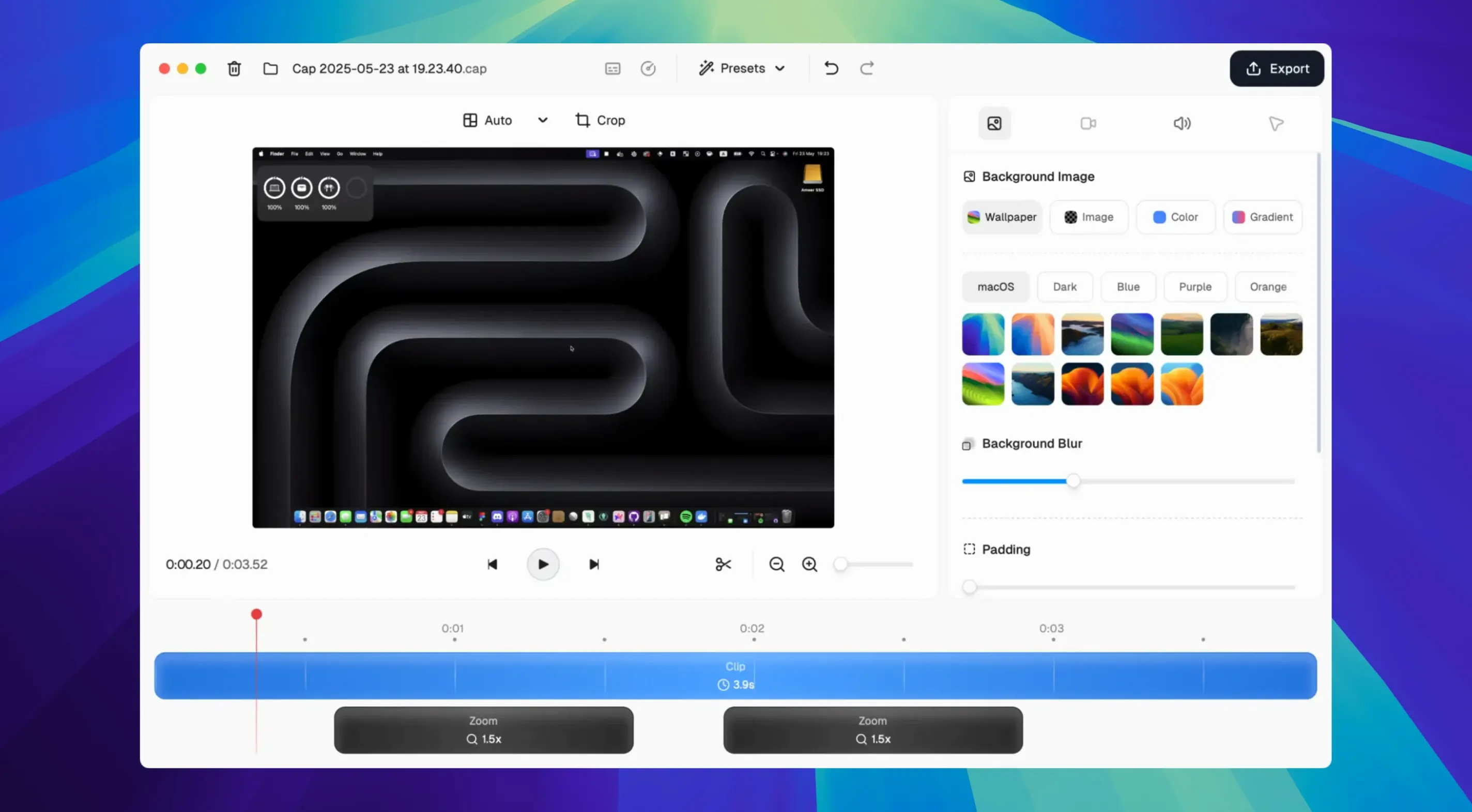
4K at 60 fps is the ceiling, and the app reaches it without much ceremony.
Recording the screen
Cap Pro captures the display and the webcam together. Custom backgrounds, gradients, logos, rounded corners and shadows sit on top of the recording, so a share looks arranged rather than raw.
Making the cursor readable
Cursor effects do three jobs: magnification for small movements, motion smoothing for rough ones, and click visualisation for moments that would otherwise pass unseen.
Sharing what was recorded
Recordings can stay local or move to the cloud. A web companion handles sharing and collaboration, while Instant Mode shortens the path from capture to link. Editing tools are available for recordings that need a trim before they travel.
Launches in 3 seconds, sips 6–8% CPU at 4K
On an Apple Silicon Mac the app launches in under three seconds and a recording session adds roughly 6–8% CPU load at 4K 30 fps. At 60 fps the figure climbs toward 12%, still modest enough that a browser with twenty tabs and a code editor stay responsive. Memory use sits around 400–500 MB during a capture, which is comparable to QuickTime Player recording the same region. On Intel hardware the numbers are higher — a 2019 iMac I tried showed 18–22% CPU at 4K 60 fps — but the experience remains usable rather than punishing.
The editor handles trimming and clip joins without beachballing, even with ten-minute 4K sources. Stability in version 0.5.9 is solid during recording; I have not seen a dropped frame or a corrupted file in two weeks of daily use. The one rough edge is the cloud uploader, which occasionally stalls on a weak Wi-Fi connection and requires a manual retry. The local workflow, though, is completely dependable.
Adds webcam overlay and timeline where QuickTime stops short
QuickTime Player ships with macOS and covers simple screen recording, but it offers no webcam overlay, no cursor effects and no editing timeline. Cap Pro adds all three and still feels lightweight. OBS Studio is the heavyweight for streamers — scenes, filters, plug-ins — yet its interface is dense and a novice needs an hour just to configure a clean recording. Cap Pro needs no scene setup at all; you pick a mode and press record. CleanShot X is closer in spirit, with annotation tools and a polished QuickTime-like overlay, but its recordings are strictly local. Cap Pro’s cloud sharing and collaboration features make it the only one in this group that functions as a Loom replacement out of the box.
Skip the main window with ⌘Shift5 and trim frame by frame
A few details are easy to miss. The Instant Mode shortcut ⌘Shift5 bypasses the main window entirely — press it, select a region, and the recording starts with the previous session’s audio settings. During playback, frame-accurate trimming moves in single-frame steps when you hold the Option key while dragging a clip edge; the default snap is to seconds, so this unlocks precise cuts without zooming the timeline. The Smart Auto-Zoom toggle lives in the webcam sidebar and follows your face across the frame when you move, which is useful for whiteboard-style presentations recorded with a laptop camera. A quieter feature: dragging a video file from the Finder onto the dock icon opens it directly in the editor, skipping the import dialogue. And for those who work with Loom archives, the built-in Loom importer preserves comments and timestamps, so migrating old recordings into a Cap Pro Mac torrent workflow keeps the context intact.