Aspecten
 Download (23 MB)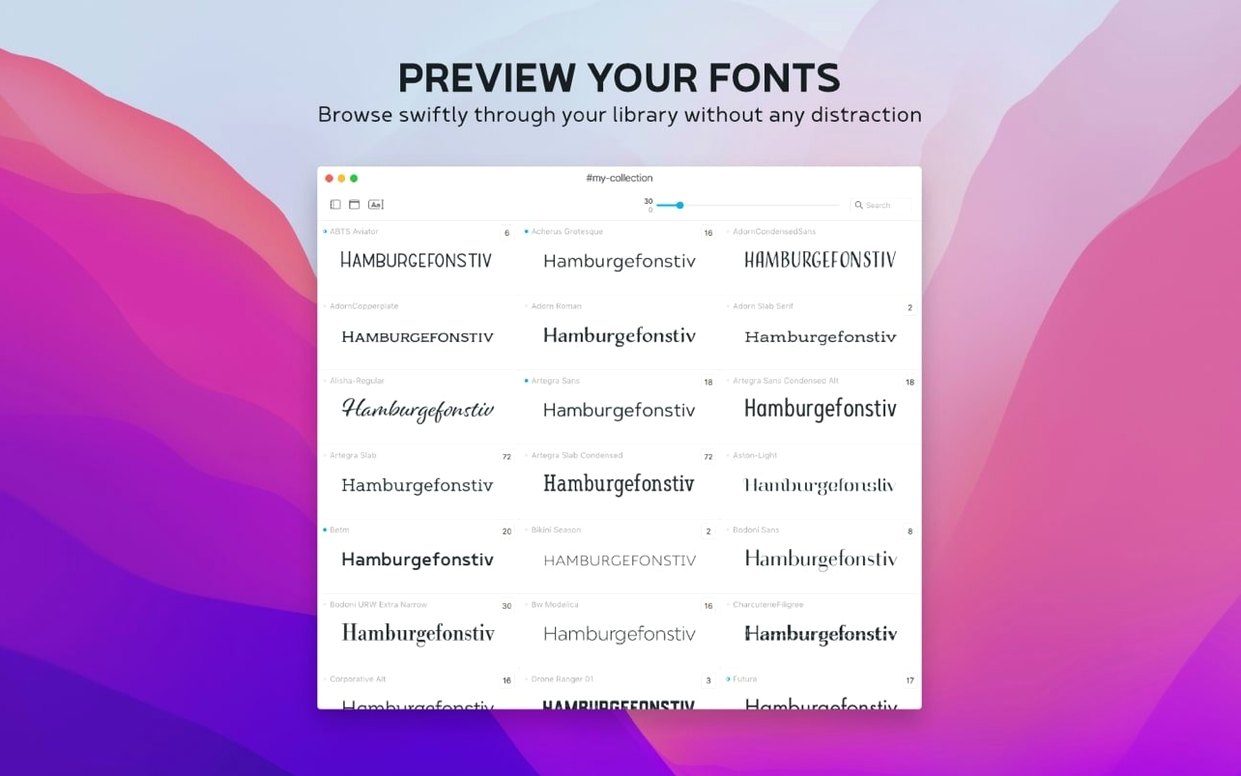
Notes search in the overview
Version 4.5 adds a small but useful detail: you can now search the contents of font notes directly in the main overview. It fits a particular way of working — annotating candidates during a large sort, then recalling them later without opening each family individually.
- Open Typeface and let it scan your system fonts or a watched folder. The overview populates quickly, even with several thousand typefaces loaded.
- Select a font. The information tab shows metadata, copyright history, tags, groups, and now a Notes field. You might mark one as “good for headings, slightly wide” and another as “check licence”.
- When you later search those notes in the overview filter, the relevant families narrow into view. It is a direct way to surface earlier decisions.
- For comparison, pick two or three typefaces and view them side by side. Adjust the preview text and size; the rendering stays sharp on both Intel and Apple Silicon Macs.
- Import fonts from other managers or downloaded files — .otc support is new in this release — and organize them into groups. The Last Activated column also helps you track what you reached for recently.
Typeface does not aim to be a heavy catalogue tool. It stays close to the act of looking at letterforms and deciding what works. The interface languages — English, German, Dutch, French, Czech, and Japanese — make it accessible to a modestly broad audience, while the requirement of macOS 12 keeps it current without demanding the very latest hardware.
Click any font name to type a new sample instantly
Several touches in Typeface only reveal themselves after a few weeks of regular use. One is the ability to click any font name in the overview and start typing a new sample string without first clearing a field — the preview updates on the first keystroke. Another is the behaviour of the family grouping toggle. When you switch grouping off, the list flattens instantly, but your scroll position is preserved relative to the font you last selected, not the top of the list.
Holding the Option key while adjusting the preview size slider lets you step in finer increments. The glyph set view respects this as well, and the special characters panel can be pinned open while you browse other tabs — useful when you need to check punctuation across several weights of the same family. The info tab's metadata fields are selectable and copyable, so you can grab a copyright string or designer name without retyping it.
If you import a batch of fonts from a folder, Typeface skips duplicates automatically and shows a brief count of how many were already present. The .otc support added in 4.5 means those bundled OpenType collections — common in some CJK typefaces — no longer need to be unpacked first with an external tool.
Workflow: narrowing a shortlist for a magazine redesign
Suppose you are redesigning a quarterly print magazine and need to settle on a body face and a complementary display face. You begin with a folder of around 140 candidate fonts collected from foundries and colleagues. After dragging the folder into Typeface, you create a group called "Magazine Q3 candidates" and add all 140 at once.
The first pass is about elimination. You set the preview text to a representative paragraph — three sentences with mixed punctuation, numerals, and a few accented characters — and step through the candidates at a moderate preview size. Any face where the regular weight feels too tight or the x-height looks inconsistent gets tagged "reject". Typeface's side-by-side view lets you keep a known good reference font pinned on the left while you advance through candidates on the right, which is faster than switching back and forth in a single pane.
After the first pass, twelve faces remain. You move them into a "shortlist" group and switch to the comparison view with all twelve visible. The notes field becomes the workspace: you jot observations about each — "good colour in text blocks", "ligatures feel fussy at 9pt", "small caps set is complete". Because notes are now searchable, you can later filter the overview by a keyword like "small caps" and see which faces earned that comment.
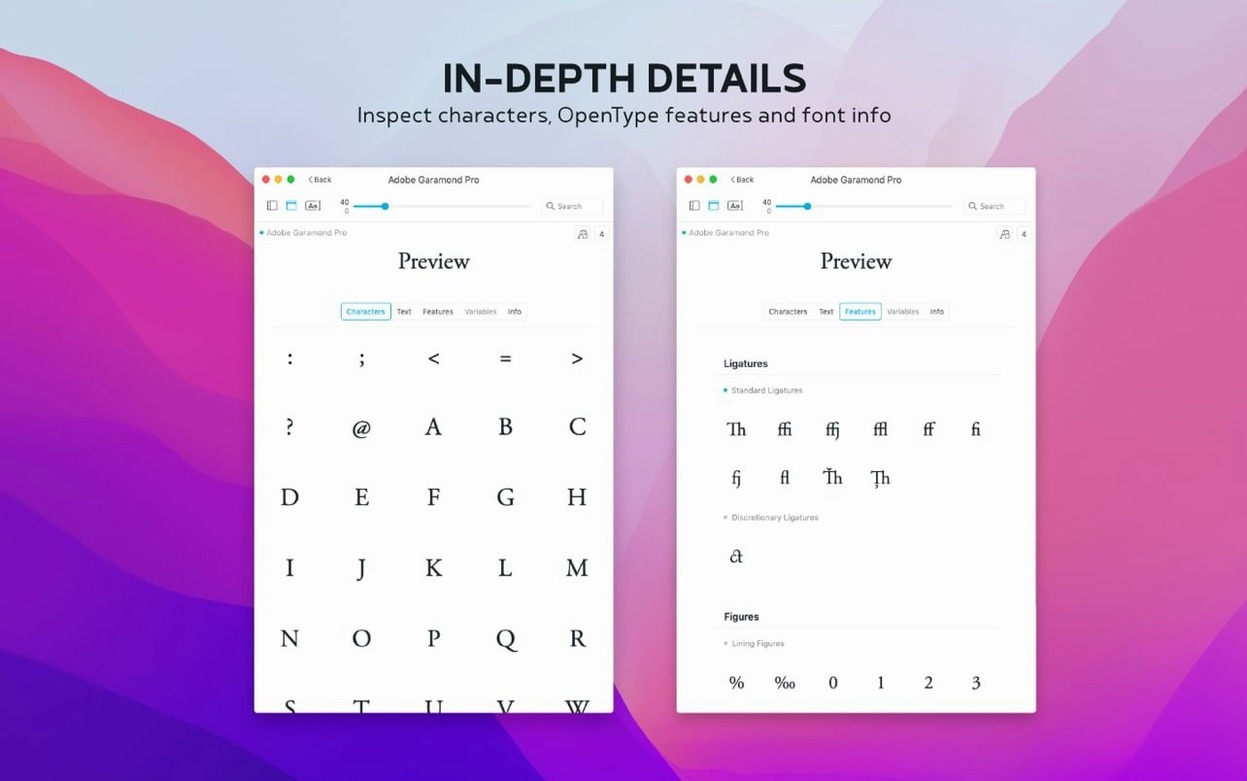
The final step uses the glyph set tab. For the shortlisted serifs, you open the special characters panel and check that fractions, old-style numerals, and any required accented glyphs are present. One promising face turns out to lack a proper Œ ligature needed for French text — a detail that would have been caught much later in page proofs. The whole process, from 140 candidates to a confident pairing of body and display faces, takes under an hour.
It reads fonts already available, won’t activate system-wide
New users often expect Typeface to activate and deactivate fonts system-wide, the way some larger font managers do. It does not touch system font activation — it reads what macOS already has available and what you import into its own library. Assuming otherwise leads to confusion when a font shown in Typeface does not appear in Adobe InDesign or Affinity Publisher.
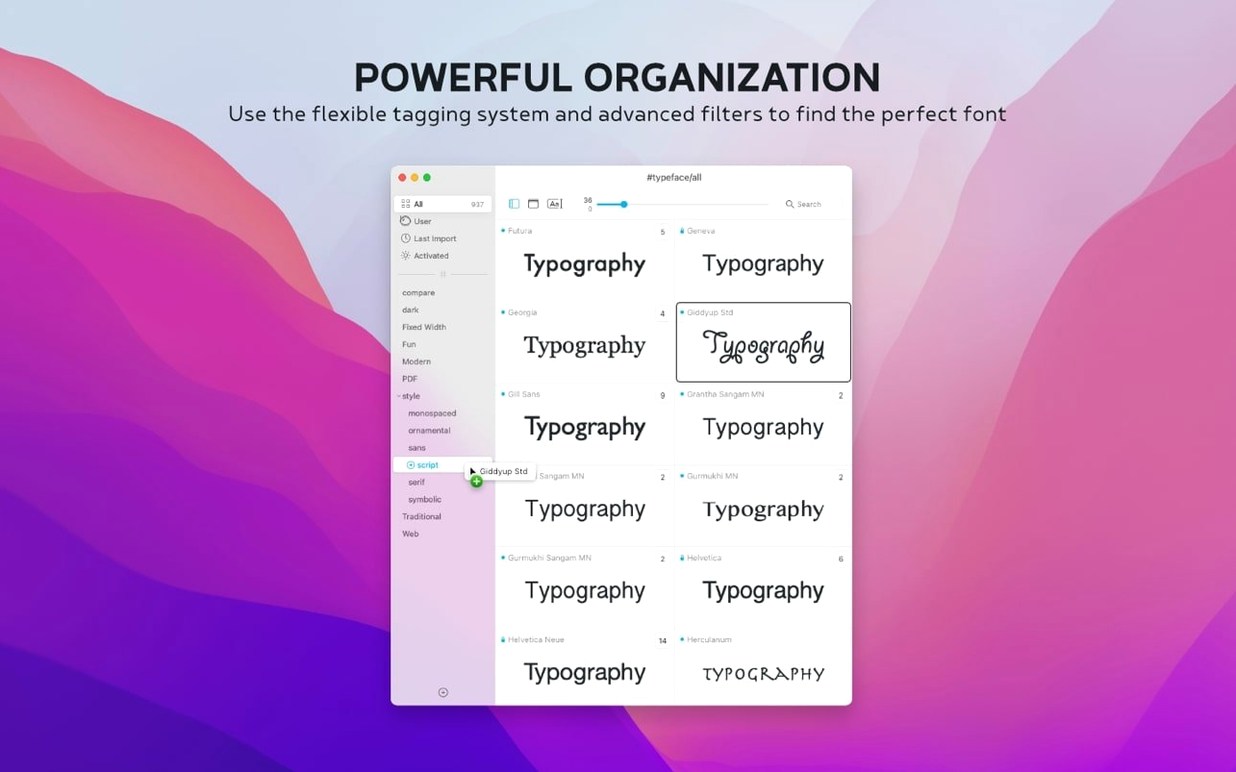
Another common misstep is importing an entire hard drive's worth of fonts without first creating a sensible group structure. The overview can handle thousands of faces, but navigation becomes sluggish if everything sits in one flat list with no tags. Spending ten minutes setting up a few broad categories — "serif", "sans", "display", "mono", "work in progress" — saves a lot of scrolling later.
Beginners also overlook the Last Activated column entirely. It is easy to miss because it is not shown by default in older habits, but sorting by it reveals which faces you actually reached for during a project, which is often more honest than what you planned to use.
Let the first system scan finish before importing extras
After dragging Typeface to Applications and launching it, let the initial scan of system fonts complete fully before you begin importing anything else. The scan is fast, but cancelling it partway through can leave the overview in an incomplete state that requires a restart to correct.
Set a default sample text that reflects the kind of work you do most. If you design in German, include ß and the umlauted vowels. If you work on code documentation, include a short code snippet with mixed alphanumerics and common operators. The sample string is sticky across sessions, so you set it once.
Early on, import a small test batch — perhaps twenty fonts from a single foundry — and practise creating tags, writing notes, and searching the notes field. This low-stakes exercise makes clear how the information tab connects to the overview filtering before you commit to organizing a larger library.
Check the interface language setting in preferences. Typeface defaults to the system language, but switching to English or another of the six supported languages can make documentation and community discussions easier to follow. The change takes effect immediately, without a relaunch.
Finally, if you have .otc files from older projects, batch-import them now. The new format support means they will be parsed cleanly, and you can tag them while their origin is still fresh in your memory. The disk image can be ejected once the app is in Applications; Typeface runs self-contained and writes its library to your user folder.