Aspecten
 Download (103 MB)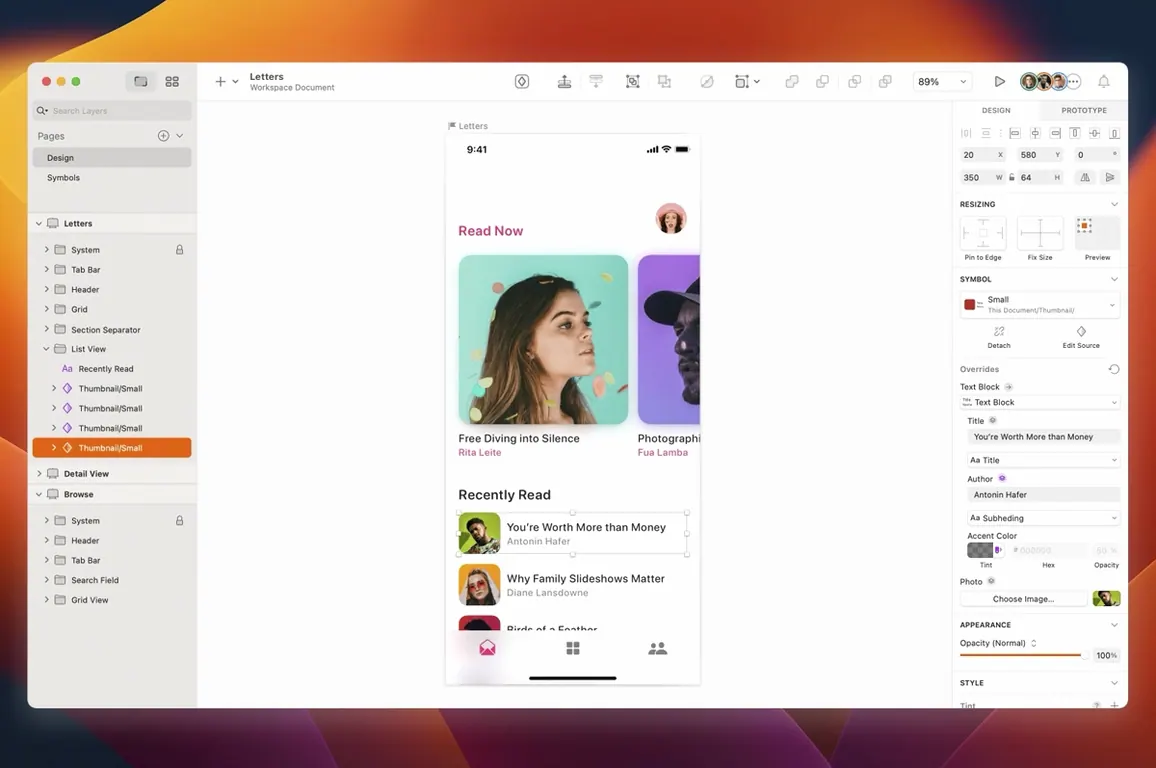
Sketch is a Mac-native vector design application built specifically for screen design and prototyping.
A narrow canvas built around screens, not print
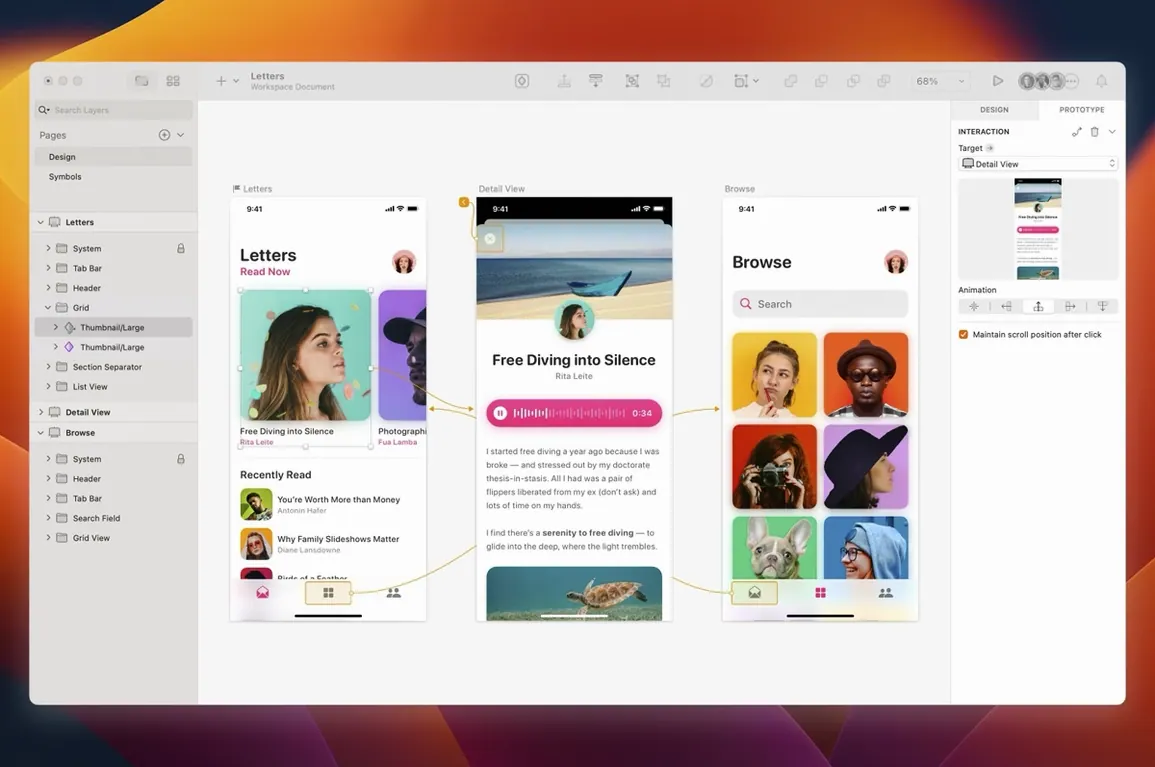
Rather than covering print, illustration and photo editing in one sprawling workspace, Sketch keeps its focus narrow. The canvas, inspector and layer list are arranged around interface drawing: artboards, symbols, text styles and resizing constraints are first-class tools, not afterthoughts. Prototyping links can be added directly on the canvas to connect screens into a clickable flow, and the file format is compact enough to share through a browser-based handoff. Third-party plugins fill in workflow gaps — version control, data population, accessibility checks — without the app itself growing heavy. The programme is a single-purpose instrument, not a suite.
Teams maintaining a shared symbol library
The people who get the most from Sketch are interface designers, product teams and anyone who needs to draw screens repeatedly and keep them consistent. It suits a workflow where one person maintains a library of symbols and design tokens, and the rest of the team pulls from that single source. Because collaboration happens through shared prototypes and inspectable links rather than simultaneous canvas editing, the tool fits groups who prefer a clear handoff between design and development. It is less natural for someone who needs CMYK print exports or complex raster compositing — other tools handle those better — but for pixel-accurate screen layouts built on a component system, the match is straightforward.
Handoff tools and companion apps it expects
No design tool lives in a vacuum, and Sketch’s shape has always been defined by what it hands off to. A typical setup pairs it with an asset manager like IconJar or a font manager like RightFont, so libraries stay organised without bloating the Sketch file itself. The macOS colour picker talks to system-wide palettes; designers who keep their brand colours in a ColorSlurp or Sip palette can sample them directly from the inspector. For version control, many teams route Sketch files through Abstract or plant them in a Git repository with a plugin that diffs artboards visually. That keeps the single-library-of-truth model intact without forcing everyone into a browser.
On the handoff side, the built-in prototype player can share a link, but teams who need richer inspection often pair Sketch with Zeplin or Avocode. The plugin ecosystem bridges the gap. A symbol change in the library document propagates through linked files, a developer inspects the updated screen in their handoff tool, and the exported SVG or PDF asset lands in Xcode or Webpack without a second export pass. It is a toolchain, not an all-in-one, and that suits people who already use macOS features like Quick Look to preview assets and Finder tags to mark ready-for-dev artboards.
Where Illustrator or Figma still makes more sense
Does it replace Illustrator or Figma entirely? Not exactly. Sketch is a screen-first tool. If your work includes print layouts, packaging mockups or CMYK colour management, Illustrator still earns its keep. For real-time multiplayer design on a shared canvas, Figma fits more naturally. Sketch’s strength is offline, file-based work with deep macOS integration and a symbol system that rewards a disciplined component library. Many studios run two tools side by side and treat Sketch as the production drawing environment.
How does it perform on Apple Silicon? The 2026.3.1 build runs natively, and the difference is noticeable on large documents. Artboards with hundreds of symbol instances refresh without the beachball that could slow earlier Intel-only versions. Rosetta is not involved. Memory pressure stays moderate even with several other design tools open.
Can I open Figma or XD files? Not directly. There are community converters and copy-paste workflows that preserve some fidelity, but moving a production file between ecosystems usually means rebuilding the symbol structure. Sketch’s own format is compact, open-source parsable JSON, which makes export-to-code tooling simpler than binary formats.
Does it need an internet connection? No. The app works completely offline. Collaboration features — prototype links, cloud handoff — need connectivity, but the drawing engine, local libraries, and plugin host run without phoning home. That matters for designers who travel or work inside restricted networks.
Morning ritual: opening the Design System file first
Here is a plausible morning with Sketch. A designer opens the library document first — a file named Design System 2026 — and checks a symbol for the primary button after a brand refresh. They adjust the corner radius on one instance, click Sync to push the change, then close the library file and open Onboarding Flow. The button updates across eight artboards without a rebuild. So far, thirty seconds.
Next, they select the artboard for the sign-up screen, grab the Text tool from the toolbar, and drop a heading. The typeface snaps to the shared text style; the resizing constraints pin it to the top edge. They drag a prebuilt form field symbol from the Insert window, duplicate it three times, and watch the stack layout distribute the spacing evenly — a feature that the 2026.3.1 stack layout fix keeps reliable.
With the layout settled, they switch to the prototype tab, drag a link from the “Next” button to the verification-code screen, and set the animation to a subtle push. A tap on the preview icon opens the prototype in a resizable Mac window, not a browser tab, so it inherits the system corner radius the latest build added. They run through the flow, spot a spacing inconsistency, close the preview, and nudge the stack spacing in the inspector. The change is instant. A developer on the other side of the room opens the shared prototype link on their phone, taps through the same flow, and inspects spacing values without asking.
Before lunch, the designer runs a plugin that lints the document for missing text-styles and orphan layers, saves the file, and tags it with a green Finder label. The whole session stayed inside native Mac windows — no browser, no Electron frame, no noticeable fan spin on an M3 MacBook Air.
Fifty artboards and no raster layers feel fluid
Sketch has always been an application that rewards a tidy document. A file with fifty artboards, a deep symbol tree and no raster layers feels fast — panning is fluid, zoom snaps with trackpad precision, and the inspector repaints without a flicker. Drag in a dozen high-resolution PNGs or apply heavy Gaussian blurs to filled shapes, and the renderer works harder; but even then, the 2026.3.1 build holds frame rate better than most Electron-based alternatives.
Stability has been consistent across the Florence release cycle. Crashes are rare in normal use, and the autosave recovery has become reliable — a forced quit during a plugin operation restores the document with layers intact, not a blank canvas. The fixes in 2026.3.1 for tooltip clipping and Writing Tools canvas blanking show the developers paying attention to macOS Golden Gate edge cases. Memory usage for a typical design-system file with 200 symbols sits around 400–600 MB, which leaves headroom for Xcode, a browser with DevTools open, and a music stream. App launch is under three seconds cold on Apple Silicon; document opens are near-instant for most files, with only very large libraries pausing briefly for symbol resolution.
The app’s real performance advantage is in the handoff pipeline. Exporting SVGs, PDFs or PNGs at multiple scales uses all available cores without blocking the UI, and the batch export dialogue remembers its settings across sessions. For teams weighing a sketch download mac as their next tooling experiment, the resource footprint stays modest enough that it coexists easily with other Mac software, rather than demanding to be the only heavy app open.