Aspecten
 Download (197 MB)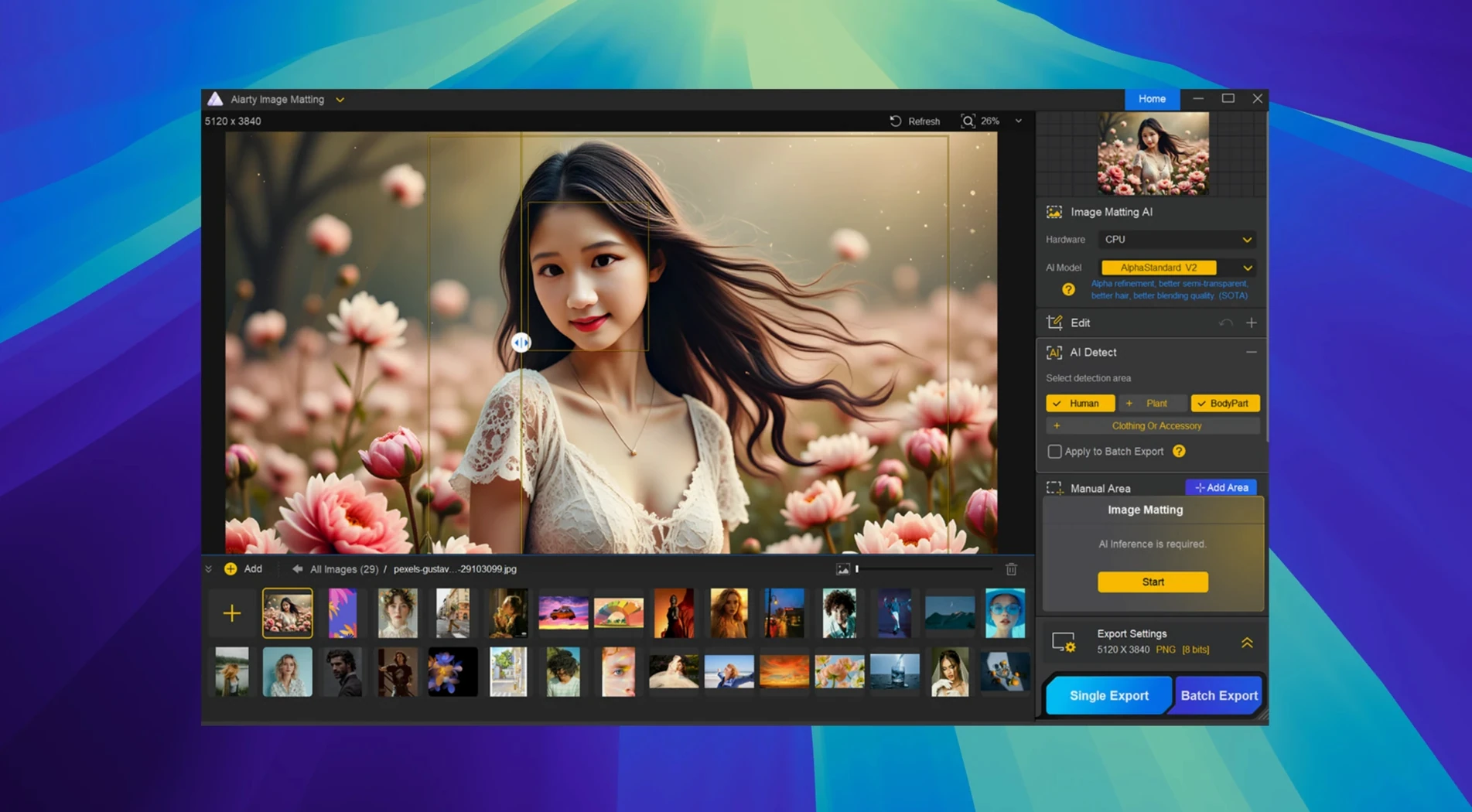
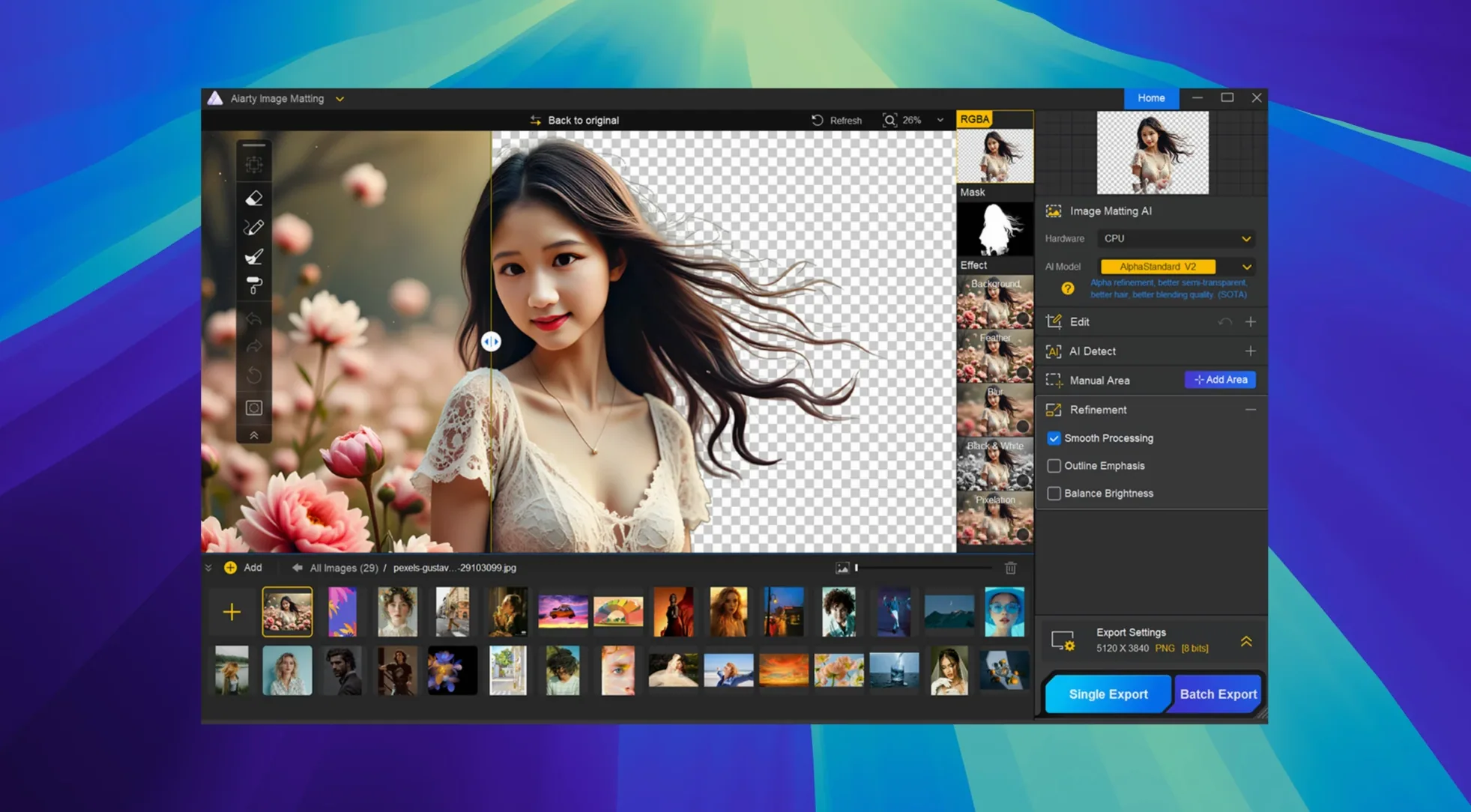
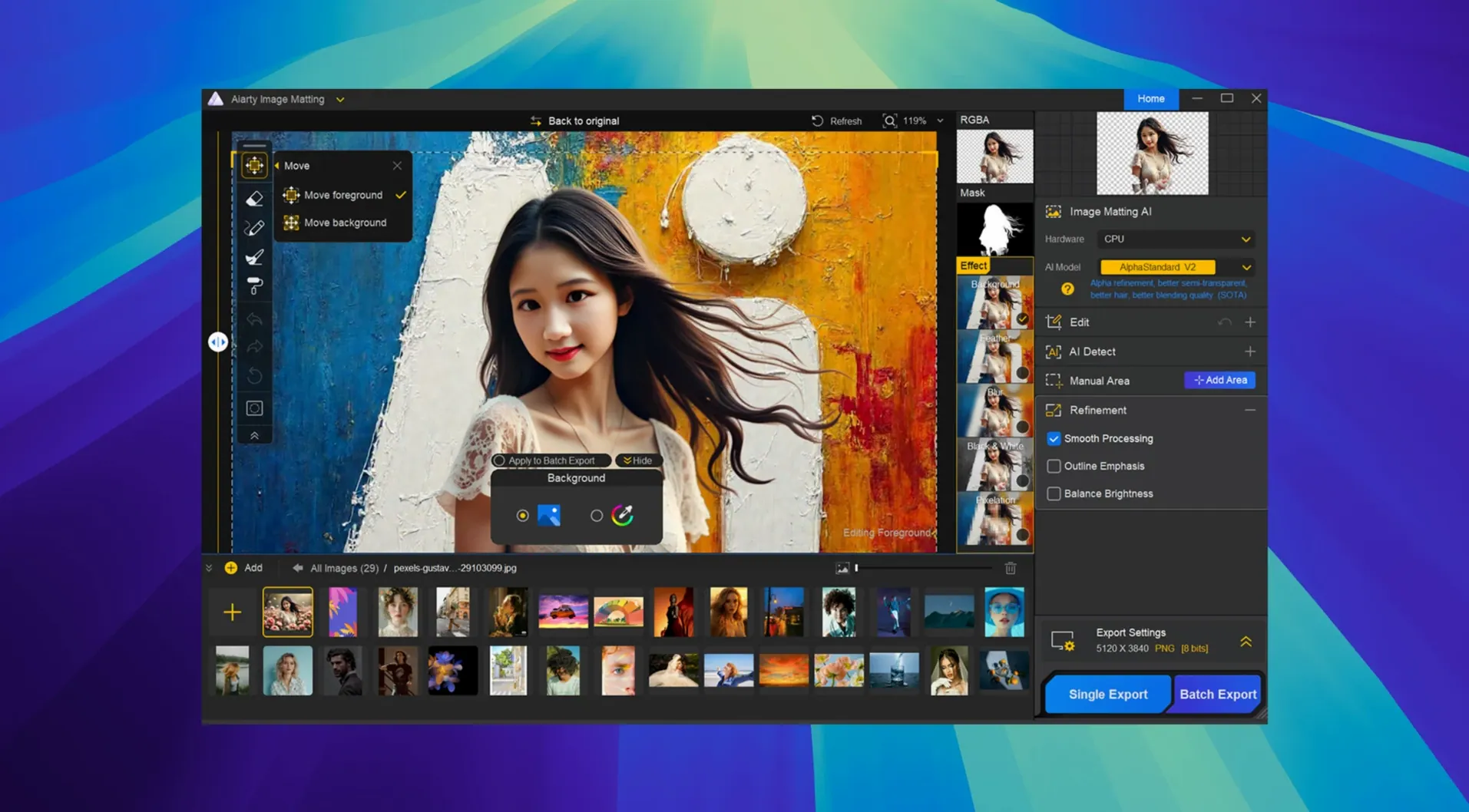
Drag in an image, let the AI map the transparency
- Open an image. The app accepts standard formats and, in version 2.7, shows better colour accuracy for CR3 files and improved previews for certain TIFFs.
- Let the AI calculate an initial matte. It picks out semi-transparent regions — wedding veils, water droplets, glassware — reasonably well on the first pass.
- Switch to the manual tools. Use Brush to mark missed foreground, Eraser to drop unwanted background, and Dodge or Burn to strengthen or weaken the matte along difficult edges.
- Pick a new background: transparency, a solid colour, a blur, or a replacement image of your own.
- Export the result.
The matte engine leans on AI for the bulk of the work, but the toolset acknowledges that no algorithm gets every edge right. Having four manual controls side by side means you can clean up a lace hem or a glass rim without switching to another editor. The 2.7 update does not alter the core workflow; it sharpens the RAW and TIFF handling underneath so the starting image is already closer to what the sensor captured.
Batch-matting a dozen watch shots on import
Say you have a dozen product shots of a wristwatch, each taken against a slightly different grey background. You open Aiarty and drag all twelve images into the batch area. The app begins calculating mattes the moment the files land. For most images, the automatic cutout works well enough — the AI finds the hard edges of the watch case quickly. One image, though, shows the metal bracelet reflecting the original backdrop. You pause the batch, select that single shot, and switch to the manual view.
You use Brush to paint over the bracelet links the AI misread as background. A few strokes bring them back. A quick pass with Dodge along the edges of the crystal glass dial lifts the matte just enough to keep reflections intact without bringing back the grey. Satisfied, you return to the batch. For the new background you pick a solid off-white, set the export format to PNG, and let the app process all twelve files at once. Ten minutes start to finish.
A task workflow: preparing catalogue images
For an online clothing catalogue, you need fifty images of garments on white, but the originals were shot on a pale blue set. The fabrics include sheer blouses and a few items with loose threads at the hem.
- Load the full set of fifty into Aiarty. The batch engine starts on the first image while you set the output to a white solid-colour background.
- Watch the previews scroll. Most cotton and denim pieces render cleanly. The sheer blouses need attention — the AI sees the blue through the fabric and treats it as foreground.
- Select each problematic image in turn. Use Eraser on a low setting to nudge the sheer areas toward transparency, then Brush to reclaim any lost fabric folds.
- For the loose threads, zoom in and work with a small Brush. A single swipe along each thread restores the fine foreground detail the AI initially discarded.
- Export the lot as TIFFs with transparency, ready for placement in the catalogue layout tool.
The session benefits from Aiarty keeping the background choice uniform across the batch; you set it once and the app applies it to every image. The manual tools do not feel tacked on — they sit alongside the batch controls and let you interrupt the automatic flow without losing the work already done.
RAW corrections first, then switch to Aiarty for the matte
Aiarty fits into a Mac workflow as a single-purpose matting station. A common pattern: rough edits happen in a RAW processor first — exposure and white balance corrections applied before the image ever reaches Aiarty. Version 2.7's improved CR3 and RW2 decoding means you can skip that step for simpler shots, though the app is not a raw converter in the full sense.
Once the matte is exported, the result often travels to a pixel editor for final compositing, colour grading, or shadow work. Exporting with transparency preserves the edge quality you shaped with Dodge and Burn. For users who process hundreds of product photos, the batch output feeds directly into a layout app — dropping fifty PNGs into InDesign, all with identical background colour, keeps the catalogue consistent. Finder Quick Look shows the exported files without opening a viewer, handy for a fast visual check across a folder of matted images.
On the Mac side, the app respects standard drag-and-drop, so you can pull images from Photos or the desktop without hunting through an open dialogue. The Gatekeeper-friendly installer and the Rosetta note in the install steps are reminders that Aiarty sits in that middle ground between a lightweight utility and a tool that still depends on some translation layers on Apple Silicon. In practice, once it is running, the architecture makes little difference to the session — the matting calculations themselves are what govern the pace.
Those looking for an aiarty image matting download will find the Mac version is purpose-built for the platform, not a port with interface quirks. The app's willingness to handle semi-transparent materials — glass, water drops, wedding dresses — means it can shoulder work that a general-purpose editor would require several masks and adjustment layers to approximate.