Aspecten
 Download (2.6 GB)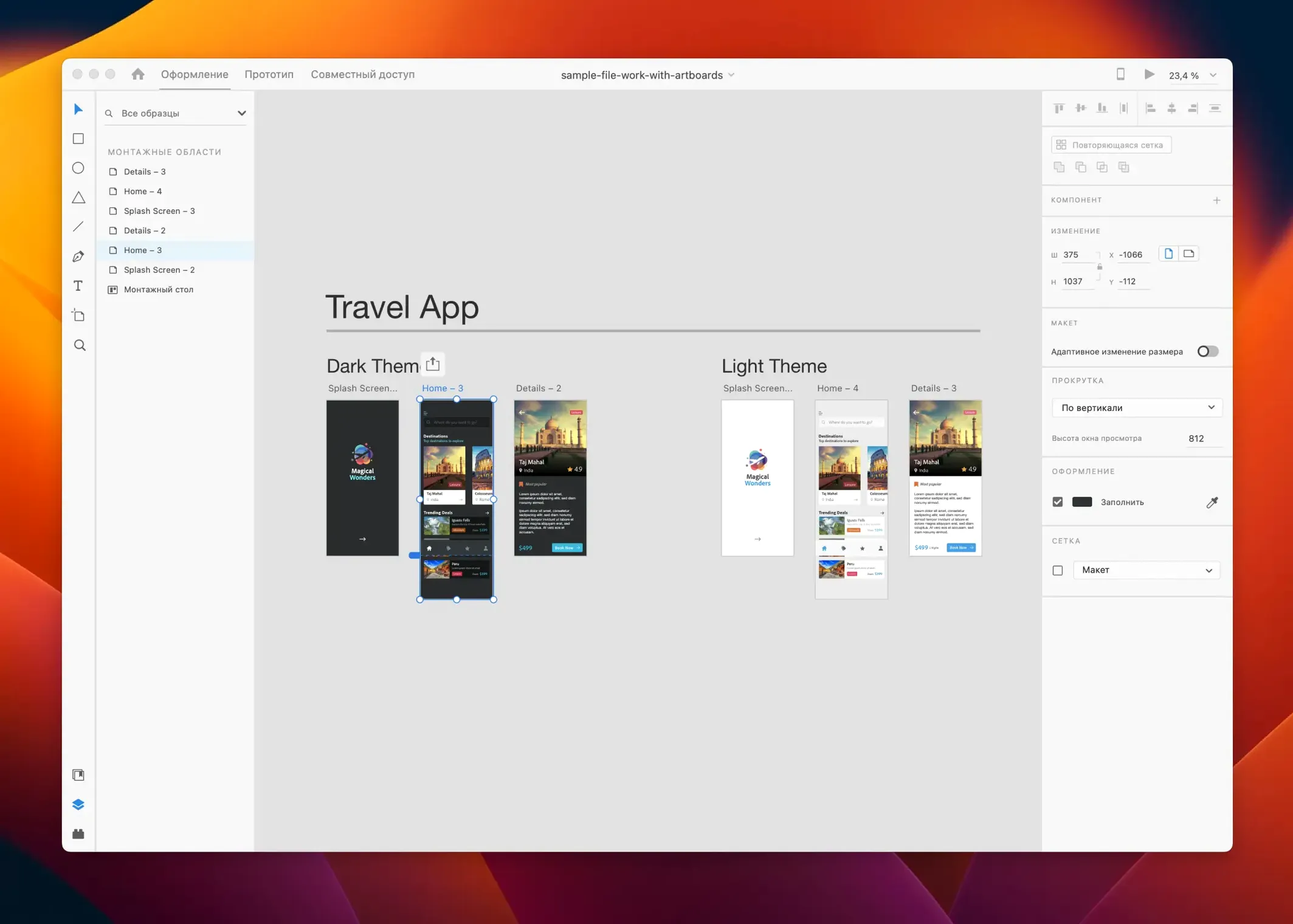
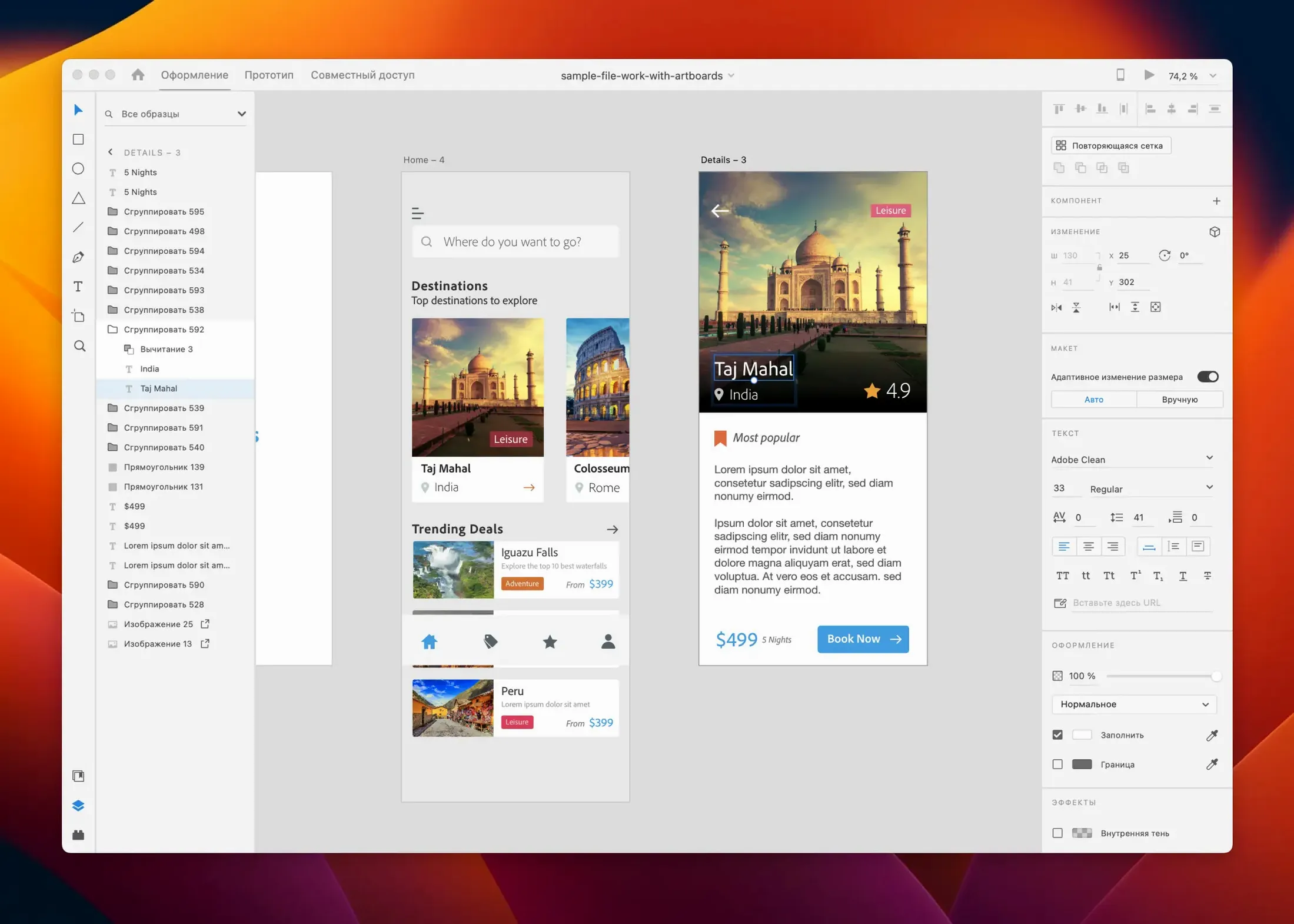
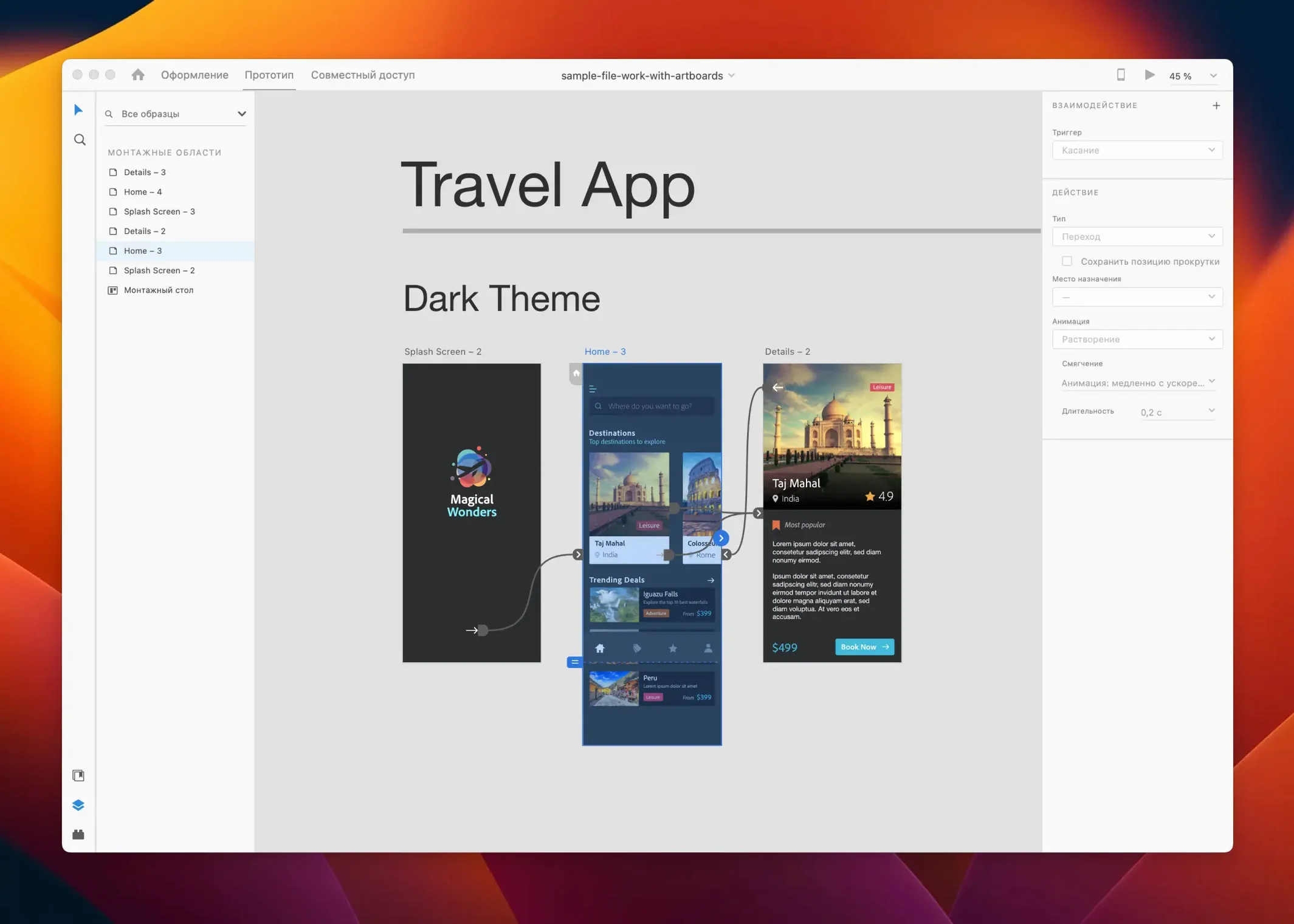
Adobe XD runs on any Mac that can install macOS 10.15 (Catalina) or later, with native support for both Intel processors and Apple Silicon. It remains a single environment for designing, prototyping, and sharing interactive web and mobile interfaces, though Adobe has placed the app in maintenance mode. That status leaves a few practical gaps, so these are the points people tend to check first.
- Does it still receive updates? The July 2025 release delivered only bug fixes and minor workflow refinements. No new feature work is planned.
- Is it only a design tool? No. A single XD file can carry a project from wireframes and visual design through to clickable prototypes with auto-animate transitions, all without switching apps.
- What about sharing work? Design specs and prototypes can be shared directly with stakeholders via a browser link, a workflow that leans on the Creative Cloud ecosystem.
- Can it handle repetitive layouts? The repeat grid and responsive resize tools let you adjust lists, galleries, and card layouts while keeping spacing and alignment intact.
- Does it play well with other tools? Plug-ins and third-party integrations extend the app, though the library is now static. Import and export formats remain usable in handoff workflows with developers.
Creative Cloud Libraries and macOS drag-and-drop
XD lives inside the Creative Cloud ecosystem but also connects to a handful of macOS-native workflows that designers lean on daily. The tightest link is with Creative Cloud Libraries: colours, character styles, and components saved in XD appear instantly in Illustrator and Photoshop, and the reverse works too. A button style defined once propagates across three apps without exporting a single asset file.
Outside Adobe's walls, the Copy SVG Code command (right-click any vector layer) places markup straight onto the clipboard. Paste that into a code editor or directly into a browser-based tool — no file export step sits in between. Copy as PNG works the same way, which saves a trip to Preview or a dedicated export dialogue when a quick bitmap is all that's needed.
For handoff, XD generates share links that open in any browser. Developers see measurements, colour values, and CSS snippets without touching the design file. The Mac's built-in colour picker integration is absent, but the eyedropper tool inside XD picks up hex values from anywhere on screen, which bridges the gap when sampling from reference images open in Finder or Safari.
Plug-ins fill the remaining gaps. The panel holds utilities for things XD never handled natively: renaming layers in bulk, generating placeholder text in specific languages, or exporting to third-party prototyping tools. The plug-in catalogue is no longer growing, but the staples for day-to-day efficiency are still installable from within the app.
Nudge amount and other hidden preferences
A few preferences sit tucked away and make an immediate difference to how the app behaves during long working sessions. Open Preferences from the XD menu and consider these early adjustments.
- Nudge amount. The default is 1px for arrow keys and 10px with Shift held. Designers working on high-resolution mobile screens often switch the small nudge to 0.5px or 2px to match denser pixel grids, saving a constant zoom-in-and-correct routine.
- Grid and layout defaults. Under the artboard settings, setting a default grid — square or column-based — that matches the most common project type avoids reconfiguring every new document. A 4-column grid at 16px gutter suits many mobile layouts and stays as the preset until changed.
- Font fallback behaviour. XD uses system fonts by default on macOS, but enabling Creative Cloud font sync in the Creative Cloud desktop app gives access to the full Adobe Fonts library. Toggling this on early prevents "missing font" warnings when opening team files.
- Auto-save and recovery. XD saves to Creative Cloud by default with a local cache. The recovery file location is not user-configurable, but confirming the saving interval in Preferences (set to the shortest available) reduces lost work on unstable setups.
One non-obvious tweak lives outside XD: in macOS System Settings under Displays, turning off "True Tone" while doing colour-sensitive screen work keeps the canvas appearance consistent. XD does not have its own colour management toggle, so this hardware-level switch is the only practical control.
A synced onboarding flow across time zones
A morning session with a mobile onboarding flow shows how the pieces fit together in practice. The designer opens XD and finds the project file already synced via Creative Cloud — the same file a colleague in another time zone adjusted the evening before. No "download latest version" prompt; the changes simply appear.
The task: refine a three-screen sign-up sequence. The designer starts by selecting the first artboard and opening the Assets panel. A component button saved to the document library during a previous session gets dragged onto the canvas. Changing its label text updates all instances across the three screens simultaneously — a small time-saver that compounds over a full day.
Next, the Repeat Grid handles a list of onboarding benefits. A single text element and an icon are selected, then dragged downward. XD populates a vertical list with even spacing. Dragging the bottom handle adjusts the gutter; dragging the right handle shifts the horizontal padding. Pulling placeholder images from Finder directly into the grid cells replaces the grey rectangles with real icons.
With the static screens ready, the designer switches to Prototype mode. Selecting the "Next" button on screen one, a blue wire is dragged to screen two. The interaction panel on the right is set to Tap → Auto-Animate → 0.3s. XD automatically interpolates the movement of elements that share the same layer name across both artboards. A tap on the preview window confirms the transition — the button scales down slightly and the new content slides in from the right. No timeline, no keyframes, no separate animation tool.
Before lunch, the designer hits Share and generates a link. The link is pasted into a Slack thread. A product manager opens it in Chrome on a Windows laptop, clicks through the prototype, and leaves a comment pinned to the password reset screen. The comment appears back in XD as a notification dot. The loop closes without a single exported PDF or PNG.
Later, a developer needs the exact hex value for the primary button colour. They open the same share link, switch to Spec mode, click the button, and copy #2A5CBF along with the font name and padding values. The designer never had to write a handoff note.
July 2025 release is bug fixes only
Version 59.0.12, the July 2025 release, is a maintenance update. Adobe's notes confirm bug fixes and minor workflow improvements — no new tools, no interface changes, no added file format support. Users opening the app after updating see the same layout they left behind. The fixes centre on stability: fewer crashes when handling large files with many artboards, and smoother rendering of complex auto-animate sequences that previously stuttered on Apple Silicon Macs with high-resolution external displays.
Earlier point releases in the 59.x cycle addressed small but persistent annoyances. One fixed an issue where masked layers would shift position when copied between artboards. Another corrected a colour profile mismatch that made exported PNGs appear slightly desaturated compared to the canvas view — a subtle difference that became a problem in design reviews. The cumulative effect of these polish updates is a tool that feels settled rather than stagnant.
Because Adobe placed XD in maintenance mode, the frozen feature set means the learning investment is safe: workflows that work today will keep working. The trade-off is that newer interaction patterns — variable-based logic, advanced animation curves beyond auto-animate's built-in easing, or Figma-style branching — are not coming. The tool's scope is now a known quantity, and teams decide based on that fixed ceiling.
Sketch and Figma files need conversion
Can I open Sketch or Figma files in XD? Not directly. XD opens its own .xd format and imports SVG, PNG, JPG, GIF, and TIFF files. Sketch files need a conversion step through a third-party service or a manual rebuild. Figma files have no native import path.
Does it work without an internet connection? Yes, for local design and prototyping work. Cloud saves, co-editing, and share links require connectivity, but the core canvas, prototype preview, and export functions operate fully offline. Some designers treat XD as a standalone wireframing tool and never connect it to a Creative Cloud account at all.
How does it run on Apple Silicon? Natively. The ARM build was introduced several versions ago, so M1, M2, M3, and M4 Macs launch the app without Rosetta translation. File open times and canvas panning are responsive even on fanless MacBook Air models, though very large files with dozens of artboards and embedded raster images benefit from 16GB of RAM or more.
Can multiple people work on the same file at once? Co-editing was an XD feature, but it relied on Creative Cloud syncing and Adobe's cloud infrastructure. In practice, the experience works best when team members edit different artboards within the same document rather than the same screen simultaneously. Many teams working with adobe creative mac torrent setups use a single-file, single-editor approach and share updates via the commenting and prototyping links.
Is there a dark mode for the interface? No. XD follows the macOS system appearance for window chrome, but the canvas and panels stay light. Designers who prefer a dark workspace often compensate by setting the pasteboard to a mid-grey in the artboard background settings.
What export formats are available? PNG, SVG, PDF, JPG, and a few iOS-specific formats. Batch export marks individual layers or artboards for export at multiple resolutions. Developers can download assets directly from the shared spec link without the designer manually exporting and emailing files — an aspect of the workflow that remains fully functional in the maintenance-mode era.
Knowledge of the maintenance-mode timeline helps set expectations: the tool is stable and complete for screen design tasks, but its feature set is frozen.