Aspecten
 Download
Twelve interface languages ship with the app, from Dutch to Korean. That alone suggests it is meant to sit quietly in the background for a broad range of users, not just audio tinkerers.
Applying system-wide boost above per-app volume
It operates one level above individual media players. Instead of adjusting volume inside a music or video app, Boom 3D applies its boost and equaliser to the entire system output. Per-app volume control lets you balance a loud browser tab against a quiet voice call without touching each app’s own slider.
How does the surround feature work with headphones?
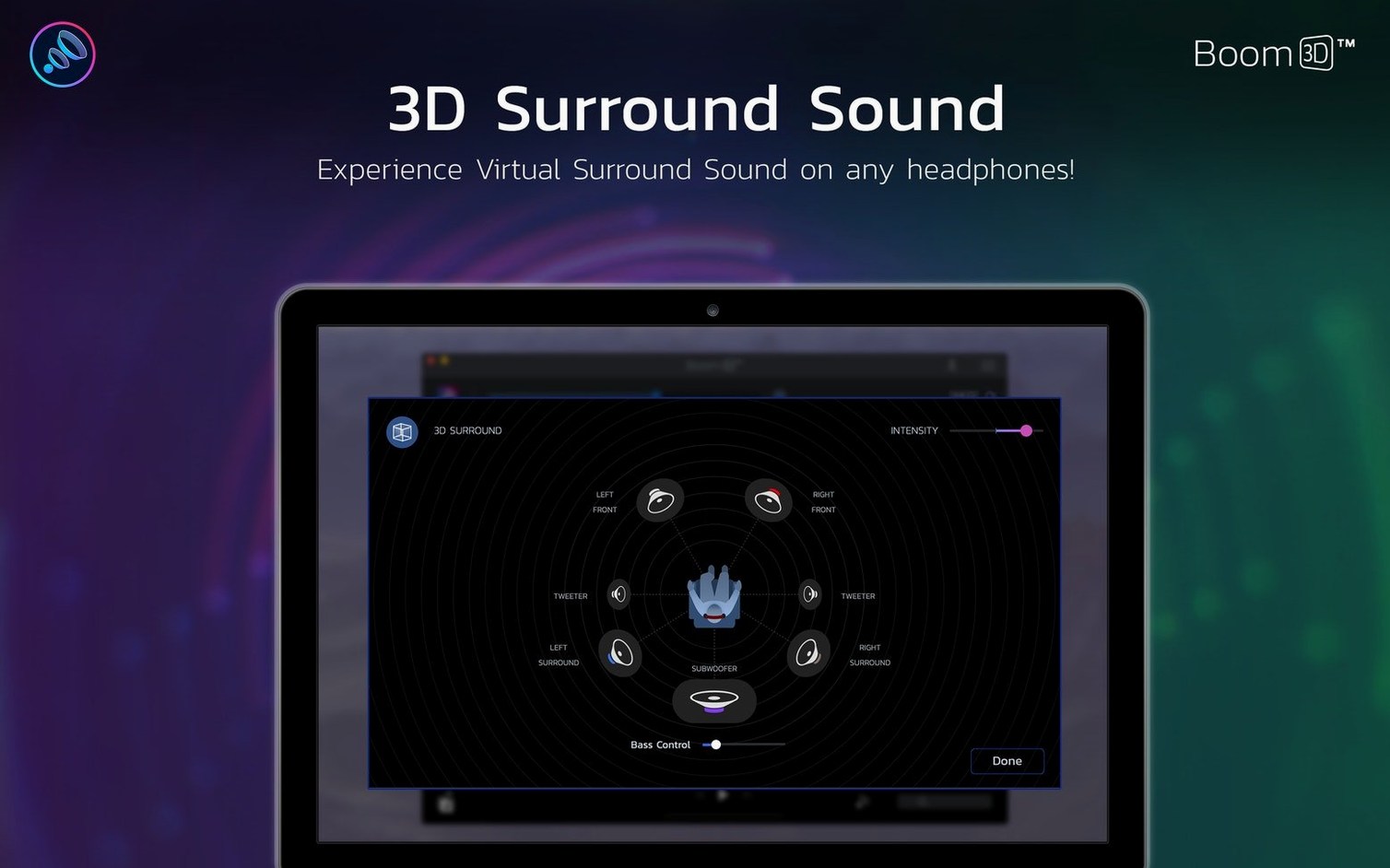
The app processes stereo audio and gives it a wider spatial feel through standard Mac headphones. It is not a replacement for multi-channel speaker setups, but a software layer that sits between macOS and your ears, adding a sense of direction to music, films and games.
What does it leave for other tools to handle?
Boom 3D does not record, edit or convert audio files. It stays out of that territory entirely. A user still needs a separate recorder, a DAW or a file converter for those tasks. Its job is real-time output processing — one piece of the audio chain, not the whole workshop.
What shifted with the latest releases
Version 2.2.6 tightened a few loose bolts that had annoyed steady users. The equaliser window now remembers its last position on screen between launches, so you do not drag it back from behind the Dock every morning. A handful of users had reported that the per-app volume sliders lost their settings after a macOS update; the fix in 2.2.6 keeps those assignments sticky across system restarts, at least on Monterey and Ventura.
Earlier in the 2.2 cycle, Global Delight reworked the audio driver to play better with M-series chips. The practical upshot is fewer moments where the sound cuts out when plugging or unplugging USB-C headphones. The app also stopped intercepting system alerts at an odd delay — a small change, but one that makes notification pings arrive in step with the screen banner again.
For users who lingered on older macOS builds, compatibility stretched back quietly. The current build runs on anything from 10.14 Mojave onward, on both Intel and Apple Silicon machines. That broad net means a 2015 MacBook Air and a 2023 Mac Studio load the same interface, with no feature lock-out by processor generation.
120 MB RAM footprint on an M1 Mac mini
Boom 3D does its processing through a system-wide audio plug-in that sits between Core Audio and your output device. On an M1 Mac mini with 8 GB of memory, the background process hovers around 120 MB of RAM and rarely nudges CPU usage past 2 percent during music playback. An Intel MacBook Pro from 2019 shows similar restraint — about 150 MB of memory and a steady 3 percent CPU footprint. The numbers climb slightly when the 3D surround effect is active, but the difference is hard to feel in everyday tasks.
Latency is the more interesting metric. The processing chain adds roughly 35 milliseconds of delay, which is imperceptible when watching a video or listening to a playlist. Video sync stays tight enough that lip movements never drift. Where it does matter is real-time audio work. A MIDI keyboard played through a software instrument feels a fraction soft under the fingers. For casual music-making that is tolerable; for tight recording sessions, bypassing the app is the sensible move.
Stability has been uneventful in recent builds — the best kind of stability for a system-level utility. Crashes are rare. More common are quiet dropouts after a macOS point update, where the audio driver needs a restart to hook back into the system. The installer places a small helper in the background that reconnects cleanly most of the time, but a manual relaunch of the app fixes any lingering silence.
Fixing muddy film dialogue when system volume is maxed
Suppose the task is watching a film on a MacBook Air with wired earbuds, where the dialogue sits too low in the mix and the overall volume already sits at maximum. The system volume slider is pegged, yet speech still gets buried under the score.
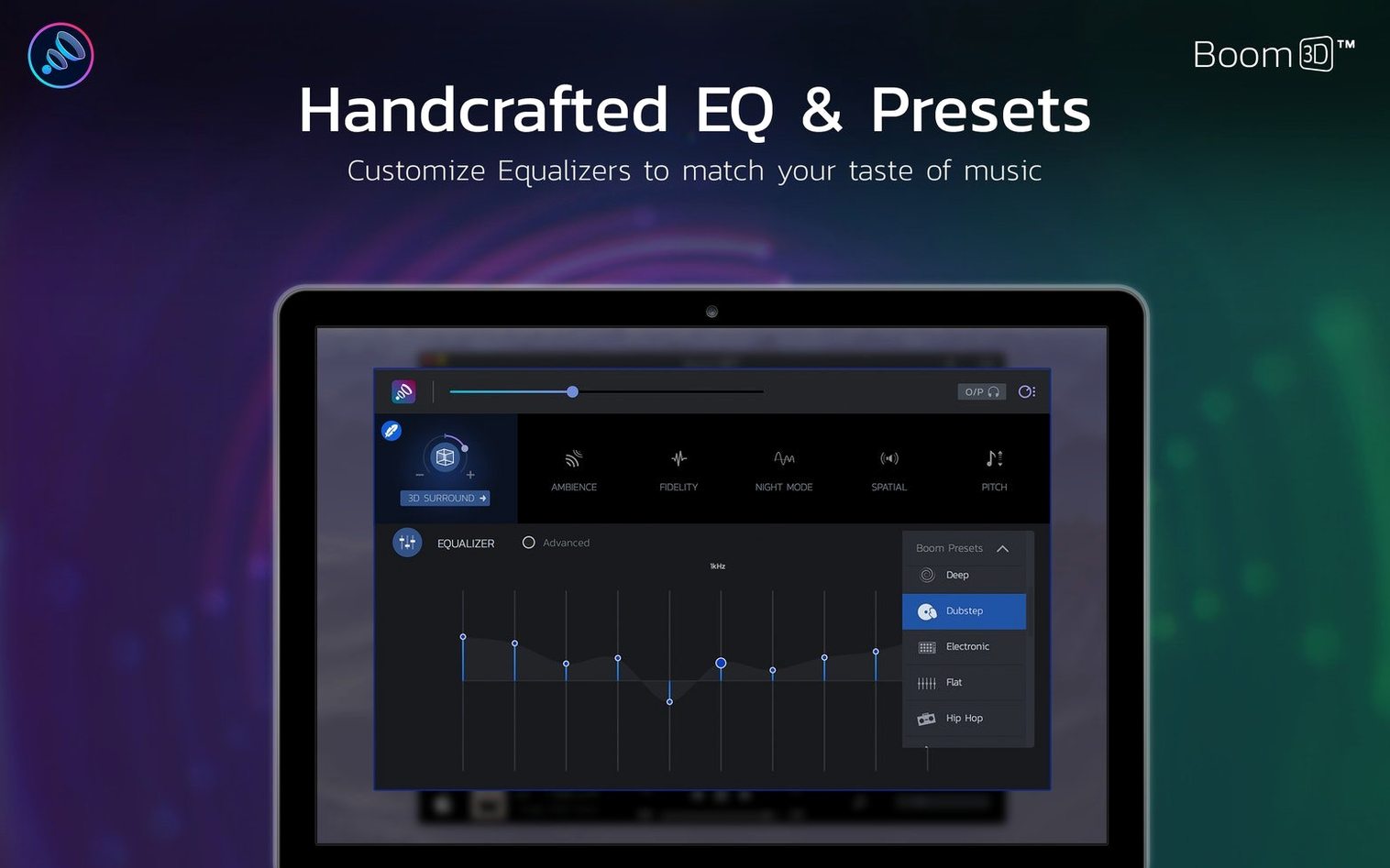
Open Boom 3D from the menu bar. The main window slides out with the equaliser ready. Switch on the Boost slider first — a gentle nudge to 35 percent lifts the overall level without introducing distortion. Next, open the equaliser drawer and pull the 1 kHz and 2 kHz bands up by 3 dB each. Those bands carry the weight of human voice, so a modest lift nudges dialogue forward without making the highs brittle. The 125 Hz band gets a 2 dB cut to stop the low rumble of the soundtrack from overwhelming the speech.
Now enable the 3D Surround toggle and set it to about 40 percent intensity. The stereo field widens, and the centre channel — where most film dialogue lives — gains a touch more separation from the left and right music cues. The result is not a home cinema, but with a pair of basic earbuds the words stop fighting the background. Save the whole setup as a preset called “Film dialogue” for the next late-night viewing session.
Set once, affects Safari through Spotify equally
Boom 3D slots into the audio chain below every application on the Mac. Safari, Music, QuickTime, Zoom and Spotify all pass through its processing equally, which means you set the sound once and forget it. The per-app volume panel is the one place where this uniform layer breaks usefully: a video call in Teams can sit at 70 percent while a background podcast in Overcast hums along at 30 percent, all without touching either app’s internal volume control.
With macOS features, the relationship is mostly hands-off. The app honours the system output device selection automatically — switch from the internal speakers to a USB headset and Boom 3D follows without intervention. It does not interfere with AirPlay routing either; sound sent to a HomePod or an Apple TV carries the processed signal, though the 3D spatial effect loses some of its precision when pushed through a single mono-ish smart speaker.
One quiet convenience: the app sits in the menu bar and responds to a user-assignable keyboard shortcut. Pressing the shortcut opens the equaliser or toggles the boost without reaching for the mouse. For someone who adjusts audio often during a workday, that single shortcut removes a surprising amount of friction.
When working alongside a DAW like Logic Pro or GarageBand, the app is best paused. The processing layer adds the same slight latency mentioned earlier, and while the DAW’s own audio engine can compensate for many delays, a system-wide insert is not one it can measure. A quick toggle off from the menu bar restores the clean Core Audio path.
Alongside comparable Mac audio enhancers
Set Boom 3D next to eqMac and the differences sharpen quickly. eqMac offers a free tier with a system-wide equaliser and basic presets, but its interface is more utilitarian — sliders in a flat grey panel, no spatial processing, no per-app volume isolation. For a user who only wants to tame boomy laptop speakers with a simple EQ curve, eqMac does the job with less visual weight. Boom 3D pulls ahead when the task involves headphone surround and the ability to balance volumes across apps without visiting each one’s settings.
SoundSource from Rogue Amoeba approaches the same space from a different angle. It gives per-app volume and per-app equaliser control with surgical precision, along with the ability to route individual applications to different output devices. That routing power is something Boom 3D does not attempt. SoundSource also applies its processing as a plug-in rather than a driver, which some users find more transparent. The trade-off is that SoundSource has no built-in 3D spatial effect and no single volume-boost slider — its boost comes from the equaliser preamp alone. A person who needs fine-grained audio routing will lean toward SoundSource. A person who wants a quick-lift spatial effect and a straightforward boost knob will find Boom 3D the more direct tool.
Hear sits closer in spirit to Boom 3D, with its own surround simulation and a broad equaliser. Hear’s interface feels busier, with more knobs and meters vying for attention. Its surround effect colours the sound differently — warmer, less wide — and some users find it fatiguing over hours of headphone use. Boom 3D’s spatial processing stays cleaner at moderate intensity settings, which makes it easier to leave switched on for an entire workday. Hear does include a built-in audio capture feature for recording system output, a niche Boom 3D leaves entirely alone.
The choice among these four comes down to which layer of the audio stack a user wants to touch. Boom 3D and Hear sit at the system-output level with spatial tricks. eqMac sits there too but without the spatial ambition. SoundSource digs into per-app routing and EQ in a way the others do not. For the common case of making a Mac sound fuller through headphones and keeping a few apps from shouting over each other, Boom 3D covers the ground without drifting into feature sprawl.