Aspecten
 Download (592 MB)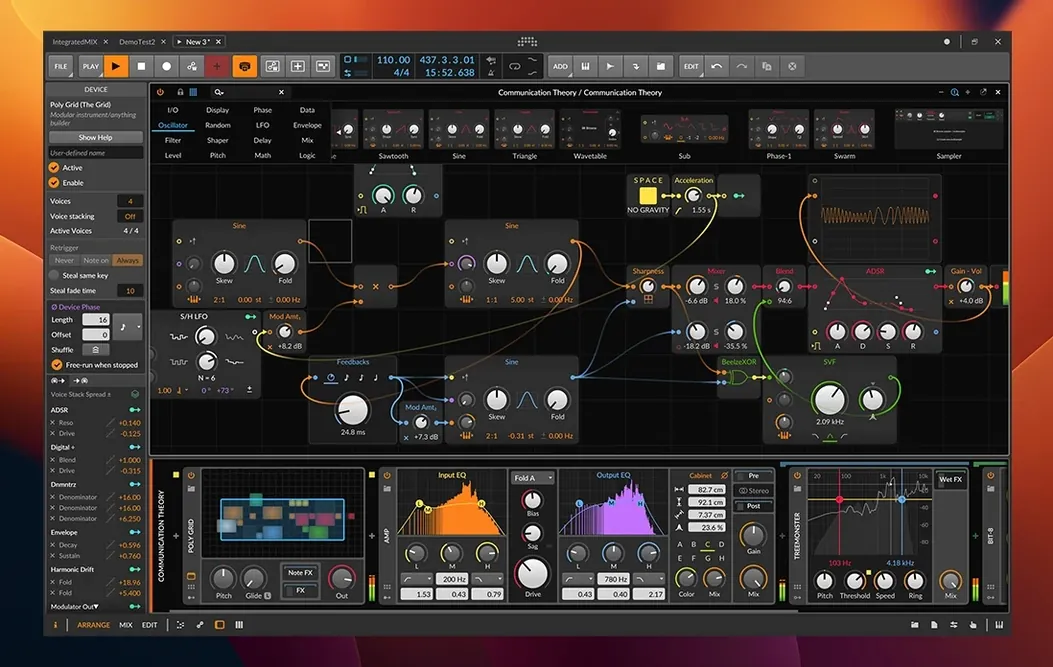
Bitwig Studio is a digital audio workstation that treats composition, recording and live improvisation as parts of a single workflow.
Clip Launcher — a grid of cells that hold audio or MIDI clips, playable in any order. One column can loop a four-bar bassline while another triggers a one-shot vocal sample.
Arranger — the linear timeline where clips are placed, trimmed and crossfaded. Material started in the Launcher can be recorded straight into the Arranger without stopping playback.
Note Expression — per-note editing of Velocity, Gain, Pan, Timbre and Pressure. MPE controllers send independent values for each held note; the software records and plays them back with the same independence.
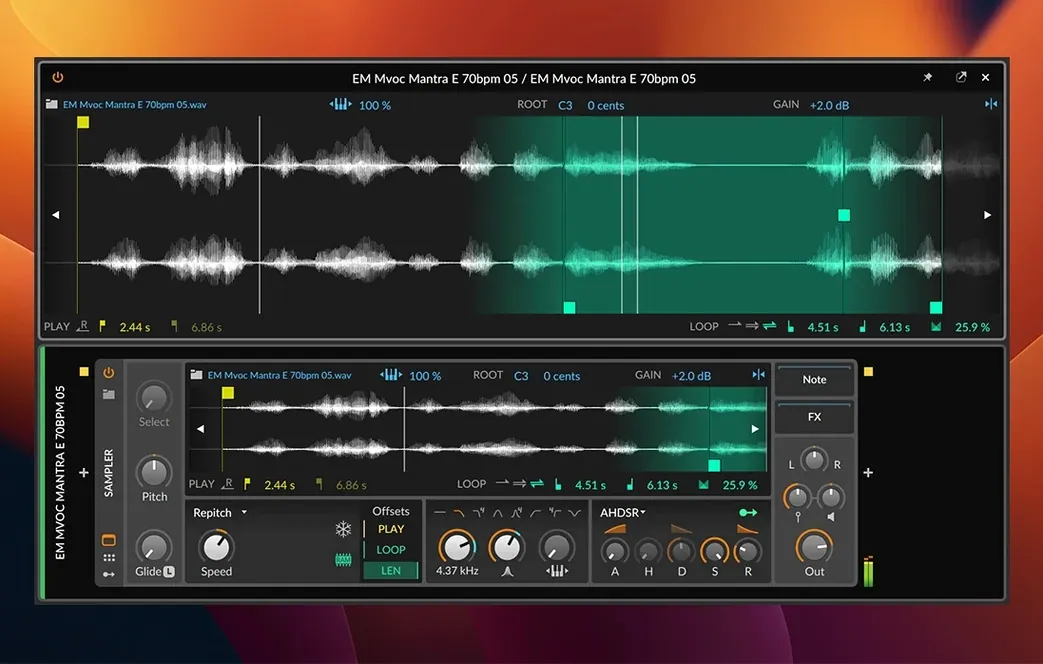
Time-stretching — eight algorithms adapt audio to tempo changes. The 6.1 Sampler adds slicing, plus Spectral and Fragments play modes that resynthesise sound from frequency and grain data.
Pitch detection — new in 6.1, the engine identifies the pitch of recorded material automatically. Together with automatic tempo detection it helps drop a found sound into a project without manual tuning or warping.
Modular routing borrows from both clip and linear workflows
Bitwig Studio sits between two long-established approaches. Ableton Live built its reputation on the session view and clip-based performance; Logic Pro remains the linear recording environment many Mac users know first. Bitwig borrows from both, but its modular routing sets it apart from either.
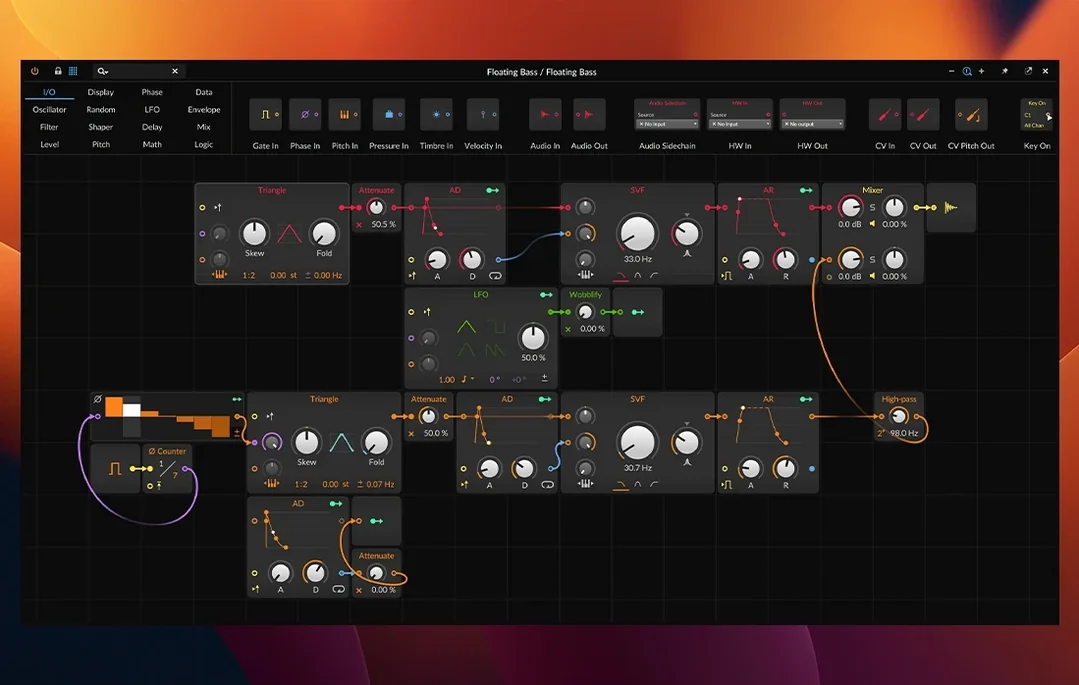
Against Ableton Live, the practical difference shows in devices. Live’s instruments and effects are largely fixed in their signal flow. In Bitwig, a device can be nested inside another, and modulation sources can target almost any parameter without setting up a separate routing track. The Grid — a patching environment for building instruments and effects — has no direct equivalent in Live. Live’s controller integration is broader out of the box, while Bitwig’s is more open-ended.
Against Logic Pro, Bitwig feels lighter and more immediate for electronic work. Logic includes a large sample library and a deep mixing console, but its automation and modulation are more conventional. Bitwig’s three workspaces — Arrange, Mix and Edit — can be split across monitors in ways Logic’s single-window design does not encourage. Logic remains the stronger choice for scoring and traditional multitrack recording; Bitwig is more comfortable when a project starts with a loop and ends as a live set.
A third comparison is Reason. Both applications use a rack metaphor and both allow patching between devices. Reason keeps the metaphor visible and skeuomorphic; Bitwig abstracts it into a cleaner interface. Reason’s instruments are more immediately playable, but Bitwig’s modulation system reaches deeper and its MPE support is more complete.
Runs natively on Apple Silicon and Intel Macs
Does it run well on older Macs? Bitwig Studio 6.1 requires macOS 12 Monterey or later and runs natively on both Intel and Apple Silicon machines. The audio engine is efficient, but projects with many instances of the new Spectral and Fragments modes will use more CPU than straightforward sampler playback. Closing the Device panel when it is not needed reduces load on integrated graphics.
Can I open projects from other DAWs? Not directly. Bitwig imports audio and MIDI files, and it can host Audio Units and VST plug-ins, but project files from Logic or Ableton Live need to be exported first. Stems, MIDI clips and samples transfer without issue; automation and device settings do not.
Is it suited to live performance? The Clip Launcher is designed for it. Scenes can be queued, clips can be set to legato or trigger modes, and the transport keeps running while you move between Arrange and Mix workspaces. The software also sends and receives MIDI clock and Ableton Link sync, so it can sit inside a larger hardware or software setup.
Does it support my controller? Most class-compliant MIDI controllers work without configuration. MPE devices such as the ROLI Seaboard and LinnStrument are supported at the note level. If your controller sends standard CC messages, you can map them to any parameter by right-clicking and choosing the mapping option.
Drag a loop in and tempo detection kicks in automatically
You open Bitwig and create a new project. The Arrange workspace fills the main window; a second monitor shows the Mix workspace. You drag a drum loop from the browser into the Clip Launcher. The software detects its tempo automatically — a 6.1 addition — and the project tempo follows.
You add a bass synth in the next column. Instead of drawing notes by hand, you play a four-bar phrase on a MIDI keyboard. The notes land in a clip. You open the Detail Editor and adjust the Pressure curve for two notes, pushing the filter open slightly on the second bar. The change is audible immediately.
You record a vocal take into the Arranger. The take is slightly sharp in places. You run pitch detection on the clip, then correct the worst syllables in the editor. You enable time-stretching and try two of the eight algorithms; the second one keeps the sibilants cleaner at the new tempo.
You load the 6.1 Sampler and drag in a field recording. You switch to Spectral mode and play a few notes across the keyboard. The material turns into pads and textures. You record a two-bar loop into the Launcher, then set the clip to legato mode so it transitions smoothly into the next scene. When the arrangement feels complete, you record the whole Launcher performance into the Arranger and do a final pass in the Mix workspace.
Map LFO rate to a second LFO for layered modulation
Electronic producers who build tracks from loops and one-shots gain the most from the Clip Launcher and the modulation system. The ability to map an LFO to a filter cutoff, then map that LFO’s rate to a second LFO, is the kind of workflow that becomes second nature after a few sessions.
Live performers benefit from the same features in a different way. Scene queuing, clip legato and MIDI sync make it possible to reshape a set without stopping playback. The split workspaces help here too: keep the Mix workspace on one screen and the Launcher on another, and you can monitor levels while triggering clips.
Sound designers will find the 6.1 Sampler’s Spectral and Fragments modes a reason to explore material that other samplers render too literally. Microtonal editing and per-note expression also matter for anyone working with MPE controllers or non-Western tuning systems.
Users who mainly record bands or orchestral parts may find the workflow less immediately familiar, but the Detail Editor and nondestructive clip editing cover basic comping and take management without forcing a separate edit window. The learning curve is real but not steep, and the interface stays consistent across all three workspaces.