Aspecten
 Download (32 MB)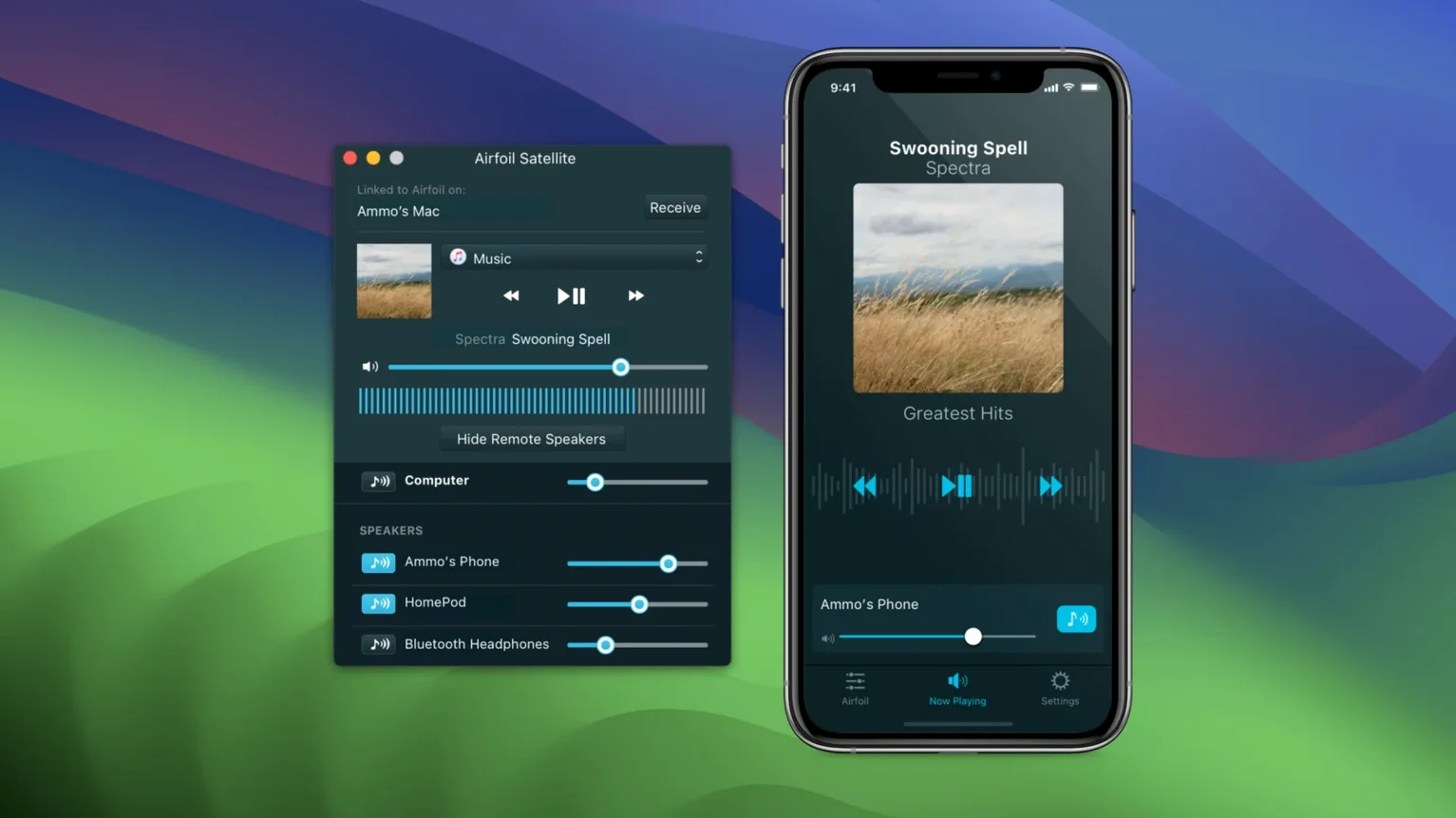
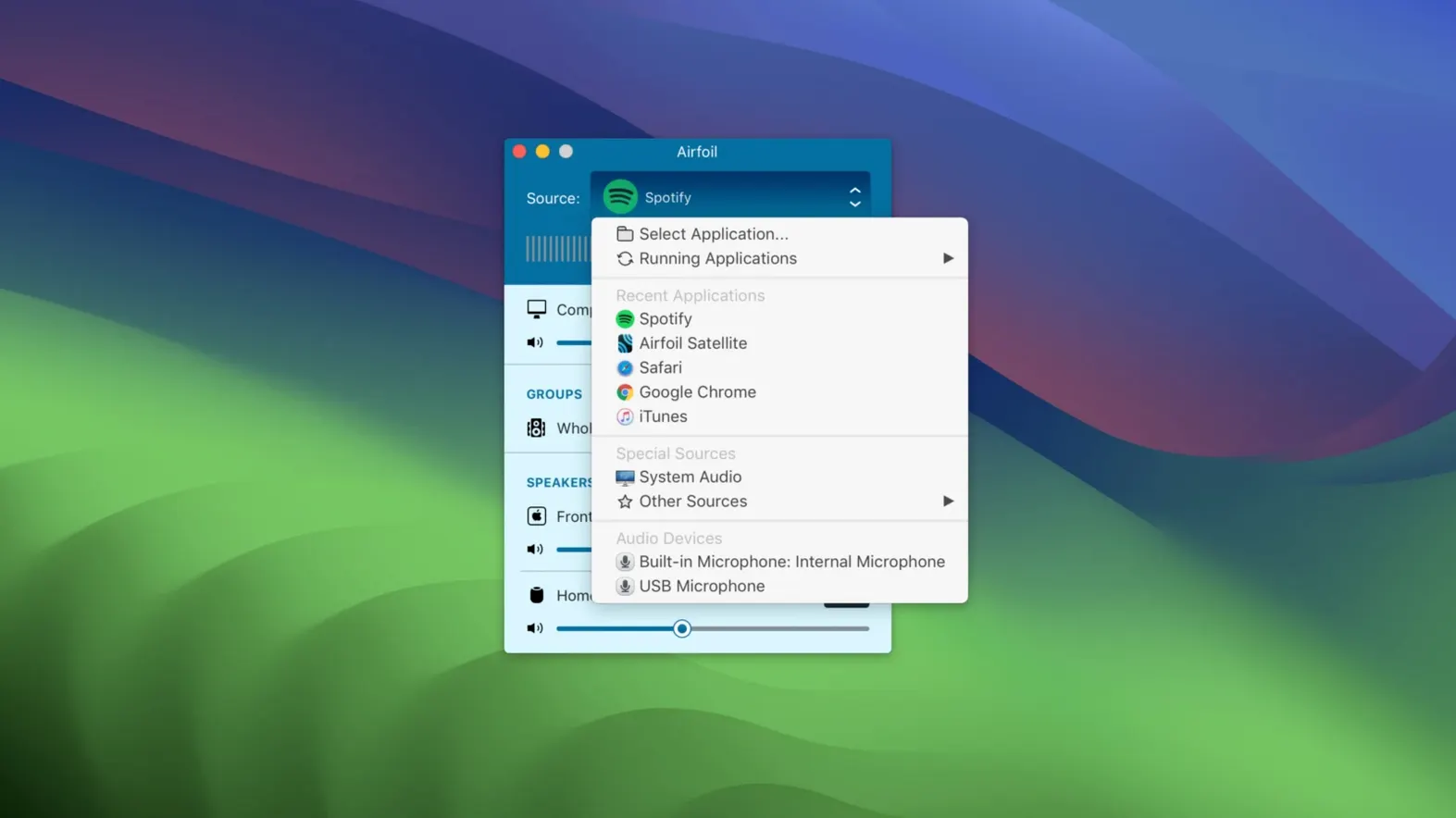
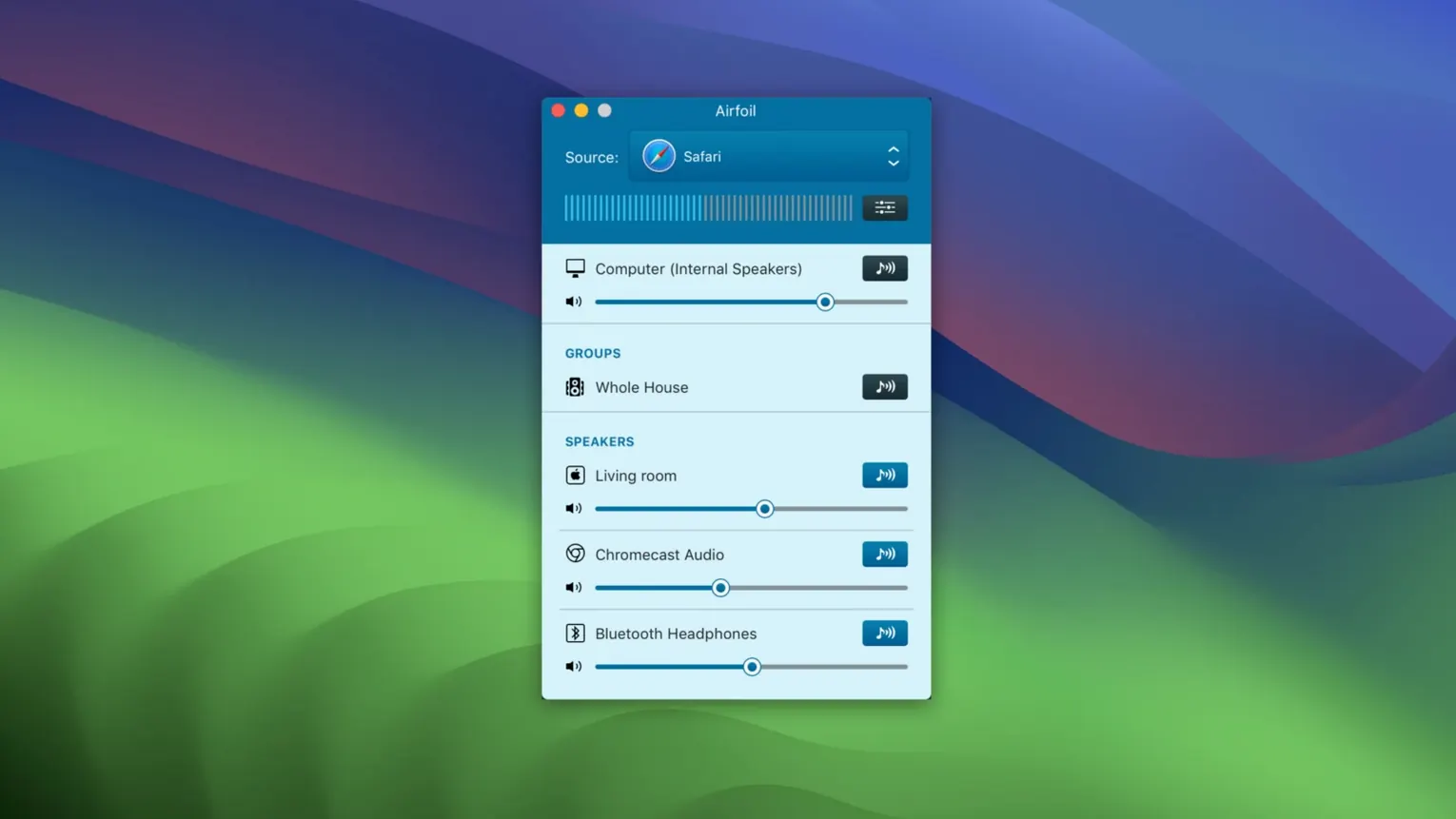
A podcast episode is playing on the Mac in the study. The kitchen is too far for the screen, but an old AirPort Express sits on the shelf. Airfoil grabs the audio and routes it there, straight from the menu bar, without touching the source app.
Jobs it does
- Send to many speaker types at once. A single Mac can stream to AirPlay receivers, Google Cast gadgets, Bluetooth speakers, iOS devices and even other computers. The app keeps a list of available targets and lets you tick several at a time.
- Pick up any application’s sound. Rather than handling files, Airfoil hooks into a running program—a browser tab, a music player, a video call—and transmits whatever it hears. Volume can be adjusted per source or per remote device.
- Start playing on launch. A preference tells Airfoil to connect automatically to a chosen speaker the moment it opens, which suits a fixed setup like a workshop or a café.
What travels through the air
The audio is encoded as Apple Lossless, so the stream arrives without the degradation that compressed Bluetooth paths sometimes introduce. Version 5.13 restores transmission to Apple TV and HomePod units, bringing those devices back into the fold after a period of absence.
Nearby alternatives
Three other Mac apps take aim at wireless audio, each with a narrower field of view.
AirServer acts as a receiver first: a Mac becomes an AirPlay, Google Cast or Miracast target for other gadgets. It can record incoming streams and mirror screens, but it does not grab desktop audio and push it outwards the way Airfoil does. A household that mainly wants to send audio from one Mac to many rooms will find AirServer the wrong shape.
Reflector shares AirServer's receiver-first posture. It mirrors iOS and Android screens onto a Mac, with basic audio pass-through. Sending Mac audio to a remote speaker is not part of its brief. For a teacher projecting a tablet onto a classroom screen, Reflector fits; for someone piping a news broadcast from Safari to a kitchen AirPort Express, it does nothing.
SoundSource comes from the same developer as Airfoil but tackles a different problem. It gives per-application volume control, equalisation and output routing on the local Mac. Pairing it with Airfoil creates a flexible chain: SoundSource shapes the audio before Airfoil grabs it and sends it elsewhere. On its own, though, SoundSource never leaves the machine.
Multi-room mixes of AirPort, Bluetooth and Google Cast
Mac users with a mix of speaker hardware spread across several rooms notice the difference fastest. An AirPort Express in the bedroom, a Bluetooth speaker in the bathroom, a Google Cast dongle on the living room television—Airfoil addresses all three without asking the user to switch protocols or launch separate utilities.
People who listen to live audio throughout the day also gain an edge. A radio stream that moves from the desk to the kitchen when lunch starts, without pausing the broadcast, turns a manual chore into a menu-bar click. The automatic-start preference removes even that click for setups where the same speaker always gets the feed.
Anyone who has struggled with Bluetooth range finds the lossless encoding a quiet benefit. A Mac in the back of the flat can reach an AirPlay speaker two rooms over, and the sound arrives clean. Bluetooth would have crackled or dropped out long before.
Grabs anything Core Audio can hear
Airfoil sits between applications and the system audio stack. It sees whatever a program sends to Core Audio, so it works equally with Apple Music, a web browser, QuickTime Player or a third-party VoIP client. No plug-in or export step is needed; the app simply listens.
The companion family—Airfoil Satellite for iOS and for other Macs—extends the reach further. A Mac mini in the lounge runs Airfoil; an iPhone in the garden runs the satellite and becomes a portable remote speaker. The same satellite app offers playback controls, so skipping a track during a garden barbecue does not require a walk indoors.
macOS features such as the menu bar and Login Items work in Airfoil’s favour. The menu-bar controller shows speaker names and volume sliders without opening the full window. Adding the app to Login Items, combined with the auto-connect preference, means audio flows to the right place before a single window appears on screen.
Version 5.13 in daily use
The headline change is the return of Apple TV and HomePod streaming. For anyone who updated macOS and found those devices greyed out in the speaker list, this single fix restores a setup that might have been broken for months. A living room HomePod pair becomes a valid target again, no workaround needed.
Less visible but equally practical is the continued compatibility through macOS 27, as listed in the support centre. A Mac bought today can expect Airfoil to travel with it across several major system upgrades. In a category where small utilities often stall at an older OS version, that long tail matters for a piece of daily infrastructure.
For users who search for airfoil for mac after encountering the name in a forum thread, the current build removes the main reason for hesitation: the streaming gap that earlier versions left around Apple’s own speakers. The app's core loop—pick a source, tick a speaker, adjust volume—remains unchanged, but the list of available speakers is whole again.