Aspecten
 Download (63 MB)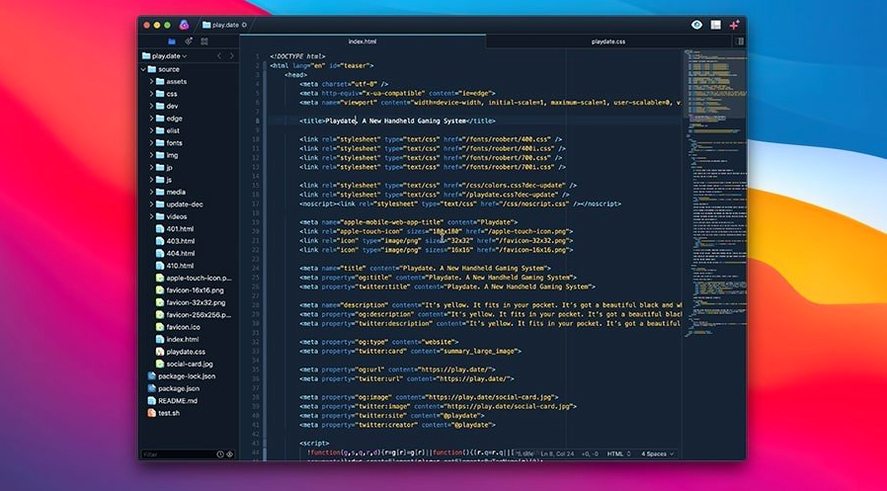
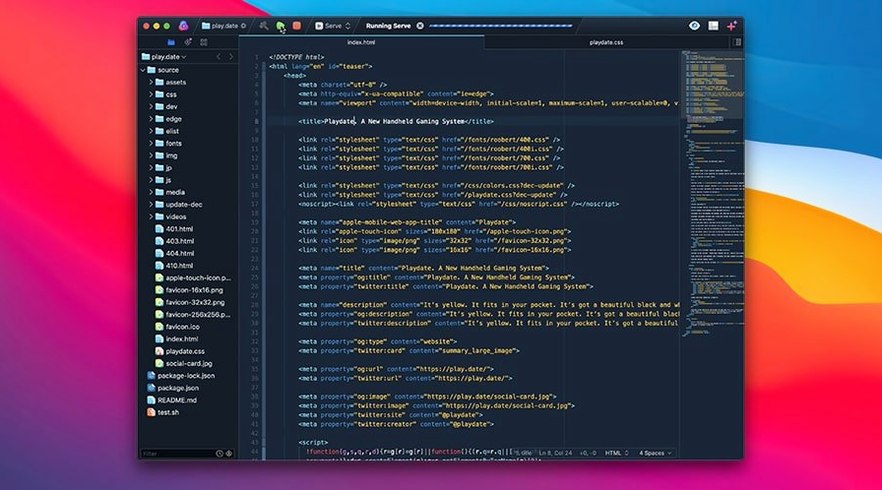
Nova is a code editor built around a custom text layout engine and flexible project automation. Version 14.1 continues that focus, offering the same core tools without alterations to the feature set.
What makes the text layout different?
The editor uses a layout manager written from scratch. This sidesteps inherited text rendering bugs and keeps scrolling responsive, even in large files.
How does task automation work?
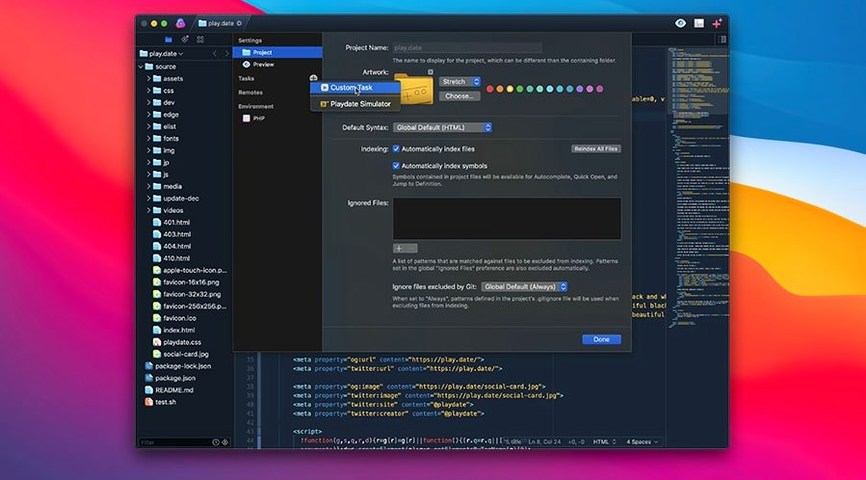
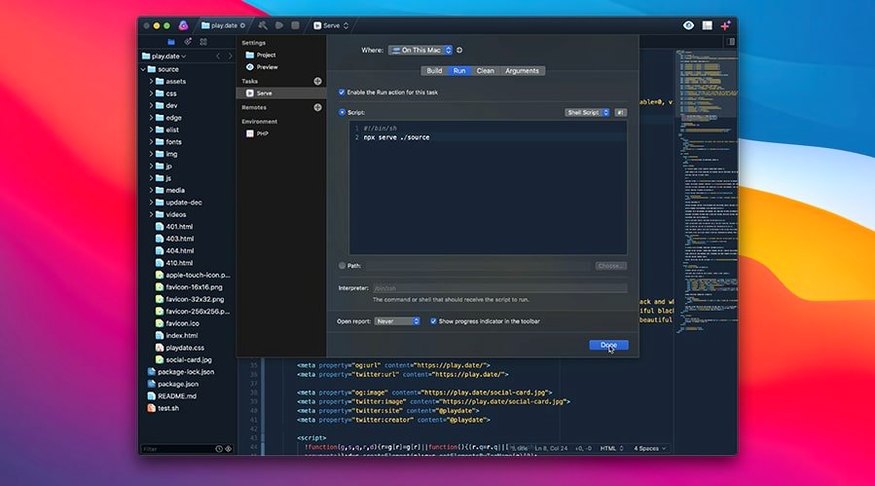
You can write custom task scripts for each project and trigger them from toolbar buttons or keyboard shortcuts. It turns repetitive build and deploy steps into single actions.
Can I edit multiple lines at once?
Yes. Multiple cursor support lets you place simultaneous insertion points and edit several lines in parallel, which speeds up bulk changes.
Which languages are covered out of the box?
First days with Nova
After dragging the application into place and launching it, a few small adjustments make the environment feel less generic. The minimap sits on the right by default. If you work on a smaller screen, toggling it off via View > Hide Minimap reclaims a surprising amount of horizontal space. The minimap stays useful for long SCSS or Python files, but its absence is rarely felt when editing shorter HTML or JSON documents.
Task scripts reward early attention. Instead of waiting until a project grows unwieldy, try wiring up one simple build task on day one. Even a two-line shell script that runs a linter or clears a cache folder, bound to Cmd+Shift+B, establishes the habit. Nova keeps task definitions inside the project file, so they travel with the folder when you move between machines.
The extension browser, accessible from the main menu, is worth a quiet browse during the first session. Extensions for Rainbow Brackets, ESLint integration and language-specific completions for Rust or Vue populate the editor without altering its core behaviour. Installing one or two early prevents the feeling that something is missing later.
cmd+/ remembers the right comment marker for each language
Several touches only surface after repeated use. A tap of Cmd+/ toggles line comments in whichever syntax the file uses; the editor remembers the correct comment marker for JSX, Sass or Lua without any configuration. The Editor > Balance command, mapped to Cmd+Shift+B by default (though easily rebound if tasks claim that shortcut), selects the next outermost pair of brackets or tags. In deeply nested JSX or HTML, this is quicker than dragging with a mouse.
Multiple cursors accept more than simple click placement. Holding Option and dragging vertically places a thin column of insertion points on consecutive lines, ideal for prefixing a batch of CSS properties or aligning variable assignments. Pairing this with Nova's autocompletion — which already understands TypeScript interfaces and JSON schemas — turns bulk edits into a rapid, predictable rhythm.
The sidebar file list has a filter field at the top that many overlook. Typing a partial filename narrows the tree instantly. In monorepos or sprawling static-site projects, this becomes the quickest way to jump between a dozen config files without touching the mouse.
scrolling through minified bundles no longer stutters
Panic Art Studios spent much of the beta cycle on the custom text layout manager, and version 14.1 inherits that work fully. The practical difference is most visible when scrolling through minified JavaScript bundles or thousand-line YAML files; the editor no longer hitches on invisible character substitutions or line-height rounding errors that occasionally affected older macOS text views. For everyday editing, it simply means fewer micro-pauses.
Syntax coverage has also settled. Earlier releases expanded language support incrementally, but the current set of two dozen built-in grammars now covers the formats most developers touch daily. Less common file types, such as Smarty or ERB templates, highlight correctly without extra extensions, which removes a small but persistent paper cut for those maintaining legacy projects.
Task scripts gained no new interface in 14.1, but the underlying runner became more tolerant of long-running processes. A build watch or a Tailwind CSS recompile that previously timed out in certain edge cases now stays alive reliably across sleep-wake cycles, making the editor a more plausible hub for front-end workflows that lean heavily on continuous compilation.
Syntax highlighting ships for two dozen formats, including TypeScript, JSX, Python, Ruby, Sass, Lua, YAML and Markdown.