Aspecten
 Download (333 MB)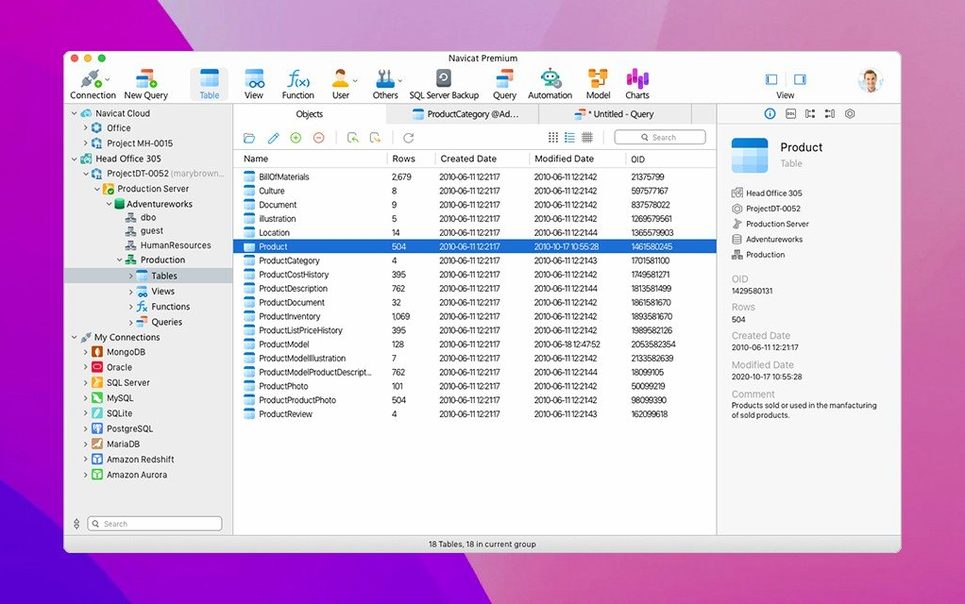
Version 17.3.8 arrived as a maintenance release for macOS, settling a handful of bugs and bringing subtle stability improvements across the board. For someone juggling several database engines, the draw has always been consolidation — rather than switching between separate Navicat applications, you get MySQL, SQLite, Oracle and PostgreSQL connections living side by side in one window.
Moving between SQLite, PostgreSQL and MySQL without switching tools
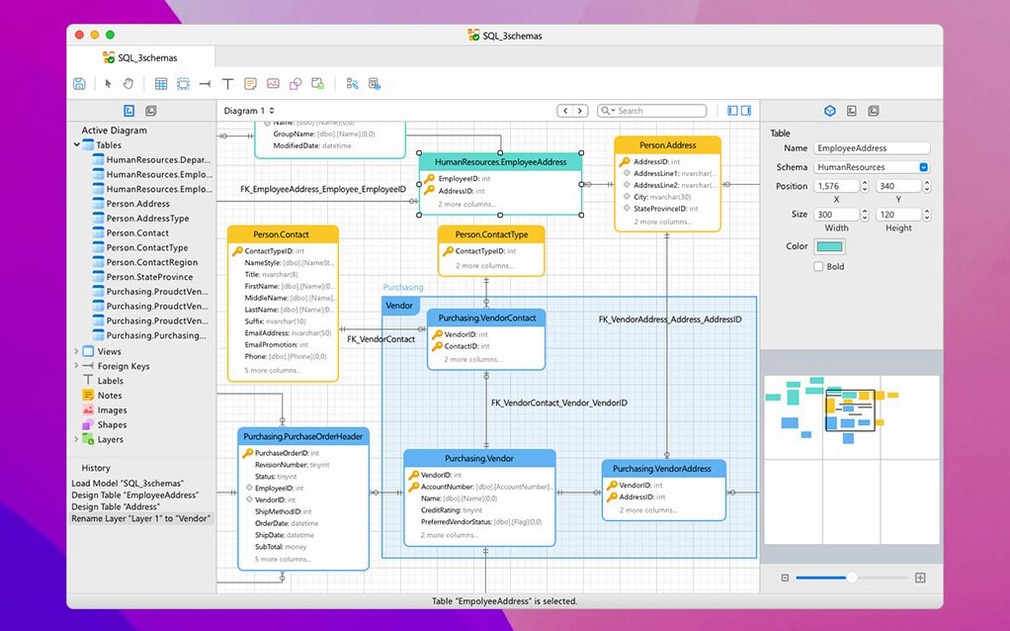
It does not aim to replace a dedicated IDE you might already prefer for a single engine, but it reduces the friction when a day involves querying a local SQLite store, adjusting a PostgreSQL schema and pulling a report from an Oracle instance. The SQL console, query builder and ER data model are all immediately available for each connection type without leaving the workspace.
What does it handle beyond querying?
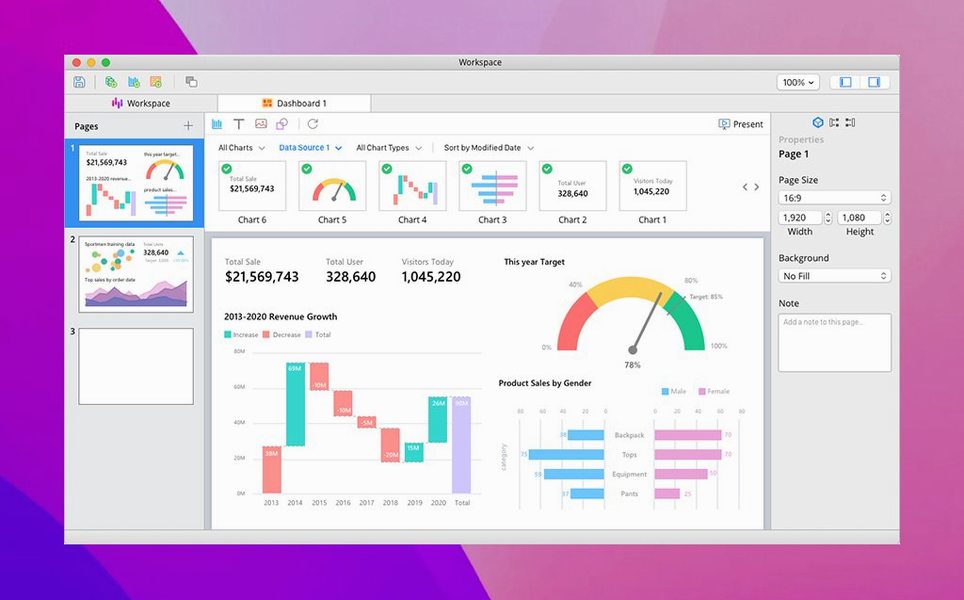
Data migration sits at the centre: you can transfer data directly between MySQL, Oracle and PostgreSQL databases. Import and export cover everyday formats — XLS, CSV, TXT, DBF and XML — while the built-in backup tools and business intelligence features let you protect data and produce simple visualisations without reaching for another utility.
How does security and access work?
SSH Tunnel support keeps remote sessions encrypted, and the security configuration lets you set granular access rights. It is a pragmatic fit when you need a single pane for several databases but still require per-connection control over who can do what.
From query to CSV in three database engines
Here is a workflow for a routine chore: pulling a customer contact list spread across three systems and landing it in a single file for a marketing campaign. The aim is to extract names and email addresses from a local SQLite database, an Oracle instance on the office network, and a remote PostgreSQL server.
Start by creating three connections in the main window — one for each engine. The connection setup for PostgreSQL calls for the host address, port, username and password; Oracle needs a service name or SID; SQLite simply points at a file on disk. With all three active, the left-hand connection pane shows them as a flat list, each expandable to its schemas and tables.
Open the query builder for the SQLite connection first. Build a straightforward SELECT name, email FROM contacts WHERE opt_in = 1 statement, run it, and click the export button above the result grid. Choose CSV, set the delimiter and encoding (UTF-8 works here), and save the file to a temporary folder. Repeat the process for the Oracle and PostgreSQL connections, using their own query builders — the interface stays nearly identical across engines, so muscle memory does not break. Each result set lands as a separate CSV. If you prefer a single file, the import/export wizard lets you append rows from a second data source to an existing export, though in practice opening the three CSVs in a spreadsheet and merging them is often faster.
Had the schemas differed — say Oracle used full_name instead of name — the data synchronisation tool could map columns between engines before export. The whole task takes about ten minutes once connections are saved, and no other application needs to open.
A database engineer’s afternoon
Consider a database engineer maintaining a mid-sized SaaS platform. The production database runs on PostgreSQL, the development team experiments with MongoDB for session storage, and the legacy reporting pipeline still pulls from MySQL. Mid-afternoon, a support ticket arrives: a customer’s account shows inconsistent billing totals between the PostgreSQL accounts table and the MySQL reporting snapshot.
She opens Navicat Premium, where connections to all three systems already live. A quick query against the PostgreSQL accounts table shows the customer’s correct balance. In the MySQL connection, she runs the same join against the reporting snapshot and spots the discrepancy — a batch job had skipped an update two nights earlier. She uses the data synchronisation tool to compare the two tables row by row, confirms the drift is isolated to one day’s records, and writes a one-off UPDATE statement in the MySQL SQL console to bring the snapshot back in line.
While she is in the workspace, she remembers the MongoDB sessions collection needs an index on the expires_at field. She switches to the MongoDB connection, opens its console, and issues the index creation command without leaving the application. The whole investigation and fix spans three database engines, four tabs, and roughly twenty minutes — no juggling of separate clients, no re-entering credentials, no mental context-switching between different interface paradigms.
Crash fixes when switching rapidly between connections
Version 17 brought the combined interface across the board, and the point releases since then have focused on tightening the seams. The 17.3.8 maintenance update addressed several crashing bugs that users encountered when switching rapidly between connections — a scenario that felt brittle in earlier 17.x builds. Stability improvements in this release mean fewer unexpected quits during long sessions where four or five connections stay open simultaneously.
Another fix targeted the query builder’s behaviour with complex JOIN statements on Oracle connections. In prior versions, certain nested joins would produce a parsing error that forced users to write the SQL by hand in the console. With 17.3.8, those queries now execute correctly from the builder, which makes the tool more usable for team members who prefer a visual approach to query construction.
Apple Silicon performance also improved incrementally. While the application has run natively on ARM for some time, earlier builds exhibited a slight lag when scrolling through large result sets — tens of thousands of rows — on M-series machines. The 17.3.8 release reduces that lag noticeably, bringing the ARM experience closer to parity with the Intel build. For everyday use, the difference surfaces most when working with the data modelling tools or browsing tables with many columns, where smooth scrolling keeps the workflow fluid.
Stopping remote server timeouts with SSH keep-alive
Connection timeouts on remote servers. When a PostgreSQL or MySQL connection drops after a few minutes of inactivity, the SSH tunnel settings are usually the culprit. In the connection properties, under the SSH tab, tick Keep alive interval and set it to 30 seconds. This sends a small packet through the tunnel at regular intervals and prevents firewalls or load balancers from closing the idle connection.
Oracle connection fails with a TNS error. The most frequent cause is a missing or misnamed tnsnames.ora entry. Navicat Premium lets you bypass TNS entirely — in the Oracle connection window, switch from the TNS tab to the Basic tab and enter the host, port and service name directly. If you must use TNS, confirm the file path under Oracle settings in the preferences matches where your tnsnames.ora actually lives.
Data synchronisation reports mismatched rows that look identical. This often comes down to invisible differences: trailing whitespace, Unicode normalisation variants, or timestamp precision mismatches between engines. Before running the sync, open the comparison options and enable Trim trailing spaces and Ignore case if the data allows it. For timestamp mismatches, check that both connections use the same timezone setting in their individual properties — a PostgreSQL connection set to UTC against a MySQL connection set to local time will flag nearly every datetime row as changed.
Export wizard produces garbled characters in Excel. When CSV exports open with broken accented characters in Microsoft Excel, the encoding step was likely set to UTF-8 without a byte-order mark. In the export wizard’s final step, select UTF-8 with BOM from the encoding dropdown. Excel recognises the BOM and opens the file correctly. For XLS exports, no extra step is needed — the format carries encoding metadata internally.
High memory use with large MongoDB collections. Browsing a MongoDB collection with millions of documents can cause the application’s memory footprint to climb. Limit the number of documents loaded per page in the connection’s advanced settings — setting Limit records to 500 or 1000 keeps the result grid responsive and avoids unnecessary memory pressure, especially on machines with 8 GB of RAM or less.