Aspecten
 Download (39 MB)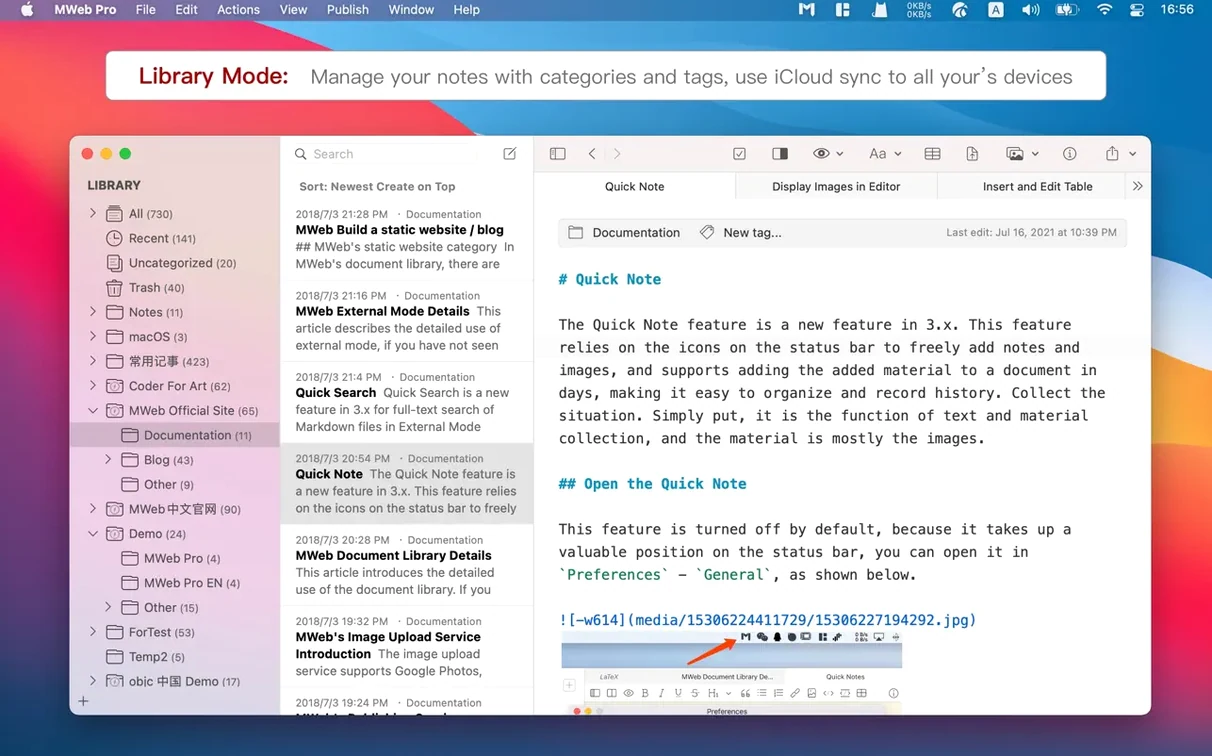
You write a technical article that mixes text, code snippets, and half a dozen diagrams. The Markdown notes are in a folder on your desktop. You open that folder in MWeb Pro, add a table of contents and a mermaid chart, then publish it as a static page.
Long-form Markdown with math, footnotes, and static blog export
- Writing long-form Markdown with tables, LaTeX math, task lists, and footnotes in a single environment.
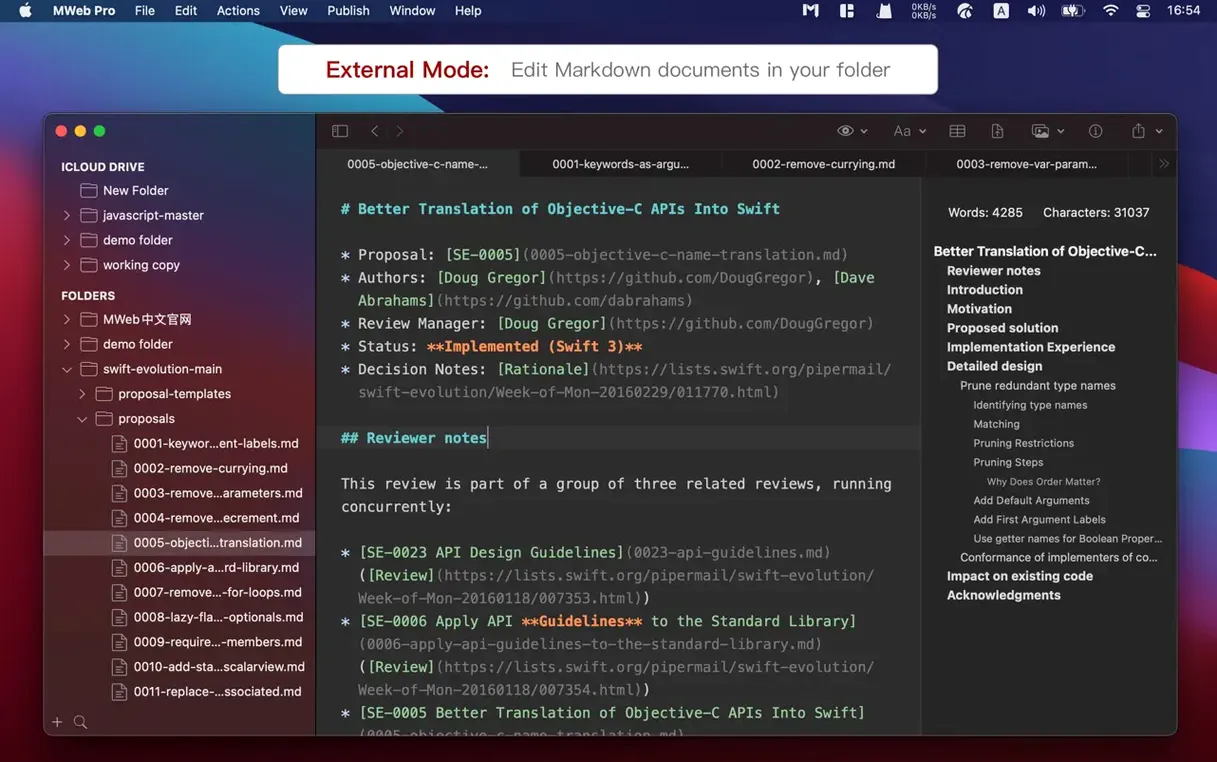
- Managing existing folders of Markdown files via external mode, without importing them into a proprietary database.
- Generating a static blog from your notes and publishing to services that read GitBook, Jekyll, or Hexo structures.
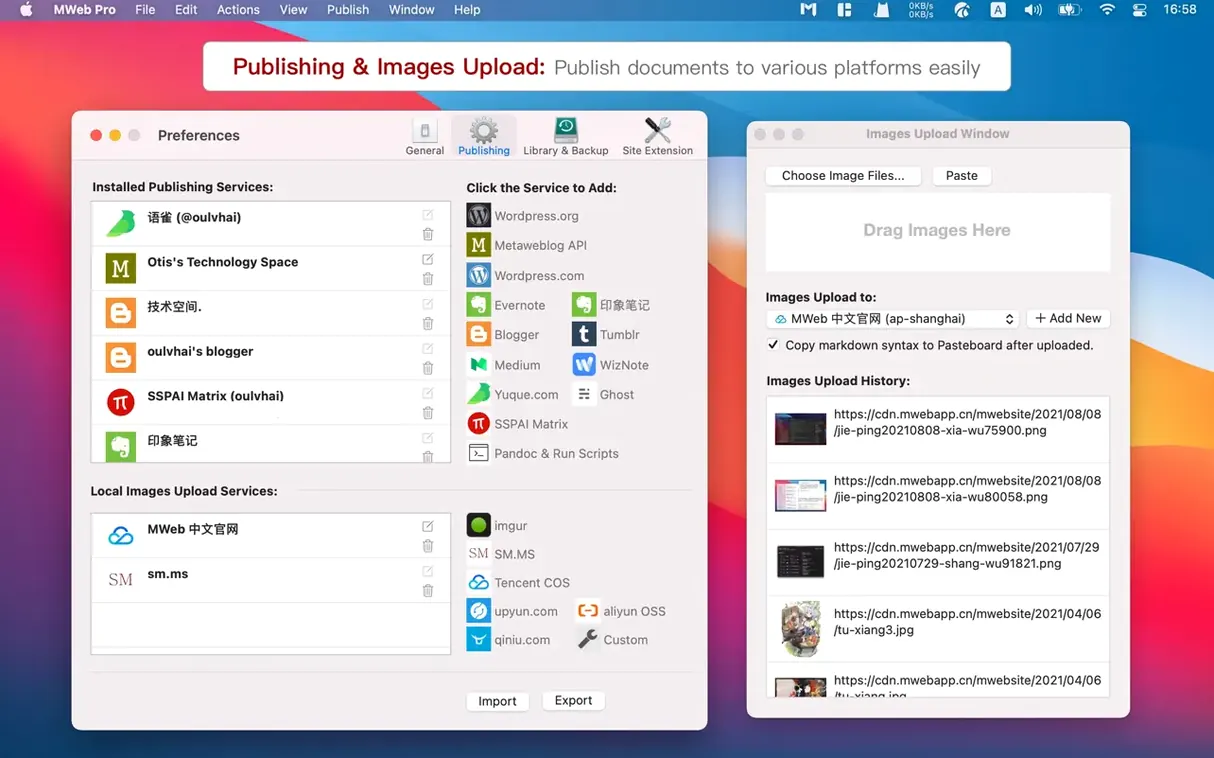
- Uploading images to Imgur, Qiniu, Upyun, s.ee, or a custom API directly from the editor.
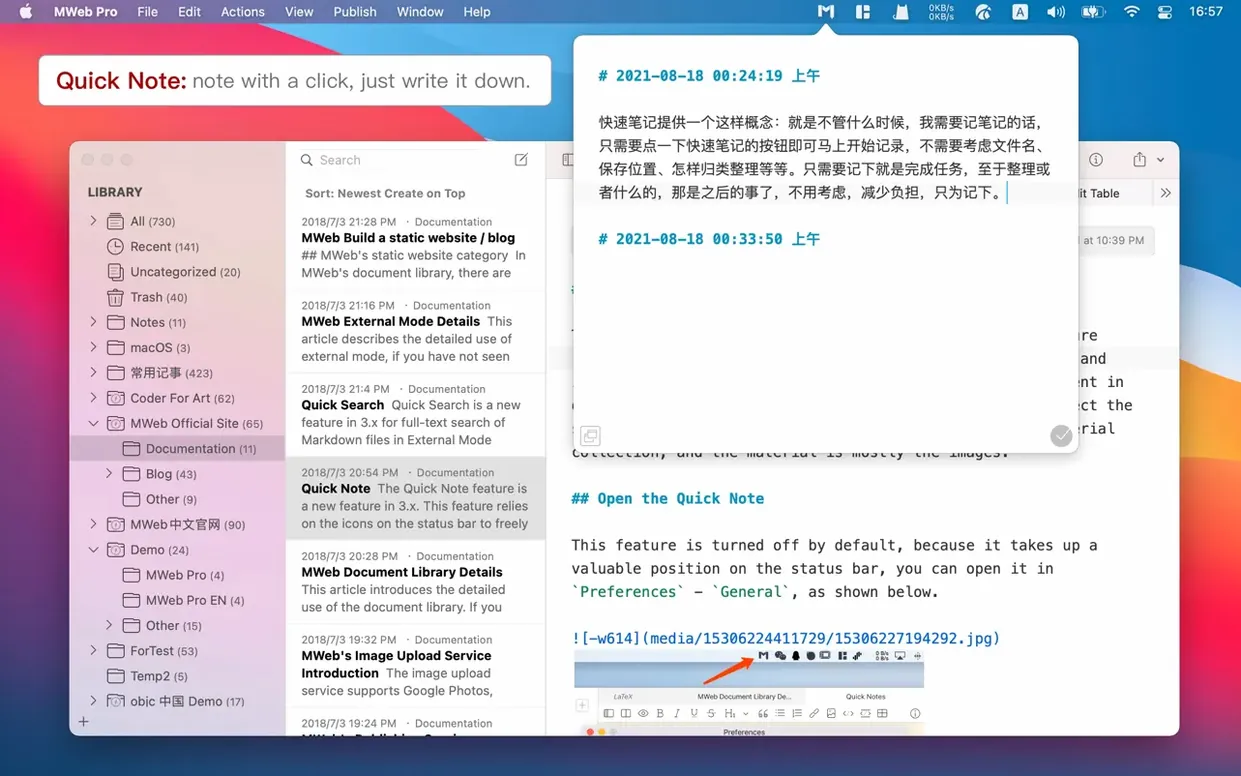
- Quick notes for jotting down thoughts in a separate, fast-access panel.
Manual image sizing syntax and macOS 10.13 requirement
- Setting image size requires writing Markdown-compatible syntax manually rather than dragging handles.
- The Mac version requires macOS 10.13 High Sierra or later; it runs on both Intel and Apple Silicon Macs.
- Collaboration happens through shared folders and file-based workflows, not real-time multi-user editing.
Enable line numbers for code-heavy documents
Open the Preferences window after a fresh install and work through a few adjustments that shape the writing experience. Under Editor, enable Show line numbers if you interleave code with prose — it makes referencing blocks in long documents easier. The default editor font size suits most displays, but on a high-resolution external monitor, bumping it up by one point prevents eye strain during extended sessions.
Switch to the Themes tab and pick a colour scheme that matches your working hours. The light themes stay crisp under office lighting, while the dark themes hold up well late at night. MWeb Pro respects your choice across the entire editor, not just the preview pane.
In the Images section, select a default upload service before you paste your first screenshot. The app supports Imgur, Qiniu, Upyun, s.ee, and a custom API endpoint. Setting this early prevents images from accumulating locally without a remote copy. The Multiple Images into One feature also benefits from having the service configured in advance — pasting several images at once then uploads them as a batch.
Under Publishing, add at least one service. MWeb Pro connects to WordPress, Ghost, Medium, Blogger, Tumblr, Evernote, and Metaweblog API endpoints. Entering credentials and testing the connection from the start means you can publish a finished article with two clicks rather than interrupting writing flow later.
Smooth scrolling through 40-page documents with embedded images
Version 4.8.2 opens Markdown documents containing hundreds of images without the hesitation present in earlier releases. Scrolling through a 40-page manual with embedded screenshots stays smooth; the editor redraws images progressively as you move through the text. The mermaid library upgrade to 11.14.0 also contributes — complex diagrams that previously took a beat to render now appear almost immediately in the preview pane.
Memory usage sits around 180–250 MB with a medium library of 300 notes open. That figure climbs modestly when generating a static site from a large folder structure, but the app releases the extra allocation once the export finishes. No memory leaks surfaced during day-long writing sessions with the editor, quick notes panel, and external folder mode active simultaneously.
Stability is solid on both Intel and Apple Silicon Macs running macOS 10.13 High Sierra or later. The app did not crash during testing across library searches, PDF exports with custom theme selections, and repeated publishing to WordPress with the new optional summary field filled in. The only slight pause occurs when switching between a library with over a thousand entries and the external mode view — a second of delay, then normal responsiveness resumes.
A technical writer's afternoon
A developer documentation writer keeps a folder of Markdown files for a software project, organised by chapter. She opens the folder in MWeb Pro's external mode, which reads the file tree directly without importing anything. The left sidebar shows the folder structure exactly as Finder presents it.
She needs to add an architecture overview with a sequence diagram. She types a fenced code block with the sequence language tag, writes the diagram definition, and switches to preview mode. The diagram renders from the js-sequence-diagrams engine. She then inserts a table of contents at the top of the document using the toolbar button, and the app generates a linked list from the headings automatically. A few paragraphs later, she pastes a screenshot from the clipboard — MWeb Pro uploads it to s.ee and inserts the Markdown image link with the remote URL. She sets the image width by adding the dimension in square brackets after the URL, a syntax the preview pane respects immediately.
When the chapter is ready, she exports it as a PDF with a custom theme selected from the export dialog. The PDF inherits the theme's font stack and heading colours. She then publishes the same document to the team's WordPress site, ticking the new summary field to include a short description for the blog listing. The whole process — diagram, screenshot, export, publish — stays inside one application without switching tools.