Aspecten
 Download (157 MB)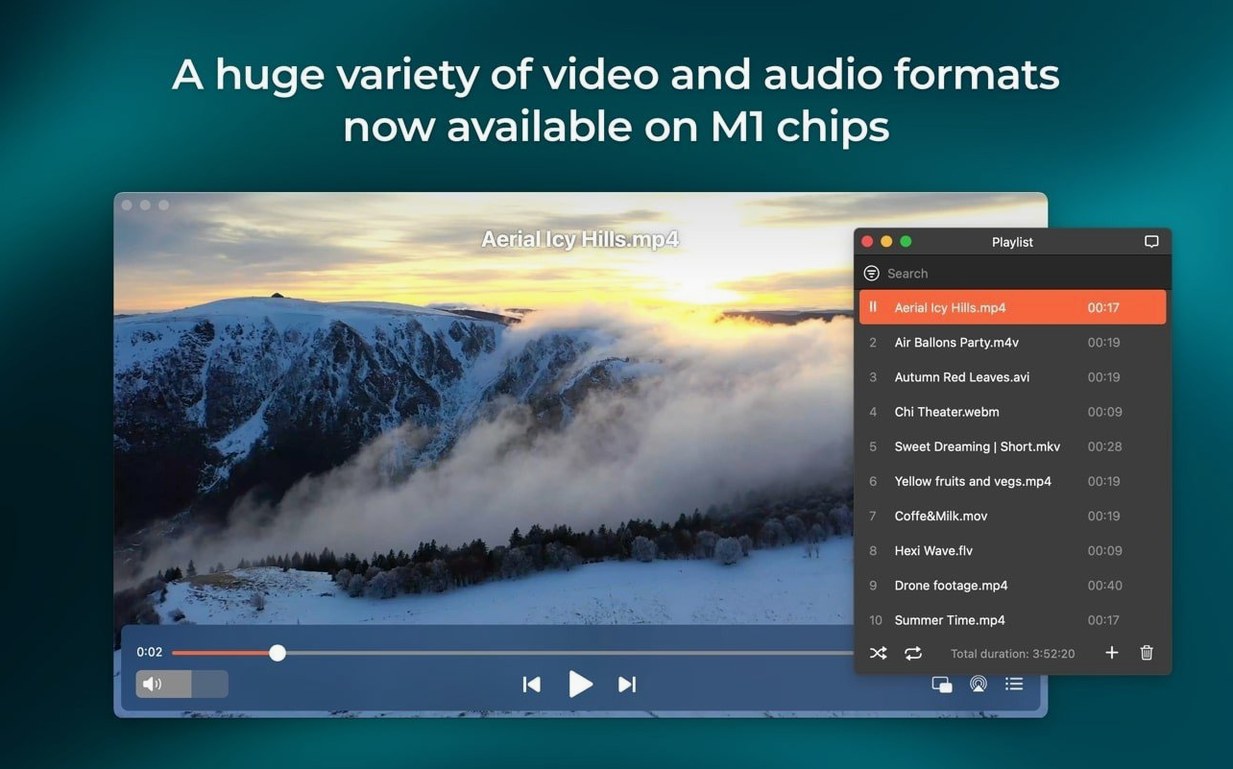
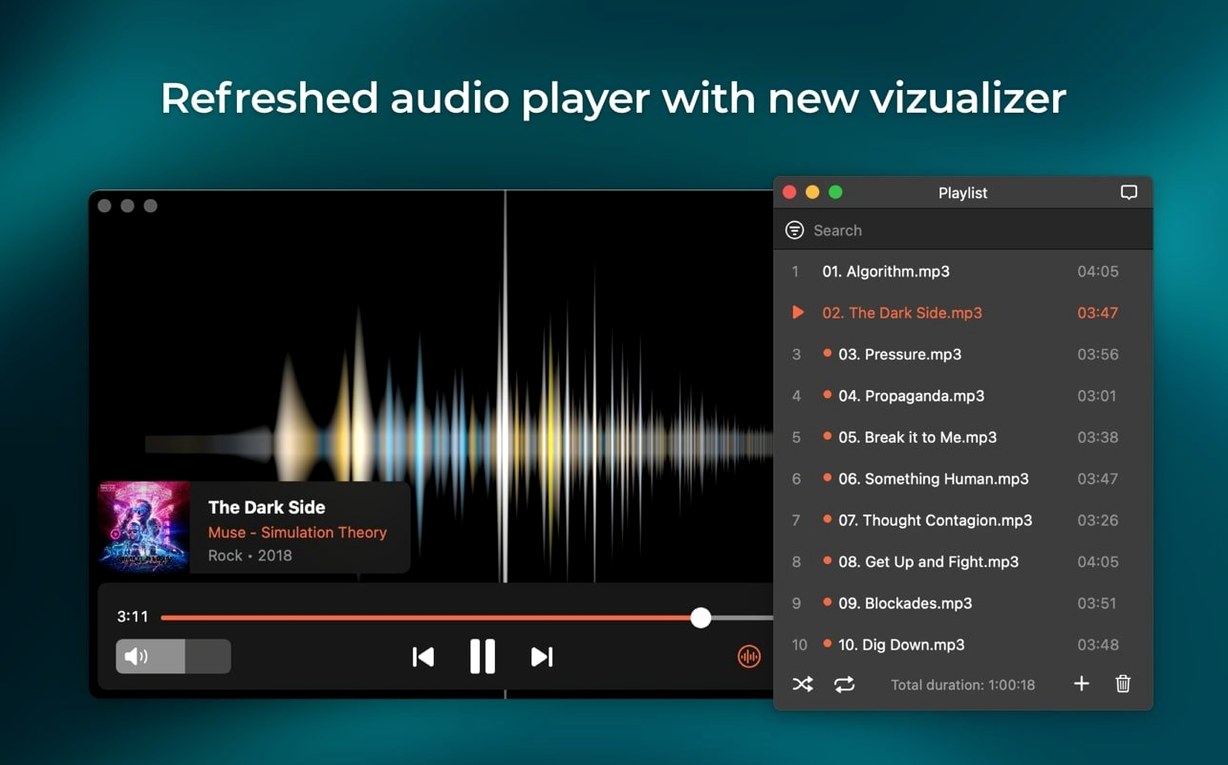
Version 8.24 adds one file type that most video players ignore: M4B audiobooks. Elmedia Player Pro opens them without fuss, remembering the playback position between sessions — a small addition that points to the player’s broader willingness to handle formats others leave behind.
The hardware-accelerated decoding keeps HD playback smooth even on older Macs, while the audio routing lets you direct sound to headphones, speakers, or other connected devices without switching the system-wide output. For anyone working with multichannel material, the player switches between two, four, or eight audio channels directly from the menu bar.
Online video handling goes beyond simple streaming. The player can download video files and extract audio tracks from them, saving a separate step with an external tool. Screenshots, when you need them, save as TIFF, PNG, or GIF — the TIFF option being a quiet nod to users who prefer lossless frames for later editing. The recent update also fixed streaming to certain devices and improved sleep prevention during casting, so a long film no longer risks interruption from the Mac’s energy-saving habits.
macOS 26 compatibility arrived with this version, alongside a fix for the device list window that previously threw errors when opened. None of this rewrites what the player does, but it keeps the tool steady on newer ground — which, for a media player you reach for daily, matters more than a feature list.
Resume playback where you left off, once you check it covers your files
A handful of defaults benefit from a quick adjustment. Open preferences and look under Playback — the checkbox for ‘Resume playback from last position’ is active by default for most formats, but confirming it applies to your common file types saves minor annoyance later. The Output tab lets you lock audio to a specific device rather than following the system setting; if you keep headphones plugged in for media work, setting it here means Elmedia will not accidentally blast sound through the iMac speakers when you unplug for a call.
Under Streaming, the sleep-prevention toggle now works more reliably after the 8.24 changes, but it still ships off. Switch it on if you cast films longer than twenty minutes. The Screenshots panel defaults to PNG; switch it to TIFF if you expect to pull frames into an editor, or leave it on PNG for quick sharing. The format choice sits hidden behind a dropdown — easy to overlook during the first run.
Opens SWF, FLV and old WMV files that QuickTime cannot touch
Elmedia slots into a media workflow without demanding to be the centre of it. The player registers itself as a handler for uncommon formats that QuickTime and Finder preview choke on — SWF, FLV, older WMV variants — so double-clicking those files in Finder opens them directly rather than stalling. For audiobook listeners, the new M4B support means you can keep a single library folder and jump between listening in Elmedia and editing metadata in a tagger without converting anything first.
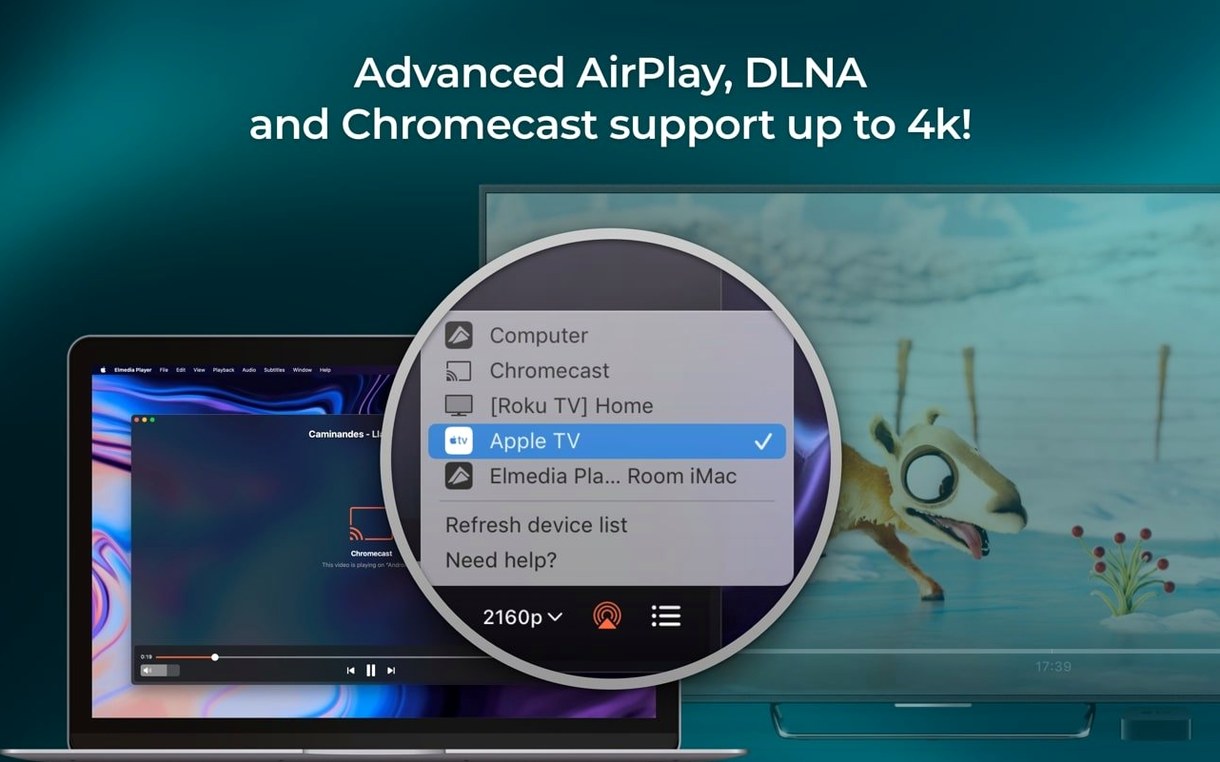
AirPlay integration works two ways. You can beam playback to a HomePod or Apple TV from the player’s controls, and you can also use another Mac running Elmedia as a receiver — useful for sending a reference video to a second screen across the room without running an HDMI cable. The audio passthrough for AC-3 and DTS relies on your existing audio chain; if the Mac connects to a receiver via HDMI or S/PDIF, Elmedia hands off the encoded stream untouched rather than decoding it itself. That matters when you want the receiver’s DAC to do the work.
The download feature, when pulling video or extracting audio tracks, writes standard MP4 or MP3 files that any editor or library manager can read. No proprietary wrappers, no extra conversion step. Screenshots save directly to a folder you specify, with sequential naming — drop them into a Photoshop batch action or a Finder tag workflow without renaming gymnastics.
Fine-tune volume with Option-click and control playback from another window
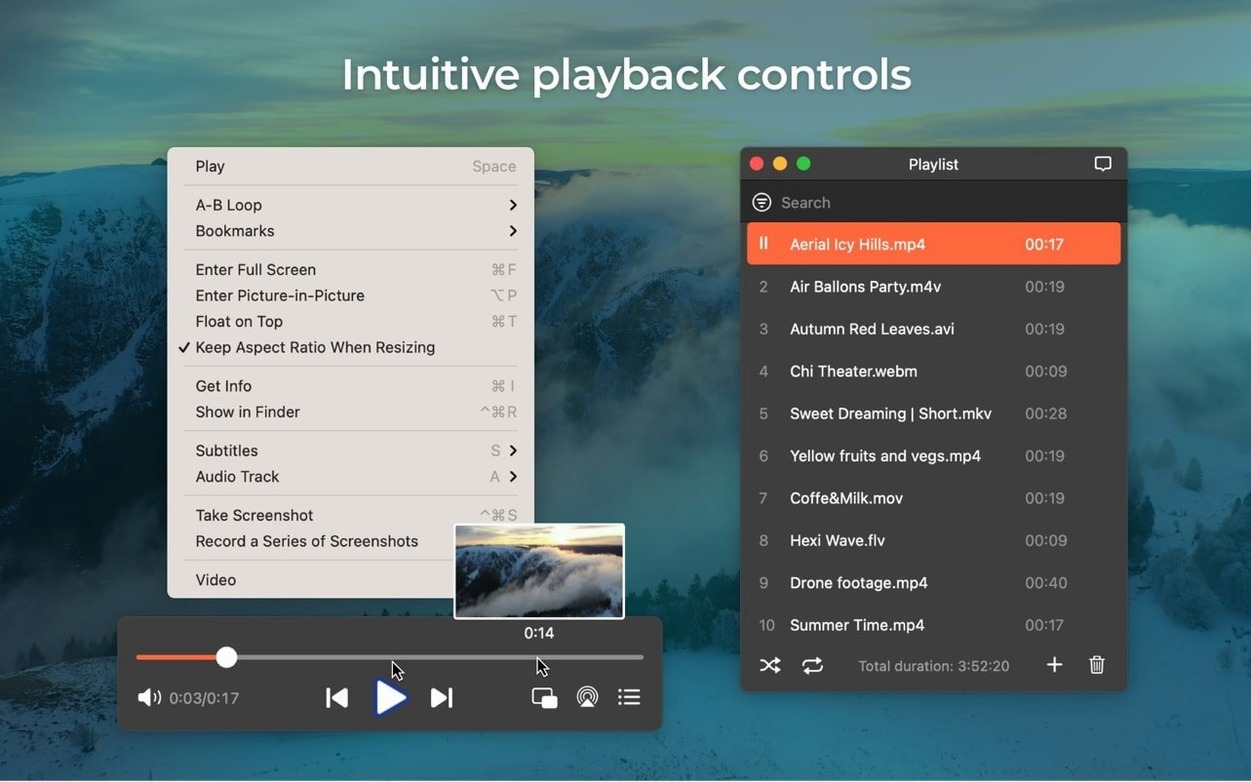
Holding Option while clicking the volume slider switches to fine-grain adjustment, letting you nudge the level in smaller increments than the default drag allows. Pressing Space toggles playback even when the player is not the frontmost window, as long as it is the active media application — handy when you are reading notes in a text editor and need to pause quickly.
The built-in web browser, tucked inside the player, opens online video URLs without launching Safari or Chrome. It isolates cookies and cache from your main browser, which some users treating it as a dedicated streaming window for sites where they prefer to stay logged out. Right-clicking a video link in the browser offers ‘Open with Elmedia’ as a contextual command.
Bookmarks work per file, not globally. When you reopen a file you previously bookmarked, the player shows those markers in the timeline as small dots. Click one to jump. This becomes useful in long recordings — lectures, workshops, concert footage — where you want to flag specific moments without chopping the file into clips. The feature sits in the Window menu under ‘Bookmarks’ and receives almost no mention in the main interface, which keeps it hidden from users who never open the menu bar.
Flash EXE conversion runs silently from the File menu. Dragging a projector file onto the player window triggers the same conversion, saving the trip through the menu entirely. The resulting SWF opens in the same window, ready to play.
Drop the Wi‑Fi and reconnect when a stream target refuses the handshake
Streaming to certain devices still fails occasionally if the target device appears in the list but refuses the connection. The 8.24 update addressed some of these pairings, but a reliable workaround is to toggle the Mac’s Wi‑Fi off and on before opening the device list — this forces a fresh Bonjour discovery and often clears stale entries. The error when opening the device list, fixed in 8.24, had previously required a full app restart; that particular problem should no longer appear.
Some installations trigger a Gatekeeper block because the disk image uses a non-notarised build. The workaround — running the ‘Open Gatekeeper friendly’ script, pressing Enter in Terminal — handles this cleanly without disabling System Integrity Protection. After the script runs once, the app launches normally. Users who skip this step and try to right-click open the app directly sometimes see repeated warnings; the Terminal route is the quicker fix.
Flash content playback relies on the player’s internal SWF engine, not Adobe’s discontinued browser plugin. Older SWF files with complex ActionScript may render imperfectly — graphics glitches or missing interactive elements — because the engine covers the format broadly but not exhaustively. Converting such files to a more modern container before playback avoids the issue, though Elmedia remains one of the few Mac players that attempt SWF at all.
Sleep prevention during streaming now works more consistently, but the Mac’s battery settings can override it on laptops. Check System Settings > Battery > Options and confirm that ‘Prevent automatic sleeping on power adapter when the display is off’ is enabled if you stream with the lid closed.
Downloads web video and plays more formats than IINA’s local-only engine
Placed alongside IINA, the open-source player built on mpv, Elmedia’s approach diverges in two areas: online video handling and format breadth. IINA plays local files elegantly and offers a polished modern interface, but it does not download streaming video or extract audio tracks. It also lacks the SWF and FLV support that Elmedia carries forward. IINA feels lighter for everyday local playback; Elmedia covers more ground when the file arrives from an older archive or a web source.
Movist Pro shares Elmedia’s interest in high-quality playback and subtitle handling, and both support hardware-accelerated decoding. Movist leans harder into customisable subtitle rendering — font outlines, shadows, precise positioning — while Elmedia focuses more on the streaming and device-output side. If subtitles are the deciding factor, Movist pulls ahead. If the workflow includes casting to AirPlay devices, downloading online video, or working with multichannel audio passthrough, Elmedia offers tools Movist does not attempt.
VLC, as the universal fallback, handles nearly every container and codec imaginable, including some that Elmedia does not list. VLC’s strength is its sheer coverage; Elmedia’s is a more Mac-native interface and tighter integration with AirPlay and audio output routing. Both can extract audio and take screenshots, but Elmedia’s TIFF option and its device-specific audio locking give it an edge for users who need those specifics rather than a general-purpose toolbox. In practice, the two coexist on many Macs — VLC for the odd corrupted file or unusual codec, Elmedia for daily media library use and streaming.
The search phrases elmedia player pro for mac full and elmedia video player pro mac crack bring people here, but the features that keep them — format range, audio routing, streaming stability — hold up even against the free alternatives. The M4B addition shows the developer is still filling small gaps rather than chasing headline changes, which suits a tool that sits in the dock for quick double-clicks more than it demands attention.