Aspecten
 Download (115 MB)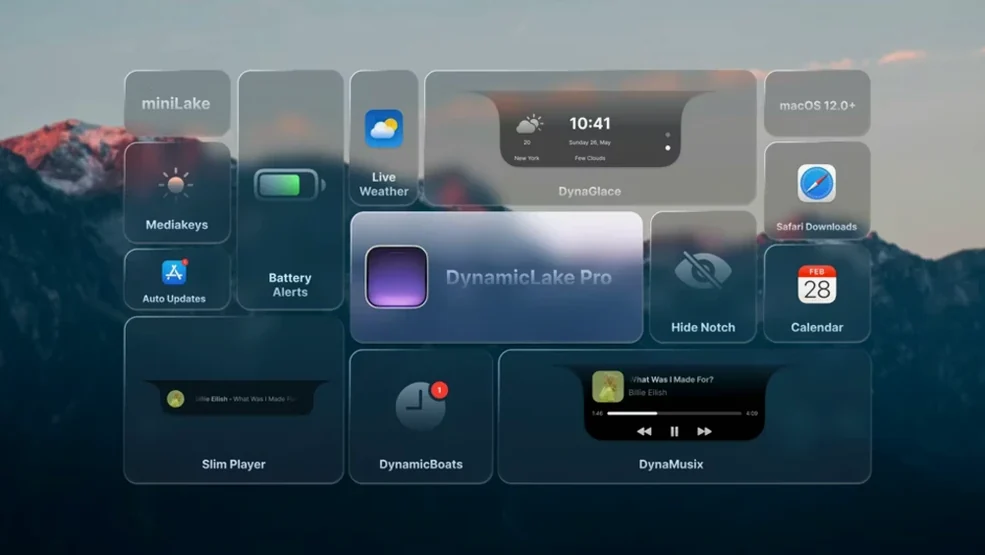
DynamicLake Pro runs on Apple Silicon and 64-bit Intel Macs, requiring macOS 11 or later.
Compatibility — The app works across current ARM-based machines and older Intel models still on Big Sur or newer.
Core concept — It extends macOS with an interactive pill-shaped interface element, borrowing the glanceable widget-and-notification model from newer iPhones.
MiniLake — A compact format that pares the interface down to essential functions, using less screen space than the full Dynamic Island replica.
DynaSwitcher — A built-in app switcher bound to Option+Tab, replacing the default macOS switcher with a horizontal strip of open application icons.
Widget bundle — Preconfigured widgets for music playback, current weather conditions, and upcoming calendar events sit inside the island, reachable with a click or hover.
Notification handling — Incoming alerts for supported apps appear as animated banners with inline quick-reply fields, similar to push notifications on a phone. Airdrop transfers, battery warnings, calendar alerts, meeting reminders, and audio or video conversion tasks are among the triggers.
Banner replies versus menu bar companions
DynamicLake Pro sits in a small category of utilities that reshape how macOS presents information. The closest comparisons are NotchNook, MediaMate, and BoringNotch. Each approaches the notch or island idea differently, and the choice depends on which parts of the Mac interface you actually want to change.
NotchNook concentrates on turning the camera notch into a clickable hub for shortcuts, media controls, and a few status readouts. It is leaner in scope. DynamicLake Pro covers similar ground but adds quick replies, an app switcher, hardware key controls, and Bluetooth connection alerts, which makes it the broader option for notification-heavy users. NotchNook feels more focused on the notch as a launch surface; DynamicLake Pro treats the island as a persistent system layer.
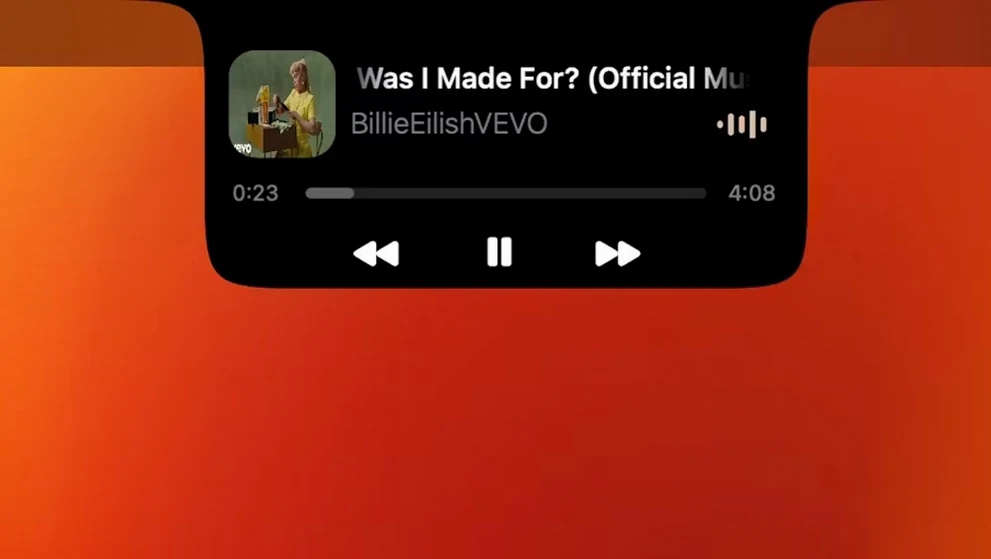
MediaMate is aimed at people who mainly want to replace the volume and brightness overlays with something quieter and more elegant. It does that one job well, with customisable sliders and a mini media player. DynamicLake Pro includes comparable controls through DynaKeys and DynaMusic, but these are two components of a larger set. If your only gripe is the stock macOS HUD, MediaMate may be enough. If you also want calendar glances, weather, notifications, and app switching in the same visual language, DynamicLake Pro makes more sense.
BoringNotch is a free, open-source alternative that turns the notch into a small shelf for media, shortcuts, and basic system monitoring. It is less polished and updates more slowly, but it covers the fundamentals. DynamicLake Pro differs in two practical ways: it supports quick replies inside notifications, and it includes DynaSwitcher with the Option+Tab binding. Those two features matter a lot in daily use, especially if you keep several apps open and respond to messages without leaving the current window.
It floats a pill, not a replacement
Does it replace the menu bar or the notch? No. DynamicLake Pro adds a floating pill element that works alongside the existing menu bar and notch, or on the menu bar itself depending on configuration. It does not remove or hide native macOS interface parts. On Macs without a notch, the island simply appears as a separate element near the top of the screen.
Will it slow down an older Intel Mac? The app supports 64-bit Intel and Apple Silicon machines from macOS 11 onward. The heavier components are the animations for DynaMusic and notification banners. On older Intel hardware, disabling some animations or using miniLake reduces the load. The core widgets and switcher are light enough for routine use on machines from the Big Sur era.
Do notifications from any app appear in the island? Only supported apps. The developer lists Airdrop, battery, calendar, meeting, and conversion notifications among the triggers, along with several messaging and communication apps. Unsupported apps still send normal macOS notifications, but those do not appear inside DynamicLake Pro.
Can I keep using my current app switcher? Yes. DynaSwitcher is optional. If you prefer the stock Command+Tab switcher, leave DynaSwitcher disabled and nothing changes. The same applies to DynaKeys and DynaConnect; each component can be turned off independently.
Island blocked by macOS privacy controls
One recurring issue is the island not appearing after launch. This usually happens when macOS blocks the app from controlling the interface. The fix is to open System Settings, go to Privacy and Security, and check that DynamicLake Pro has permission under Accessibility and Screen Recording. Granting both, then relaunching the app, resolves it in most cases.
Another common complaint is Option+Tab not switching apps. The shortcut conflicts with other tools that capture the same keys, such as window managers or keyboard customisers. If DynaSwitcher does not respond, check whether another utility is intercepting Option+Tab. Temporarily quitting the conflicting app or remapping its shortcut usually clears the problem.
Users also report weather or calendar data not updating. The widgets depend on macOS location and calendar permissions. If DynaGlance shows stale data, confirm that DynamicLake Pro has access to Location Services and Calendar in System Settings. For calendar problems, also verify that the relevant calendars are enabled in the native Calendar app.
Finally, Bluetooth alerts can get noisy on machines that connect to several peripherals. DynaConnect is useful for headphones and earbuds, but a desktop Mac with a keyboard, mouse, and speakers may trigger repeated banners. Turning off DynaConnect for non-audio devices, or limiting alerts to specific connection types, reduces the chatter without disabling the feature entirely.
Answering without switching apps
People who answer messages all day. The quick-reply fields inside notification banners save the step of switching to Mail, Messages, or a chat app for short answers. For anyone whose work involves frequent, brief replies, that single feature changes the rhythm of the day.
Users who switch between many apps. Designers, developers, and project managers often keep six or more applications open. DynaSwitcher makes moving between them faster than the default macOS switcher, especially when bound to Option+Tab and set to show a horizontal icon strip.
Anyone who misses glanceable phone widgets. Calendar and weather data live on the iPhone lock screen and home screen, but macOS still pushes that information into separate apps. DynaGlance brings the same at-a-glance behaviour to the Mac, which suits people who plan around meetings or outdoor conditions.
Music listeners and headphone users. DynaMusic and DynaConnect reward people who keep audio playing while working. The animated playback controls and Bluetooth connect or disconnect alerts feel most useful when headphones are part of the daily setup.
Users who rarely receive notifications, use one app at a time, or prefer the stock macOS overlays will find less value here. The app is built around constant, small interactions with system information.