Aspecten
 Download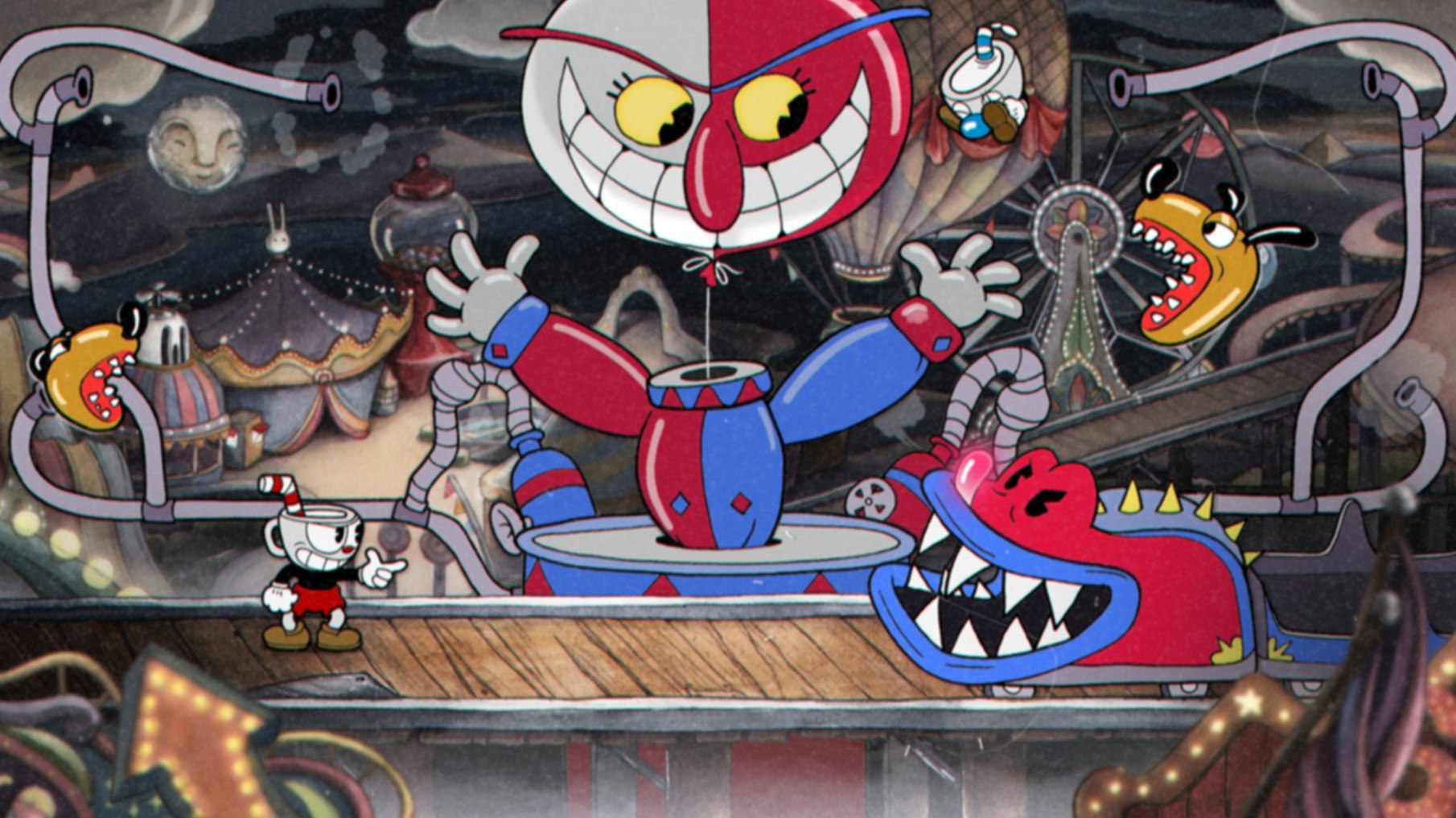
Picking a weapon
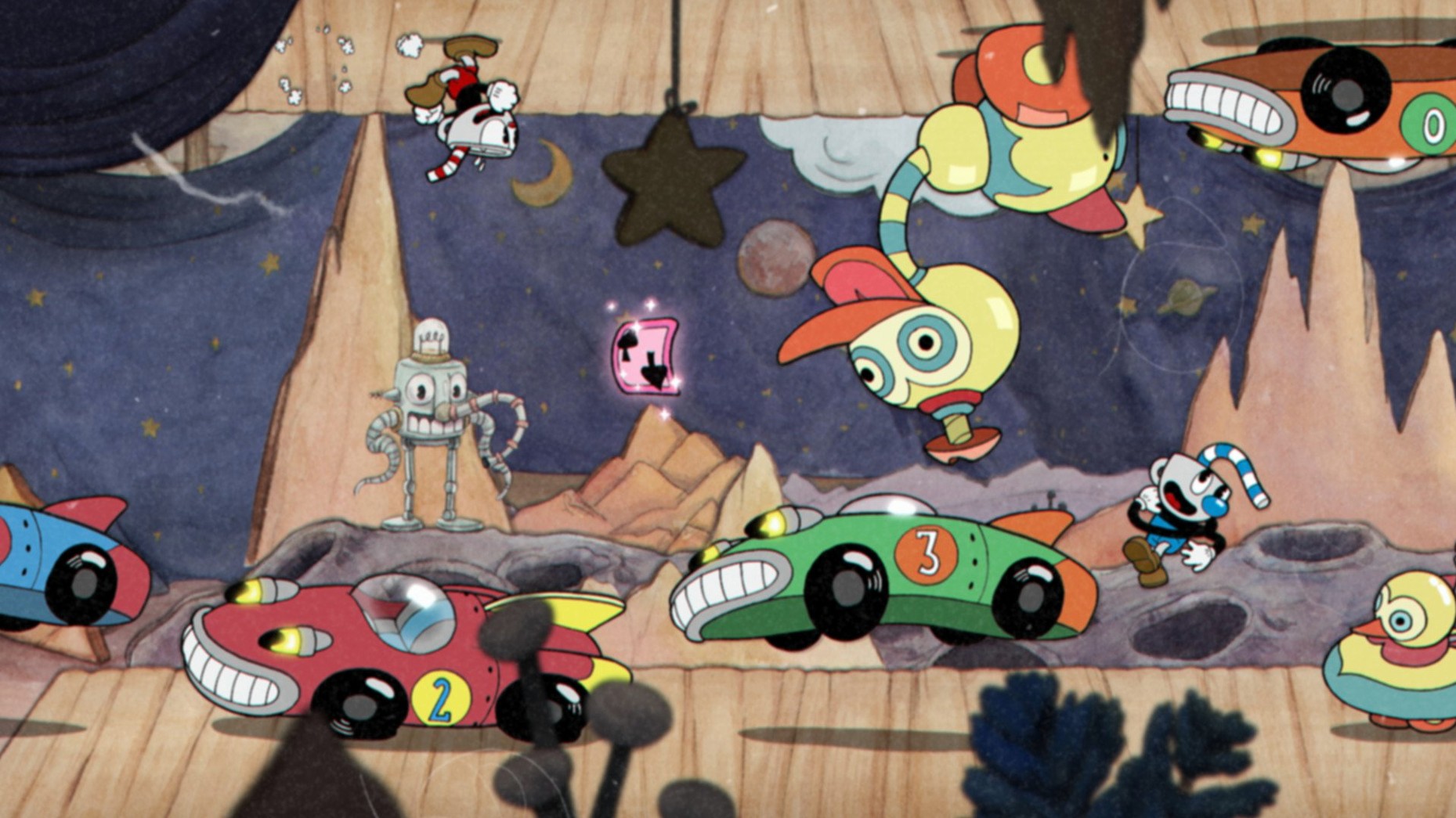
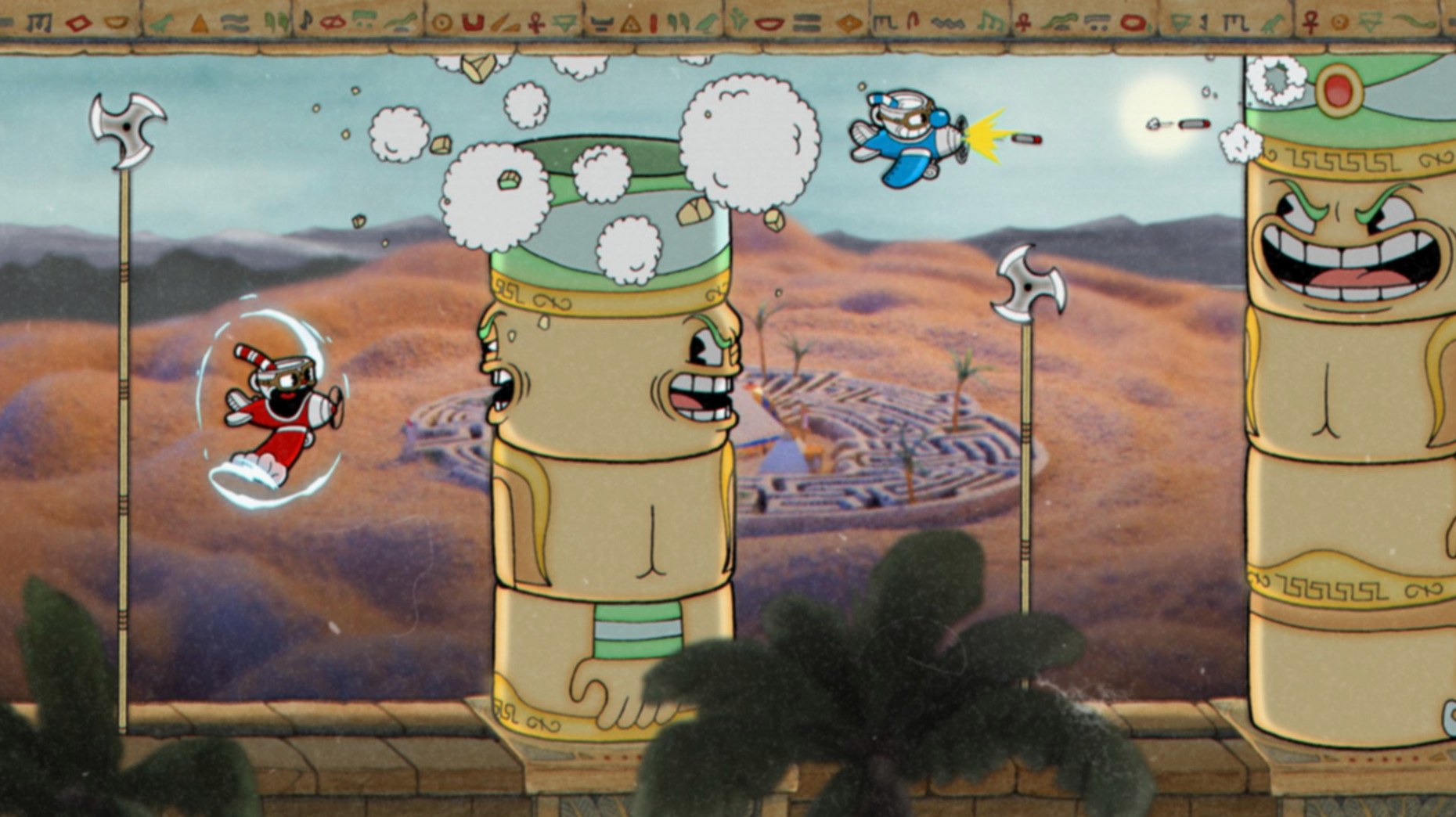
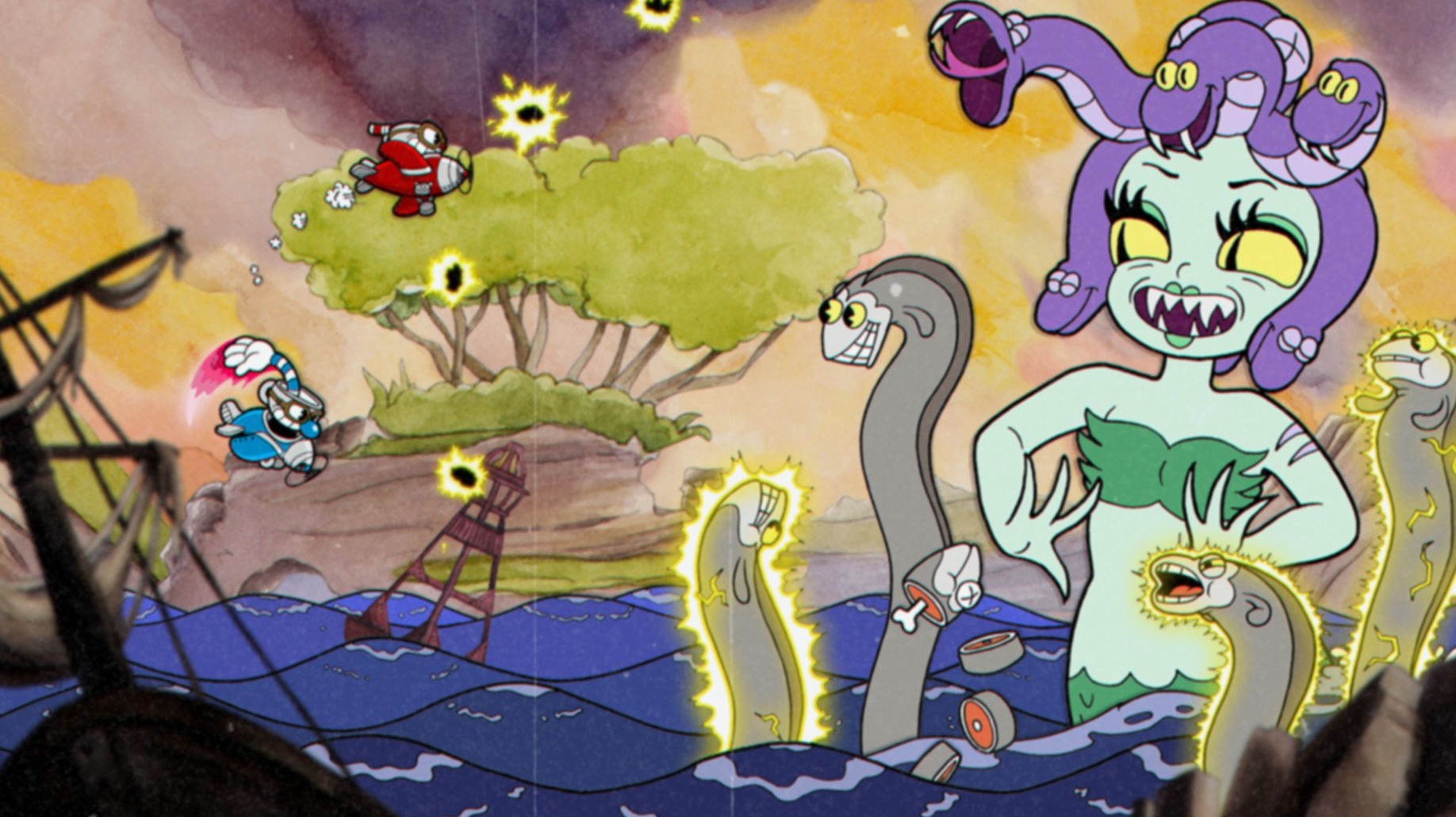
The Peashooter, Spread and Chaser each alter how you approach a boss's attack patterns. Swapping between them at the right moment is as much a part of survival as dodging the next screen-filling barrage.
Setting up on macOS
The 64-bit Intel build runs under Catalina. Expect smooth playback of the hand-drawn frames and the original jazz recordings without any extra configuration.
Reading the fight
Every boss telegraphs its moves. Keyboard and controller both respond with the immediacy a boss-rush demands, so the limiting factor is usually your own pattern recognition.
Pressing start on a second controller mid-fight drops Mugman straight in
A handful of touches sit just below the surface and rarely get mentioned in the heat of a boss guide. In co-op, tapping start on the second controller while a fight is underway drops Mugman straight into the action — no need to back out to the map. That same pause screen lets the second player join or leave without resetting progress.
During run-and-gun stages, the duck button doubles as a quick way to stop your horizontal momentum. Tapping down mid-jump cancels the arc and drops you faster, which matters when a barrage of pink beetles is sweeping the upper half of the screen. Few first-time players realise you can also duck on a moving platform to avoid low sweeps without breaking stride.
The dash has a brief window of invincibility frames. It is short — a handful of frames — but timing it through a boss's arm swipe or a descending pillar saves a hit point when a jump would have clipped the hitbox. In the plane levels, shrinking to mini-plane size by holding the dash button tightens your collision box. The game never spells this out; experienced players lean on it in the tighter phases of the Dr. Kahl or Cala Maria fights.
Weapon switching receives a dedicated button, but the order of your two equipped shots depends on how you set them in the equipment menu before the fight. Placing a short-range spread in slot one and a homing shot in slot two means a single tap cycles predictably. In the middle of a multi-phase boss, muscle memory on that cycle is worth more than any one weapon's damage output.
The parry mechanic extends beyond pink projectiles. Certain bosses — the root vegetables in the Root Pack fight, the slot-machine crank on King Dice's board — flash pink themselves. Slapping them with a well-timed jump cancels their attack and builds your super meter. On a keyboard, the default parry is the jump button pressed again in mid-air, but remapping it to a separate key in the options menu lets you parry without accidentally drifting into a hazard.
The Delicious Last Course is already inside the Mac build
Does the Mac build include the DLC? Version 1.3.3 (57402) ships with The Delicious Last Course integrated. Ms. Chalice, the new isle, and the additional weapons and charms are all available once you reach the point in the save file where the ferryman appears. You do not need a separate download for the expansion content.
Will a DualShock or Xbox controller work on this build? Both are recognised over USB and Bluetooth without extra drivers on Catalina and later. The button prompts in the menus switch to match the controller you plug in first. If you start with a keyboard and connect a pad mid-session, a quick visit to the options screen updates the on-screen glyphs.
Is the game really DRM-free, and what does that mean for moving it between Macs? The build carries no activation check. Copy the application folder to another Intel Mac and it launches without phoning home. Save files live in the standard ~/Library/Application Support/ path, so transferring that folder alongside the app keeps your progress intact. This also means you can archive the whole thing on an external drive and run it directly from there.
Does local co-op work with a keyboard and a controller? Yes, and it is the most common setup on a Mac without two pads. Player one takes the keyboard, player two takes the controller. The game detects both simultaneously. You assign the second player from the character select screen, not from system-level settings.
How large is the download, and does it demand a dedicated GPU? The unpacked folder sits around 11 GB. The hand-drawn frames and uncompressed audio account for most of that. The game runs on Intel integrated graphics from the HD 5000 series onward; the iMac tested ran it at a locked 60 frames per second at 1080p with no drops during the most particle-heavy phases of the Devil fight.
Are there any known hiccups with a Cuphead torrent on macOS? The build floating around as a Cuphead torrent sometimes ships with a wrapper that launches correctly only when placed directly in the Applications folder. Dragging it to the desktop and double-clicking occasionally throws a permissions prompt. Moving it to Applications and launching from there resolves it in every instance we reproduced.
Grim Matchstick has owned the map screen for two evenings
You open the game on an Intel iMac. The Studio MDHR logo flickers in grainy film-reel style, the jazz track swells, and the map screen paints itself in watercolour washes. You have been stuck on Grim Matchstick for two evenings. Tonight you decide to switch your loadout before even entering the tower.
In the equipment menu you drop the Smoke Bomb for the first time in weeks. The extra dash distance has been a crutch, but Grim's second phase punishes long dodges with flame jets that track your landing spot. You equip the P. Sugar charm instead — the one that auto-parries the first hit in a jump — and pair the Lobber with the Charge shot. You reason that the Lobber's arc will clear the fireballs in phase one, and the Charge shot's single high-damage burst will shorten the final phase before the three-headed dragon can fill the screen with splitting projectiles.
The fight begins. Phase one goes cleanly: you lob over the rings of fire, parry the pink tail swipe that signals the transition, and enter the cloud platform phase with three hit points. The P. Sugar charm triggers on a stray fireball you misread, buying you a second of breathing room. You miss the parry on the flamethrower attack — the timing is tighter here than on the tail — and take a hit. Two hearts left.
Phase three. Three heads, each belching fireballs that split into four. You hold a full super meter and trigger it as the first volley leaves the middle head. The invincibility frames from the super art eat the initial wave, and the Charge shot's burst staggers the dragon before the next cycle. You exhale. The KO screen appears. The soul contract floats into your inventory.
Back on the map, you spend the coins from the fight on a new charm from Porkrind's shop, then walk Cuphead over to the next isle. The session has lasted twenty-two minutes. One boss down. You quit from the pause menu — the game auto-saves on exit — and the iMac's fan has barely spun up.
Hold Option at launch to fix a black screen after closing mid-fight
The game launches to a black screen and hangs. This occasionally happens when the previous session was closed mid-fight and the resolution cache mismatches the display. Hold the Option key while double-clicking the app icon. A configuration window appears with a resolution picker. Choose a lower resolution, boot once, quit, then relaunch at your native resolution. The black-screen loop clears on the second launch.
Controller buttons stop responding after a cutscene. Unplugging and reconnecting the pad while the game is running usually reinitialises it, but the quicker fix is to open the pause menu with the keyboard (Escape key), navigate to Options with the arrow keys, and toggle the controller setting off and on again. The game re-polls connected devices immediately without requiring a restart.
Frame pacing stutters during screen transitions. The watercolour map scrolling and the wipe transitions between phases are the two moments where the engine streams assets. On a mechanical hard drive, a brief hitch can appear. Moving the application to an SSD eliminates this entirely. If you are on a Fusion Drive, quitting background apps that poll the disk — Spotlight indexing a fresh external drive, for instance — smooths the transitions back to 60 fps.
Co-op desync during a boss intro. If player two's character appears frozen while player one's intro animation plays, pausing and unpausing in quick succession re-syncs the two clients. This is a known quirk in the local co-op netcode and appears more often when a wireless controller has a weak battery. Swapping to a wired connection or fresh batteries prevents the desync from recurring.
Save file not recognised after moving the folder. The game expects the save directory at a case-sensitive path. If you manually transferred Application Support files and renamed any folder with different capitalisation, the game creates a fresh save. Match the exact folder name — com.studiomdhr.Cuphead — and your progress reappears.
Cuphead cuts straight to the boss while Hollow Knight wanders the map
Hollow Knight shares Cuphead's hand-drawn aesthetic and boss-heavy structure, but the pacing sits on opposite ends of the action spectrum. Hollow Knight unfolds across an interconnected map with quiet exploration between fights; Cuphead cuts straight from the overworld to self-contained arenas. Where Hollow Knight asks you to learn a boss over several attempts while trekking back from a bench, Cuphead restarts you at the arena entrance instantly. The artistic lineage differs too: Hollow Knight draws from graphic-novel inking and a muted, subterranean palette; Cuphead commits fully to the cel-animation and Technicolor glow of 1930s Fleischer cartoons. In terms of difficulty, both demand pattern recognition, but Cuphead's run-and-gun DNA means every fight is a sub-three-minute sprint, whereas a late-game Hollow Knight boss can stretch past ten minutes of attrition.
Celeste overlaps with Cuphead in its tight platforming and quick respawn loop, but the focus tilts toward precision traversal rather than combat. Celeste's screens are gauntlets of spikes and moving blocks where one mistake sends you to the start of the room; Cuphead's run-and-gun stages operate on a similar principle, but they are secondary to the boss encounters. Celeste equips you with a dash that recharges on ground contact, and the entire moveset revolves around momentum and air control. Cuphead gives you a dash too, but it is a shorter invincibility burst used reactively. The emotional register separates them further: Celeste tells a story about anxiety and self-acceptance through dialogue and environmental metaphor; Cuphead's story is a flimsy frame for the action — two brothers gamble, lose, and fight their way out of a debt — delivered with a wink and a jazz score.
Blasphemous matches Cuphead's grim religious iconography and methodical boss design, though the tone could not be more different. Blasphemous is a slow, weighty action-platformer set in a decaying Catholic nightmare; Cuphead is a fast, bouncy boss-rush dressed in vaudeville. Both punish greed — getting in one extra swing at the wrong moment means death — but Blasphemous layers on RPG systems, item descriptions, and a labyrinthine map. Cuphead strips the formula to its bones: no levelling, no gear score, no shortcuts to unlock. The pixel-art of Blasphemous aims for grotesque detail; Cuphead's hand-drawn frames aim for squash-and-stretch whimsy even when the subject is a giant cigar-smoking spider. On a Mac, both run without fuss, but Cuphead's DRM-free nature and smaller footprint make it the easier title to keep installed for a quick thirty-minute run at a boss you still have not beaten.