Aspecten
 Download (2.6 GB)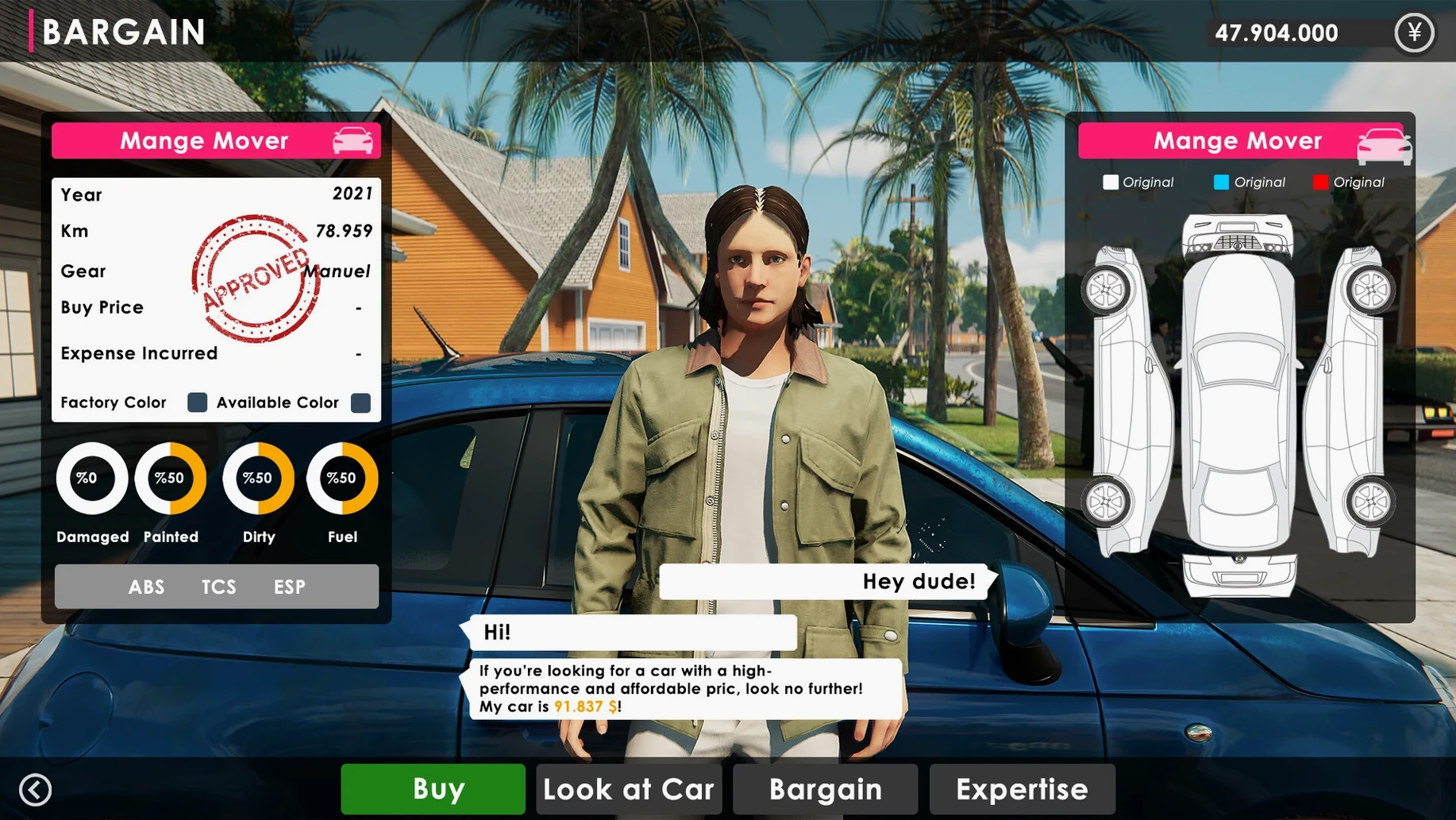





The auction house bidding screen
You start each trade run staring at a live countdown. A row of numbered auction cards sits in the centre of the screen: make, model, odometer reading, visible rust level. You place a bid and watch the timer tick. If you hesitate, another bidder nudges the price up. Winning feels like grabbing a half-written spreadsheet — you have a car, but not much else yet.
Washing bay
The first stop after the auction is the wash station. Dirt is a layer you physically scrub off with a sponge. The game tracks coverage by quadrant; you rotate the camera around the car and watch the grime dissolve. A clean car lifts its baseline value immediately, so the five minutes spent circling a hatchback with a pressure washer is rarely wasted.
Repair and modification
Back in the garage, a diagnostic panel lists faults by category: engine, body, suspension, interior. You click each line to bolt on a replacement part, and the car’s market value recalculates in real time. The modification system runs parallel — new rims, a respray, or a turbo kit push the sale price further, but each upgrade eats into the profit margin you see at the bottom right.
Sale negotiation
Listing the car opens a negotiation screen with a prospective buyer. A sliding price bar sits between your asking figure and their opening offer. You drag it left or right, and the buyer reacts with a short comment. Accept too low and the profit line dips into red. Push too hard and they walk. The rhythm becomes familiar: wash, repair, list, haggle, repeat, with the banking panel tallying tax and loan repayments in the background.
Switch graphics preset to stop auction countdown stutter
A few defaults work against clarity. Open the settings panel from the tablet home screen before your first auction run.
The graphics preset defaults to a mid-range profile that can stutter during the auction countdown on an M3 Pro. Switching shadows to low and turning off motion blur smooths the bidding interface without visibly altering car detail in the garage. The game runs at a fixed resolution by default; ticking the windowed-mode box and pulling the window to a comfortable size prevents the cursor from drifting past click targets during repair work.
Audio needs a quick pass too. Music volume sits at 80 percent out of the box and drowns the auctioneer’s countdown call. Dropping it to 30 percent and raising interface sounds to full lets you catch the bid-warning chime while you review a car’s fault list on another tab.
The language selector sits at the bottom of the general tab. The Mac build ships with the system language detected automatically, but switching to English clears up a few truncated tooltip labels in the skill tree panel.
A workflow: flipping a salvage-grade coupe
A Monday auction run starts with a hard budget ceiling. I set 12,000 in the banking app as the maximum outlay and scroll past anything above the compact segment. A 2008 coupe appears with a bent front wing, high kilometres, and a reserve price hovering at 4,800. Two bidders push it to 5,300 before the timer stops. The car lands in the garage with a repair estimate of 2,100 spread across the wing panel, a failing alternator, and three interior trim pieces.
Repair order matters. I tackle the alternator first because it blocks the engine-start check; the game will not display a final condition rating until the motor runs. The wing panel goes on next, lifting the body score from 34 to 78. The trim pieces are cosmetic but cheap — 90 each — and they nudge the interior rating into the green band that buyers notice during negotiation.
A quick wash removes auction-yard dust, then I spend 600 on a respray in a factory colour. Modifications stay minimal: one set of alloy rims from the parts catalogue for 400. The total outlay sits at 8,480 against a market value now showing 11,200. I list the car at 10,900 to keep buyer interest high. The first offer comes in at 9,600, I counter at 10,400, and the deal closes with a profit of just over 1,900 after the game deducts sales tax. The whole loop takes around twenty-five minutes.
Why a low auction bid often hides frame damage
The most common error is treating every auction as a buying opportunity. The countdown timer creates a false urgency that pulls you into cars with hidden frame damage. A low bid looks clever until the repair panel reveals a structural fault that costs more than the car’s ceiling price. Skipping the first three auction rounds and watching bid patterns on the remaining lots teaches you which models attract the aggressive bidders.
Another trap is over-modifying before checking the market ceiling. The game does not cap upgrades, but each car has a soft value limit tied to its base model tier. Fitting a turbo kit and a full body kit to a budget hatchback pushes the cost line past what any buyer will offer. The profit indicator at the bottom right turns red long before the negotiation screen opens, and beginners miss that cue while scrolling through the parts catalogue.
Ignoring the tablet banking panel between sales causes cash-flow surprises. Loan interest and tax payments tick over in the background even when you are in the garage. A profitable flip can still leave you short if a repayment lands while you are halfway through a repair session. Opening the banking app after every sale and clearing the smallest loan balance first keeps the end-of-day summary from turning negative.
Finally, the wash station feels cosmetic but skipping it is a quiet profit leak. A dirty car listed at market value draws lower opening offers from buyers. The sponge work takes two minutes and the value bump is small but consistent — over ten flips, the difference adds up to roughly the cost of a set of mid-range rims.