Aspecten
 Download (4.3 GB)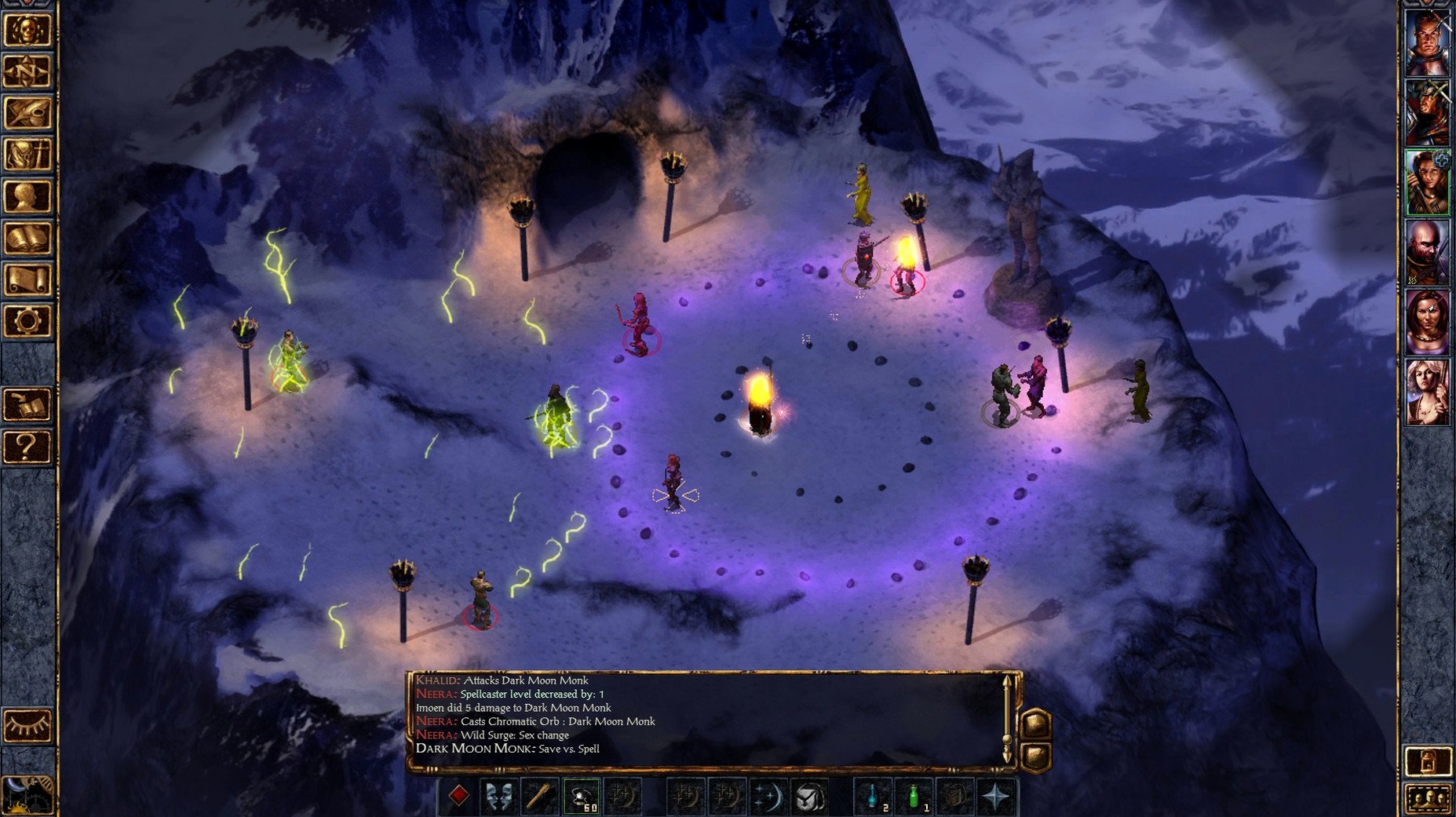
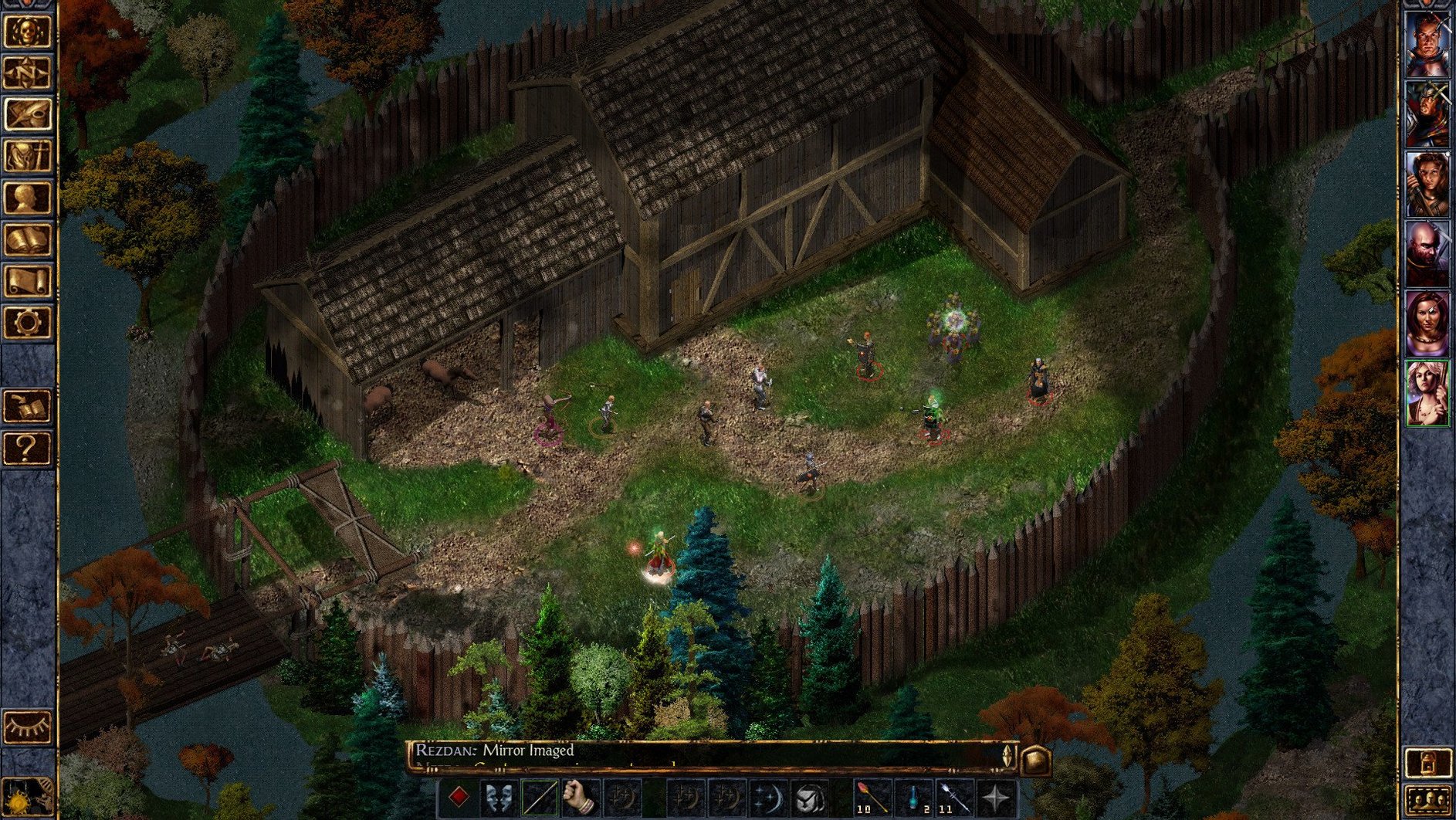
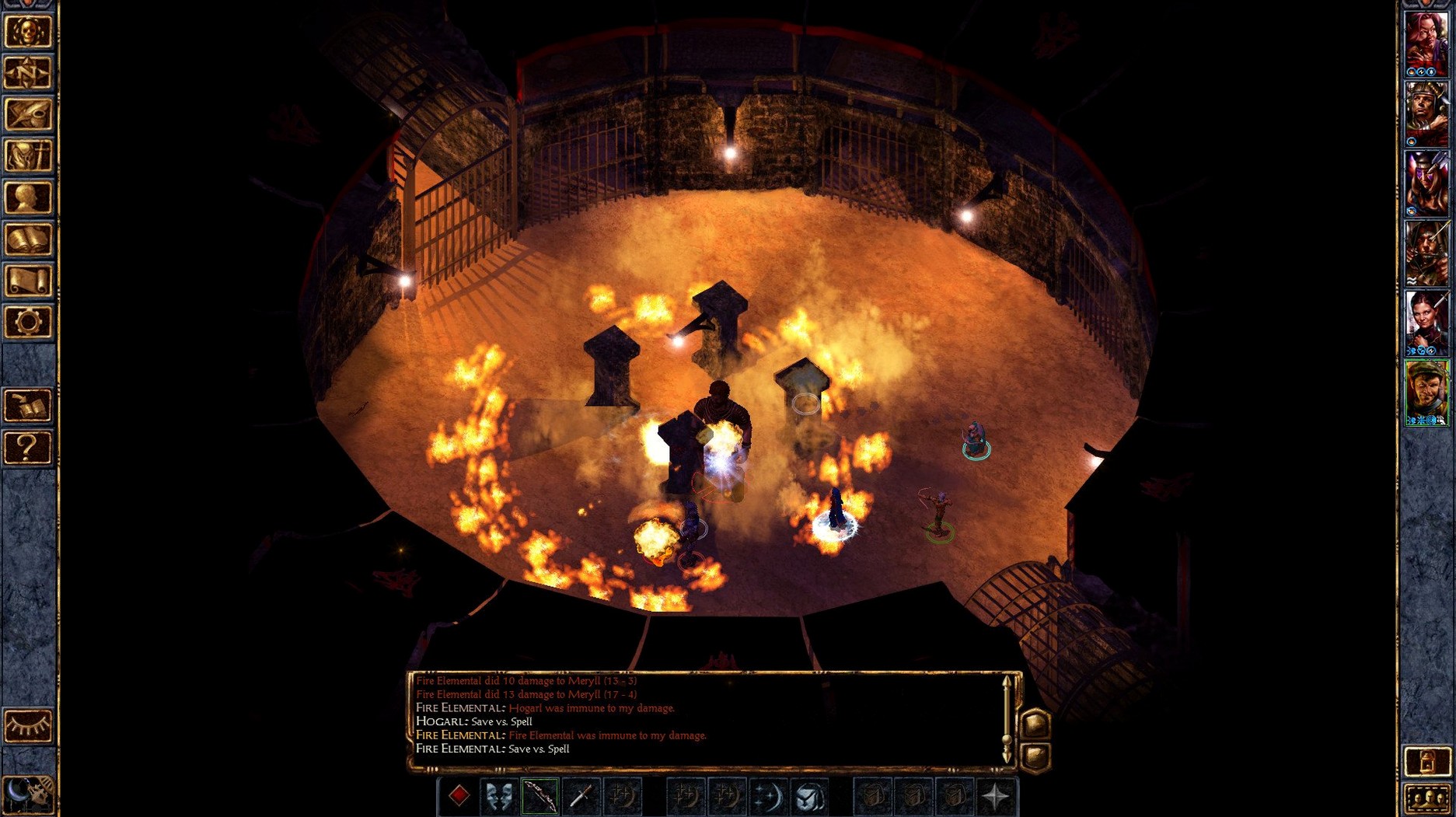
Someone who wants a long, text-heavy role-playing campaign rather than a quick action fix. The minute-to-minute loop goes roughly like this.
Party movement — You click a destination and your party of up to six characters walks there, fog of war peeling back as you explore. Pathfinding can be literal-minded around corners.
Dialogue — Conversations appear in a scrollable window with numbered responses. Some replies are gated by your character's ability scores or alignment; a low-charisma fighter gets different options than a high-intelligence mage.
Real-time combat with pause — Enemies act continuously. You pause with the spacebar, queue up commands for each party member, then unpause to watch the round play out. Missing a pause at the wrong moment often means someone drops.
Inventory tetris — Characters have weight-limited inventory grids. A found suit of plate mail may mean shuffling gems and scrolls between party members to stay under the encumbrance threshold that slows movement.
Resting — Spent spells and low health push you to rest, which can be interrupted by wandering monsters. Resting in a cleared room is safer than in open wilderness, so you learn to secure a perimeter first.
Journal and quest tracking — Completed and active quests sit in a multi-tab journal. Entries update after key events, giving you a written trail of what you have promised to various NPCs across the Sword Coast.
Tab highlights every crate and door you might overlook
Several shortcuts sit just outside the obvious control scheme. Holding Tab highlights every interactive object on the screen — containers, doors, dropped loot — which saves squinting at identical-looking crates in a dimly lit dungeon. The highlight colour is subtle grey-blue; once you know it is there you wonder how you managed without it.
The quick-loot bar appears above the portrait row when bodies or containers are nearby. Clicking an item from the bar transfers it directly to the character with the most free inventory space, bypassing the ground pickup menu entirely. Right-clicking that same bar slot sends the item to a specific character of your choice.
Party formations are stored in numbered presets along the bottom-right corner of the interface. Dragging a custom arrangement into slot three and double-tapping 3 during exploration spreads your thief to the front for trap detection; tapping 1 pulls the fighters forward again. Most players leave the default wedge and never touch these.
Spellcasters can be set to auto-pause after casting via the gameplay options. With this on, a mage who finishes a spell immediately triggers a pause, letting you issue the next command without losing a round to idle standing. It is tucked inside a long list of auto-pause triggers and easily overlooked when skimming the settings.
The map marker system accepts short text notes. Right-clicking any spot on the world map and typing "troll cave — return at level 4" leaves a persistent reminder. Markers are colour-coded and remain until you delete them manually.
Resting too often silently fails companion quests
Resting after every minor skirmish is the single most common misstep. The game tracks time, and several companion quests advance on hidden timers. Jaheira and Khalid grow impatient if you dawdle too long reaching Nashkel; resting eight times on the way there can trigger their departure before you even see the mines.
Assigning weapon proficiencies without checking what a class can actually use wastes points permanently. A fighter-thief who puts two slots into longbows and later discovers they cannot backstab with ranged weapons is stuck with the choice. The 2nd edition rules are strict here and there is no respec option.
Ignoring the thieving skill distribution on character creation leads to frustration. Spreading points evenly across pick pockets, open locks, find traps, and move silently produces a thief who is mediocre at everything. Specialising in find traps and open locks first, then building stealth later, keeps the party alive through early dungeons where trap damage is lethal at low levels.
New players often sell every magic item they do not immediately need. Several seemingly mundane wands and scrolls are required for specific quest resolutions later. A wand of frost sold to a Beregost merchant is gone forever; the game does not flag these as quest-critical.
Charging into melee with a mage kitted in robes and no protective spells is the shortest route to frequent reloads. A first-level mage with four hit points will not survive a single goblin arrow. Keeping them at the back, using the formation presets mentioned above, and casting Armor or Shield before combat becomes second nature after a few deaths teach the lesson.
Beregost to the bandit camp with a six-member party
The session starts in Beregost, mid-afternoon, with the party hovering near the Jovial Juggler inn. The journal shows an outstanding task: investigate the bandit camp to the north-east. Party composition is a half-elf fighter-cleric protagonist, Imoen, Khalid, Jaheira, Minsc, and Dynaheir — six characters, mostly around level three.
A quick tap of Tab highlights a dropped short sword near the temple entrance that was missed during the last visit. Imoen scoops it up through the quick-loot bar. The party formation gets switched to preset two — fighters forward, casters and thief in a tight rear cluster — before clicking north along the road.
Three gibberlings ambush the party halfway to the bandit camp. A spacebar pause freezes the action immediately. Minsc and Khalid are given direct attack orders on separate targets; Jaheira is told to cast Entangle slightly behind the approaching group to catch any reinforcements. Dynaheir readies a Magic Missile. The pause lifts and the round resolves in six seconds of spell effects and steel sounds. One gibberling breaks through to Imoen, who takes a hit down to half health before Minsc turns and finishes it.
Post-combat, a quick rest is considered but rejected — open wilderness means a high interrupt chance. Jaheira uses a spare healing spell on Imoen instead. The party continues north, discovering the bandit camp tents. A scout spots them and dialogue triggers; the spokesperson option defaults to the protagonist, and a high-charisma response avoids immediate hostilities long enough to position the party behind cover.
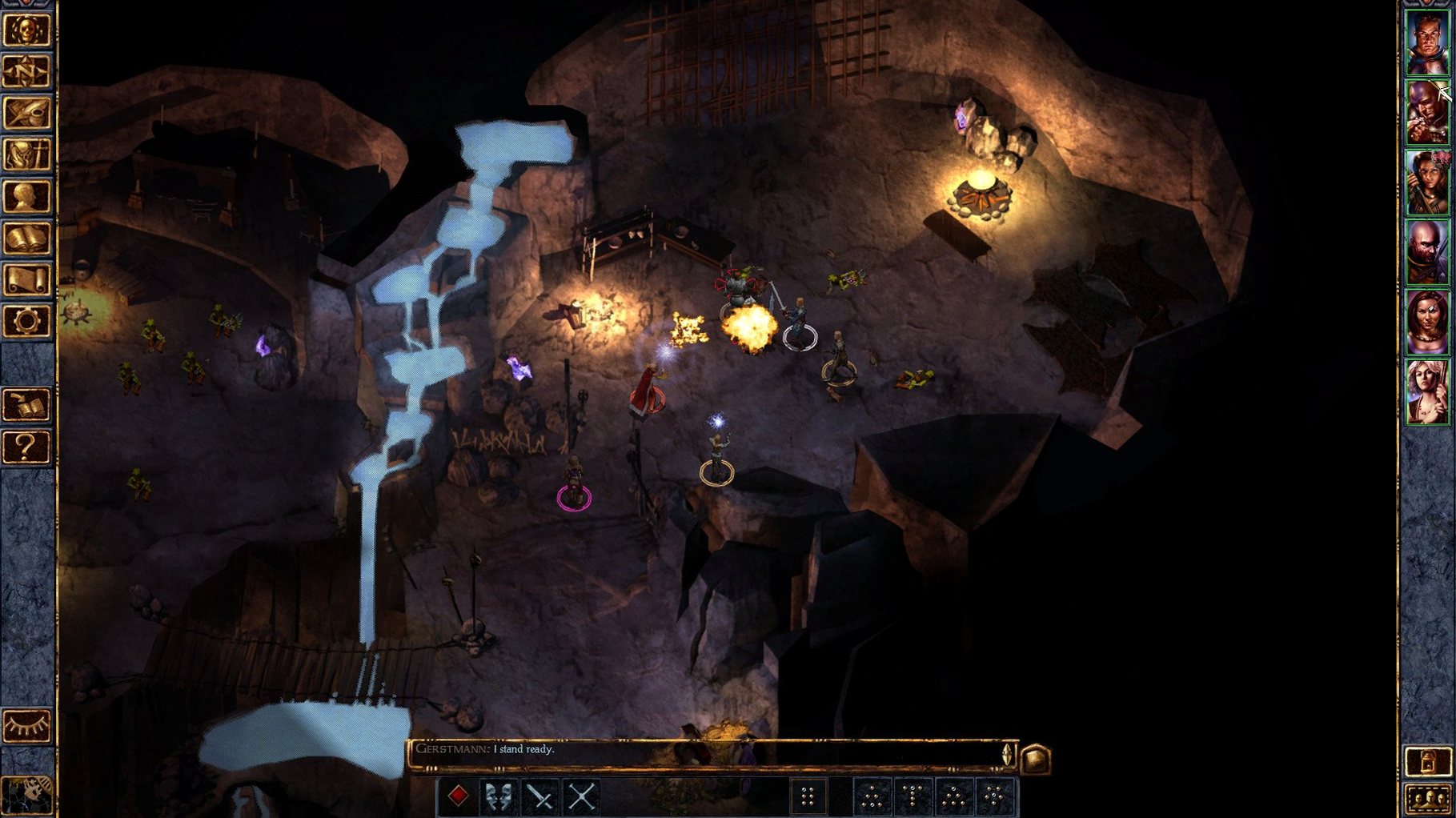
The fight that follows is larger — six bandits and a leader with a two-handed sword. Pause becomes frequent: every two or three seconds, re-evaluating target priorities, pulling Dynaheir back when an archer targets her, sending Minsc to intercept the leader. Three party members drop below half health. A Hold Person spell from the protagonist lands on the leader, neutralising the biggest threat. Clean-up takes another twenty seconds of real-time play stretched across eight or nine pauses.
Looting yields a set of chainmail and a journal entry that updates the main quest. Inventory shuffling follows: Khalid takes the chainmail, his old splint mail goes to Jaheira, and several gems get redistributed to keep everyone below their encumbrance threshold. The session ends with a save and a rest inside the now-empty camp, the area marked on the map for a return trip to town.
Stuck doorways are pathfinding collisions, not bugs
Party members refuse to move through a doorway. This is pathfinding collision, not a bug. The narrow doorframes common in inns and dungeons often trap larger party sprites behind each other. Switch to single-character selection — click one portrait, move them through, then reselect the full party with the drag-box or the = key. It clears instantly.
A character is permanently held or feared after combat ends. Status effects do not always clear when enemies die. A Remove Fear or Remove Paralysis spell fixes it. If you have no priest spell slots left, resting is the only option — find a safe indoor location first to avoid a combat interrupt that could wipe the affected character.
Dialogue loops with the same NPC. Some minor characters have limited dialogue trees that cycle back to the start. This is normal. If a quest-giver repeats their opening line without acknowledging completion, check the journal to confirm the quest actually advanced. A missing inventory item — a letter, a ring — is usually the cause.
Spells appear greyed out despite having available slots. Armour is the culprit here. Mages cannot cast while wearing any armour, and bards have restrictions on heavier types. Check the character sheet for an armour icon; removing it re-enables the spellbook. This catches many players coming from RPGs where mages wear light armour without penalty.
Multiplayer session fails to connect between Mac and another platform. Cross-platform multiplayer relies on all players running the same game version. If one person has not updated to 2.7.3.0-s, the lobby will not appear. A quick version check from the main menu on each machine sorts this out before troubleshooting network settings unnecessarily.
Save files grow noticeably large and slow down loading. The game keeps an auto-save plus whatever manual saves you create. Over a long campaign, the save folder can accumulate dozens of files. Deleting old saves from within the game's load menu — not from Finder — trims the list and restores loading speed. Keep the last five or six rather than a hundred.