Aspecten
 Download (46 MB)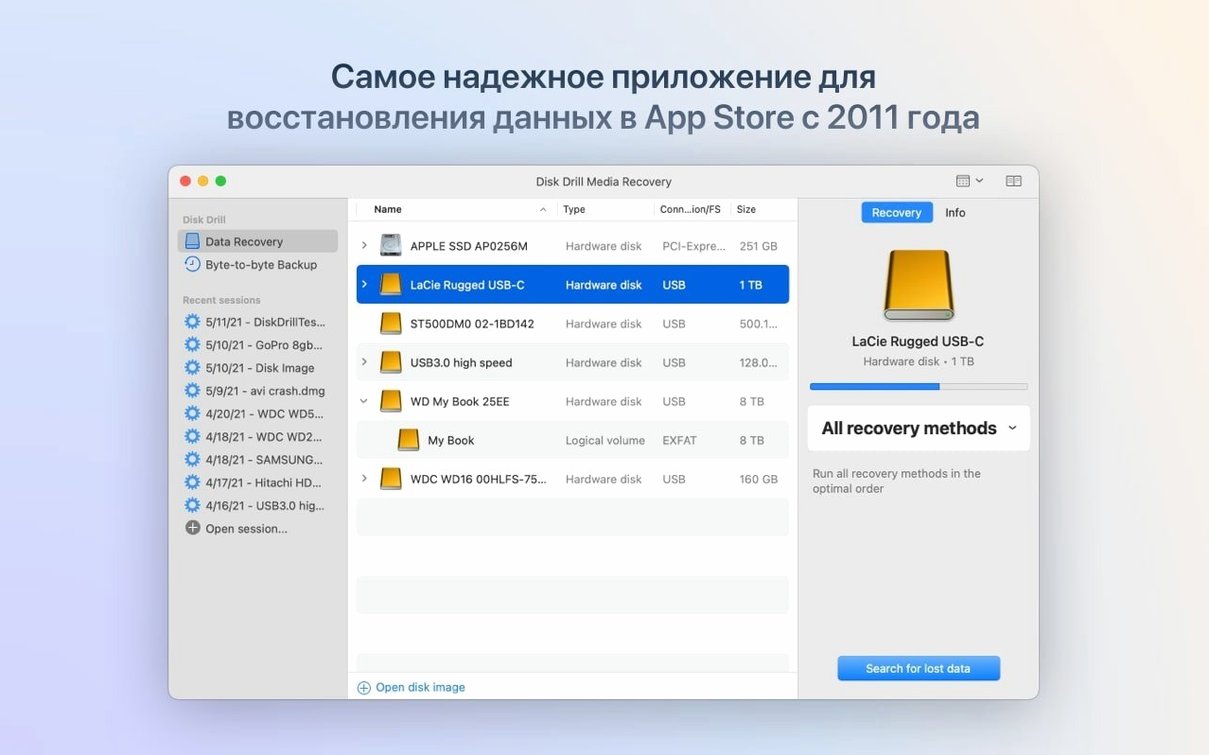
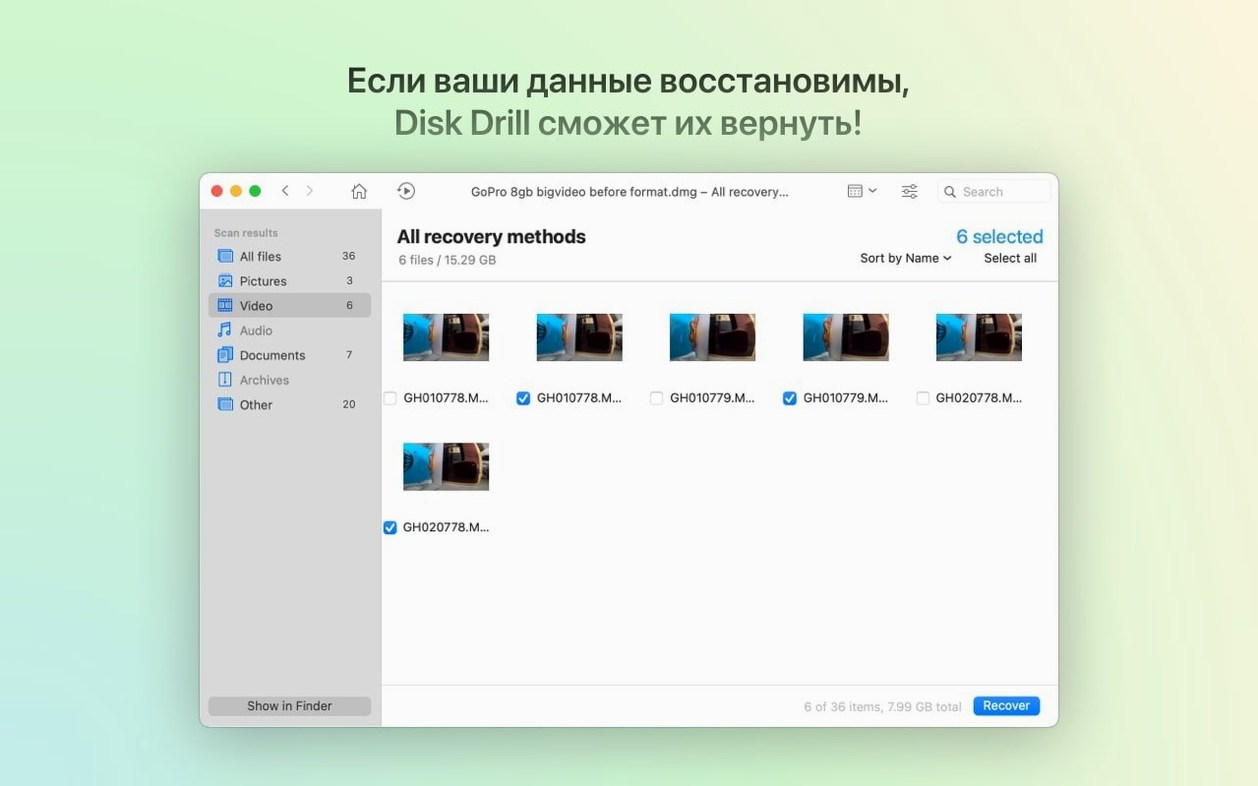
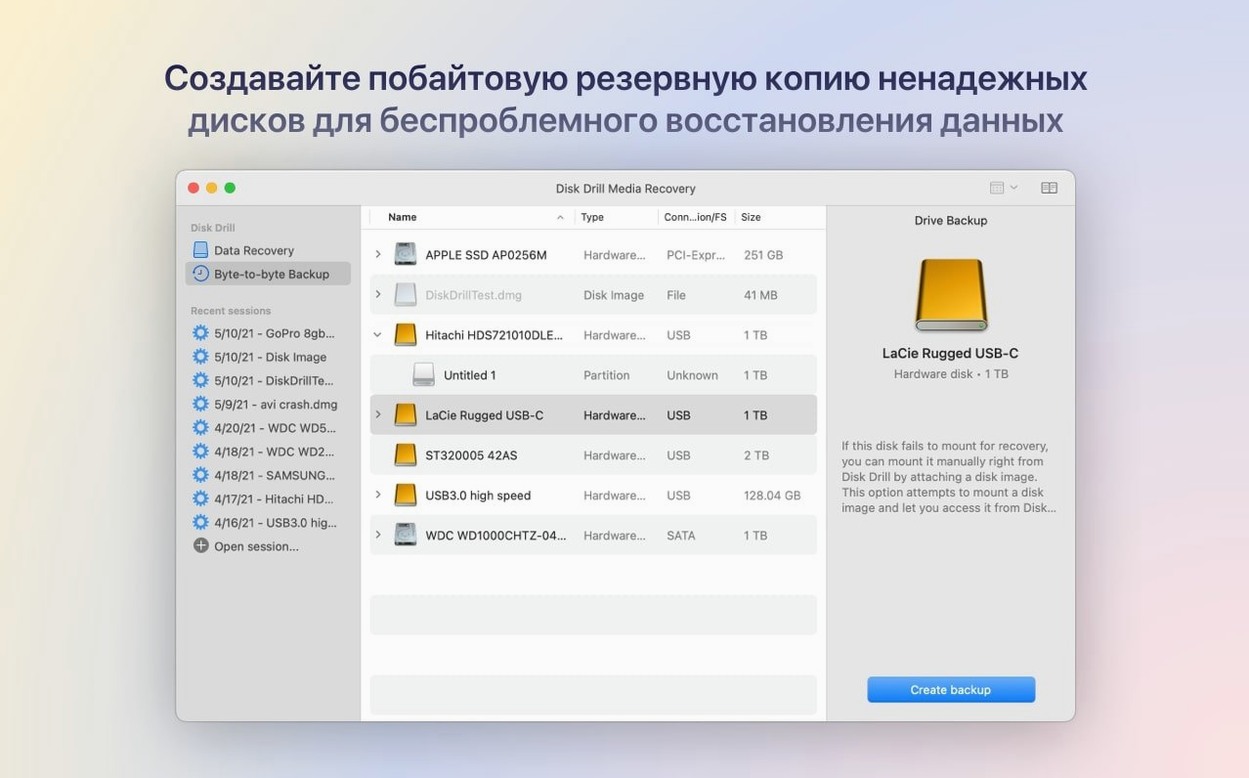
Disk Drill is a macOS application that scans storage devices for deleted or lost files and attempts to recover them.
A recovery task: scanning a USB flash drive
Recovering a mistakenly erased folder from a USB flash drive shows the tool's workflow. The steps below follow a typical session in version 6.3.2326, which improves handling of encrypted APFS partitions and adds detection of lost BitLocker partitions — relevant when working with drives that have changed file systems.
- Connect the USB flash drive. The device appears in Disk Drill's main list alongside any internal and external volumes.
- Select the drive and click 'Search for lost data'. The scan begins, running through a byte-by-byte analysis of the storage. A progress bar and a live feed of found items keep you informed.
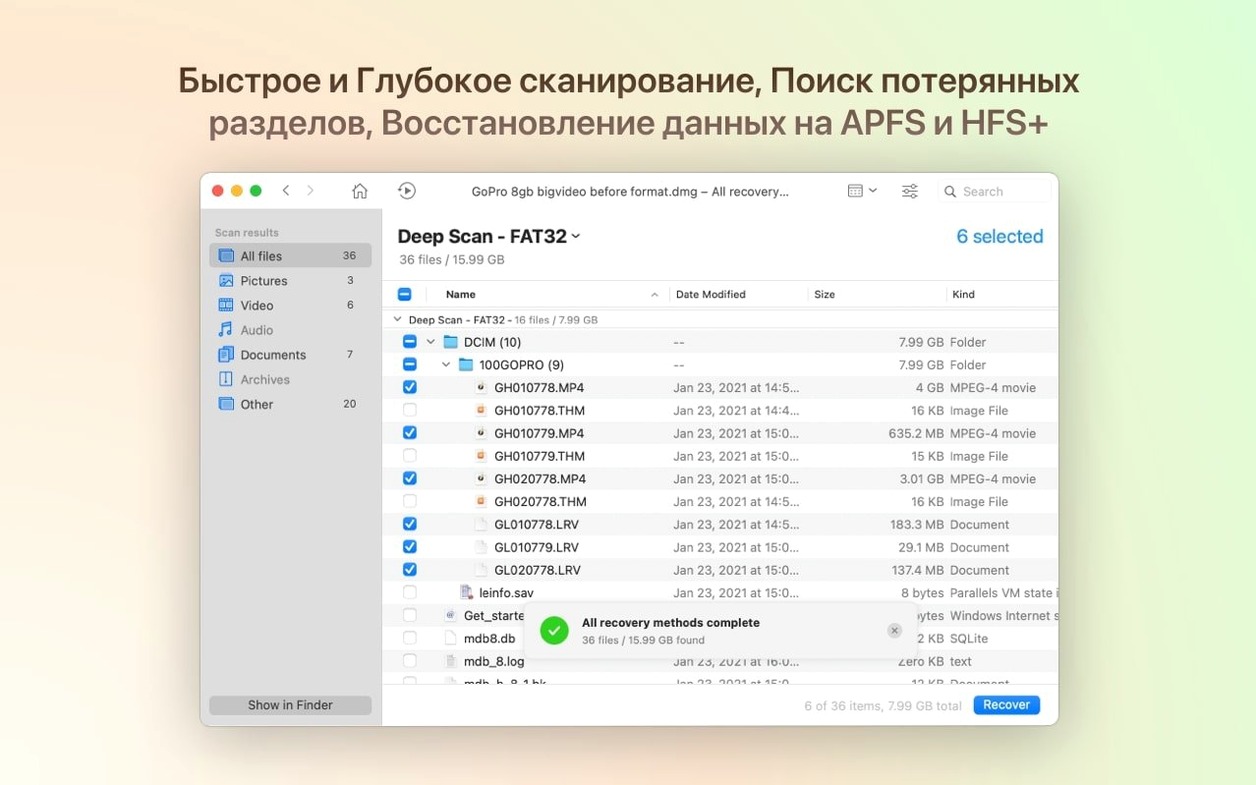
- Once the scan completes, the results are grouped by file type — documents, images, archives, and others. The recently added .p8 and .pfx support means certificate and key files now appear in their correct categories.
- Filter the results to show only deleted items. Locate the missing folder, preview its contents, then select the files to recover.
- Choose a safe destination folder on a different drive. Disk Drill restores the files, preserving original names and folder structure where possible.
What the scan reveals
The scan surface is broad. Disk Drill reads internal hard drives, external drives, iPhones, iPads, Android devices, cameras, and memory cards. The 2026-07-22 release refines this further: grouping of iPhone photos and videos in the ACR module is more accurate, and .rwl and .m4a files are now supported in that module. Recovering data from a ReFS partition or a damaged DMG also works more reliably after the fixes in this update.
Continuing to use a drive after data loss
A handful of missteps crop up often enough to be worth naming. The most damaging is continuing to use a drive after realising files are missing. Every write operation — saving a document, installing a small utility, even booting the system — can overwrite the very clusters that hold recoverable data. Disk Drill cannot undo that. The window of opportunity closes fastest on a system volume; external drives and memory cards are more forgiving, but the same rule applies.
Another common error is recovering files to the same drive they were lost from. The recovery destination should always be a separate physical volume. Writing recovered data back to the source risks corrupting other fragments still awaiting extraction. Beginners sometimes skip this step because the default save dialogue points to the desktop; changing it takes a moment and makes the difference between a partial recovery and a complete one.
Scanning with the wrong method also trips up new users. Quick Scan is fast and catches recently deleted items with intact metadata, but it misses fragments left after a format or partition change. Deep Scan takes far longer yet is the only route when file system structures are damaged. Someone who runs only a Quick Scan on a reformatted SD card may see an empty result list and wrongly conclude the data is gone.
Finally, some people assume the free disk drill crack for mac they found online will behave identically to the full application. To get the most capable recovery, check that the build includes the up-to-date scanning engines that handle encrypted APFS volumes or BitLocker partitions — features added precisely in version 6.3.2326. A scan powered by a current engine saves time and gives a clearer picture of what is recoverable.
Which Mac users gain the most
Photographers and videographers who cycle through memory cards quickly get tangible value from the recovery-by-type filters and the preview pane. A formatted SD card from a shoot is a classic recovery scenario, and Disk Drill's ability to rebuild folder structures from raw scan data means a morning's work is rarely lost entirely. The improved .dng detection in this release makes that workflow more reliable for users of Adobe's raw format.
IT support staff and system administrators benefit from the broad device coverage. A single tool that reads internal APFS volumes, external exFAT drives, Android handsets over USB, and even damaged DMG images cuts down the number of utilities needed on a diagnostic machine. The addition of BitLocker partition detection in version 6.3.2326 extends that usefulness to drives prepared on Windows systems — a practical detail in mixed-platform offices.
People who keep infrequent backups, or none at all, form a third group — though not one anyone would recommend joining deliberately. When the only copy of a tax document or a years-old photo library disappears, Disk Drill fills a gap that careful habits would have prevented. The tool does not replace a backup strategy, but it catches those who have not yet adopted one.
Writers, researchers, and anyone who produces large volumes of text often overlook the session recovery angle. Applications crash, auto-save fails, and a morning's writing can evaporate. Disk Drill's deep scan can sometimes recover temporary files or cached versions that the original application no longer tracks, especially from internal SSDs where deleted file pointers linger briefly.
Quick Scan finishes in under two minutes
A Quick Scan on a 256 GB internal SSD completes in under two minutes on Apple Silicon hardware. Deep Scan of the same volume takes closer to forty minutes, with CPU usage hovering between twenty and thirty percent. The application remains responsive throughout; you can browse results, preview files, and apply filters while the scan continues in the background. Memory consumption is modest — rarely exceeding 400 MB during the scans observed on this release.
The byte-to-byte DMG scanning fix in version 6.3.2326 is noticeable. Earlier builds could stall on damaged disk images, requiring a force quit. The current version processes the same images without incident, producing a clean result list even when the source DMG has corrupted blocks. Enthusiasts who occasionally reach for a disk drill torrent can benefit from verifying that the build includes this fix so it handles damaged media smoothly — exactly the kind of scenario where recovery matters most.
Stability during long recovery sessions holds up well. A Deep Scan of a 2 TB external drive running overnight on a MacBook Air finished without a crash, and the exported recovery session loaded correctly the next morning. The interface does not redraw perfectly after a display resolution change — a minor cosmetic issue — but no data was lost and the scan state was preserved.
Battery impact under scanning load is moderate. A one-hour Deep Scan on battery power consumed roughly twelve percent of charge on a recent MacBook Pro. The application does not prevent system sleep by default, but leaving the Mac awake during a long scan is advisable; interrupted scans can be resumed, though paused scans on some external drives occasionally restart from the beginning rather than the interruption point.
A complete workflow: recovering a lost partition from an external drive
An external hard drive that once held a photo archive has stopped mounting. Disk Utility shows the physical device but no volume. The goal is to extract a set of RAW photo files without altering the drive.
Launch Disk Drill and locate the physical device in the list — not a volume, since none is present. Select it and choose 'Search for lost partitions'. The scan examines the drive for remnants of previous partition maps. After roughly twenty minutes, it presents a list of found partitions with estimated sizes and file system types. The correct one is an exFAT partition matching the expected capacity.
Mount the found partition in read-only mode. Disk Drill lists its contents in a flat view alongside a reconstructed folder tree. Narrow the view to image files using the type filter, then sort by file size to surface the larger RAW files. Preview a handful to confirm they are intact — the preview renders full-resolution thumbnails quickly even for 45 MB .CR3 files.
Select the entire batch and set the recovery destination to a folder on the Mac's internal drive. The extraction runs at disk-limited speed, writing data steadily without saturating the bus. Original file names are preserved; the folder structure is reconstructed from recovered metadata where available. Once the transfer completes, verify a random sample of files in the destination folder, then safely eject the external drive.
Recovery from a reformatted drive is often possible
One of the first questions is whether Disk Drill can recover files from a drive that has been reformatted. It often can, provided the reformatting was a quick format rather than a secure erase. The deep scan engine reads raw sectors and rebuilds file structures from patterns rather than relying on the current file system table. Success depends on how much new data has been written since the format occurred. A reformatted drive that has sat unused since the operation yields the best results.
Another frequent concern is about iOS device recovery. Disk Drill connects to iPhones and iPads over USB and can recover call history, contacts, and messages, as well as media files. Full file system access is not available on stock iOS, so recovery is narrower than on a Mac volume or an Android device. The improved grouping of photos and videos in version 6.3.2326 addresses a specific pain point where media items previously appeared out of chronological order.
People also ask whether the scan itself puts data at risk. Disk Drill operates in read-only mode during scanning; it does not write to the source drive. The risk lies in what happens before the scan — continued use of the device — and in the recovery destination choice. The tool's own behaviour is conservative.
Some users search for a disk drill mac torrent expecting identical functionality without restriction. The practical consideration is that third-party builds are frozen at the version available when they were modified. They miss engine updates like the encrypted APFS processing improvements and ReFS sparse-file handling in 6.3.2326. A scan that succeeds on a newer file system configuration is more likely with the current build, a detail worth weighing before committing hours to a recovery attempt with an older version.