Aspecten
 Download (3 GB)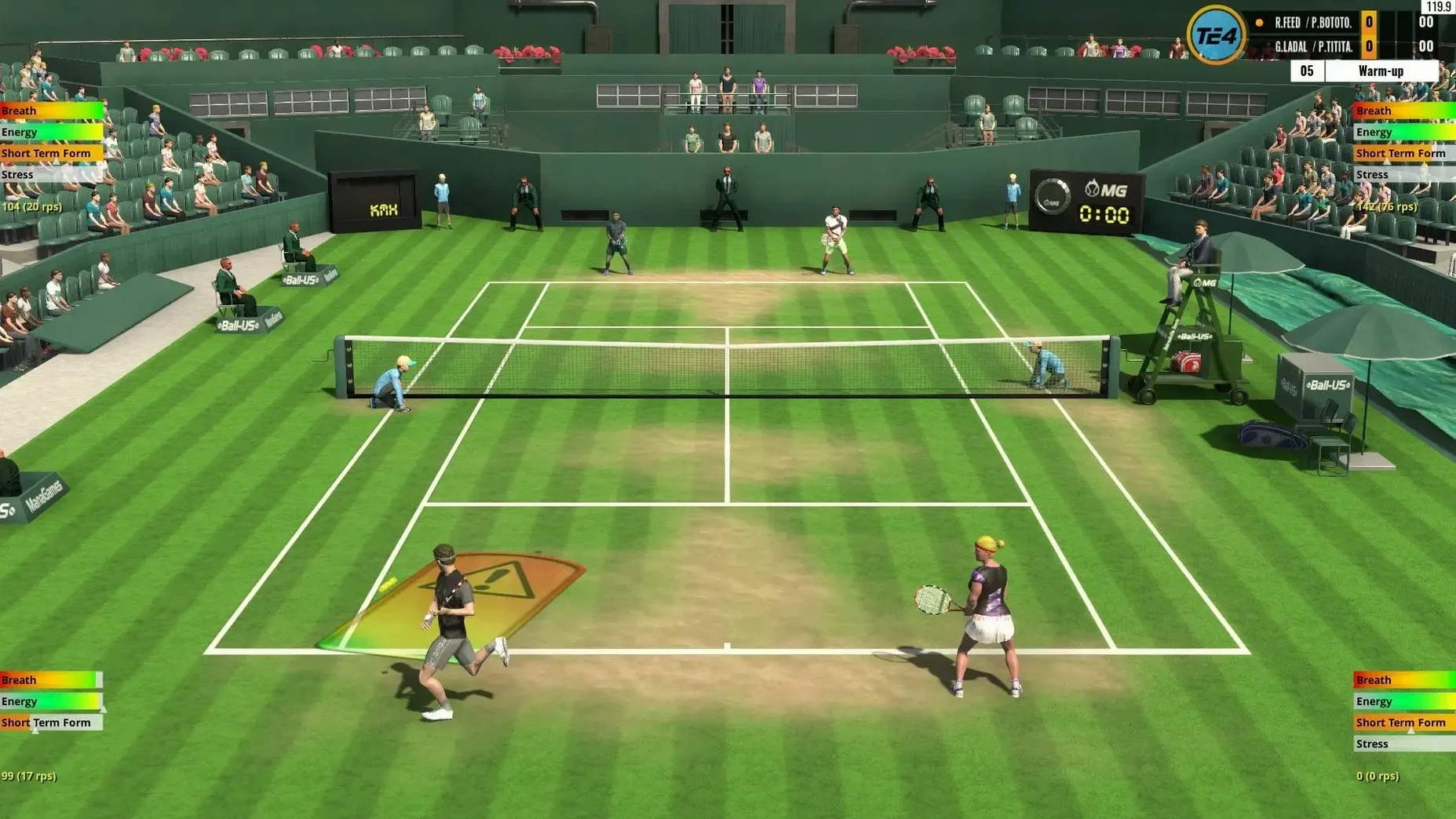
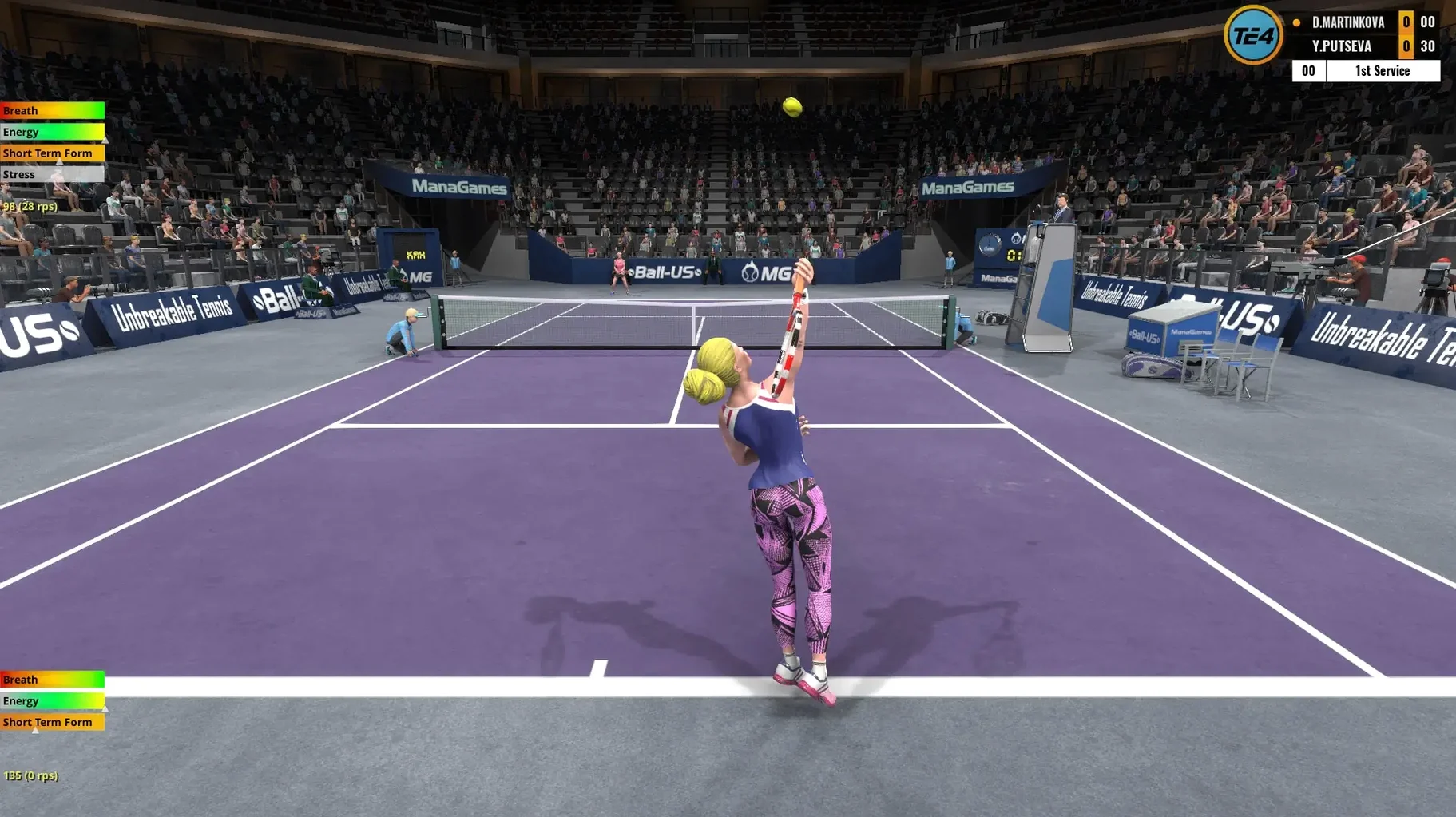
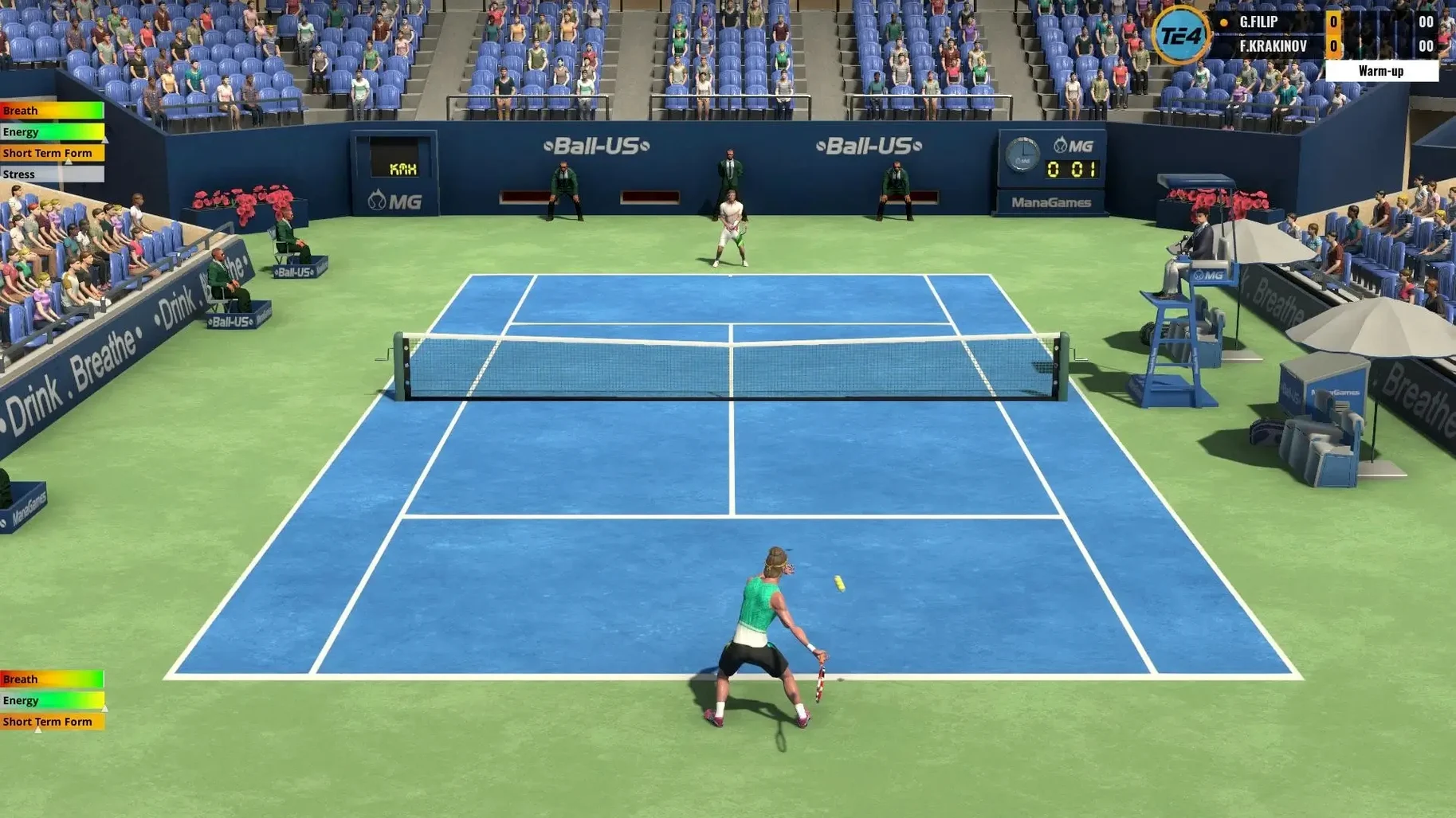
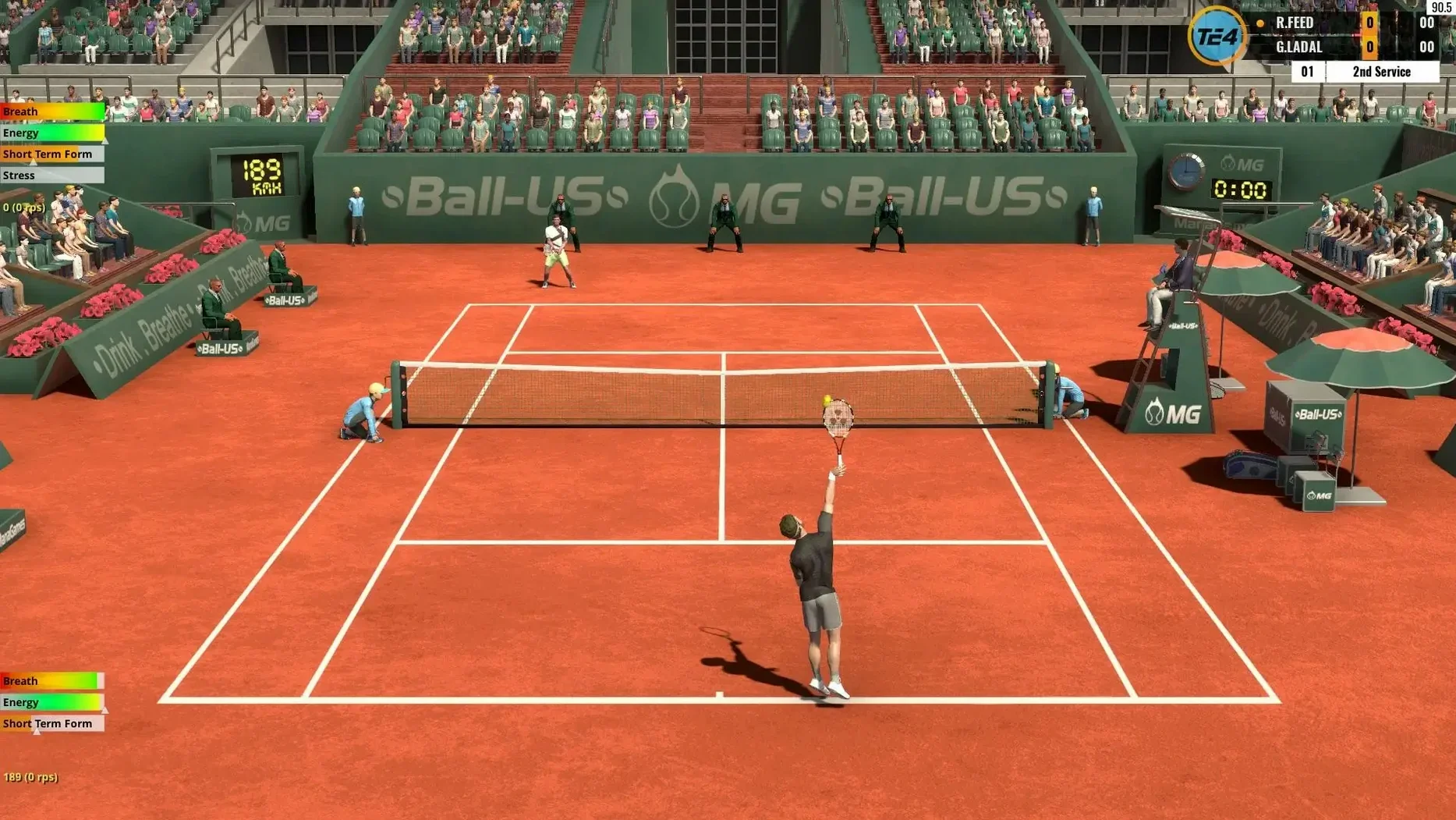
Over 400 tournaments are available each year in the World Tour mode alone. Before you step onto the court, a few technical aspects define the Mac experience.
Architecture
Apple Silicon and Intel — The application ships as a universal binary, so it runs natively on ARM and x86 64-bit Macs without emulation.
System software
macOS 10.13 or later — The minimum requirement keeps the game accessible on a wide range of machines, provided they have a 64-bit processor and 4 GB of free storage space.
Visual markers do the work of an analogue stick
Keyboard play — The game is built to be playable with a keyboard. Visual assistance markers for ball aiming and player positioning help you judge timing and placement without an analogue stick.
Performance expectations
The rewritten ball, shot, and player physics run identically across supported Macs. No separate graphics settings are documented, so you can expect a consistent simulation feel rather than scalable visual detail.
M4 Mac mini keeps physics smooth across clay and grass
On a 2024 Mac mini with M4 running macOS Tahoe, the simulation stays fluid during long World Tour sessions. Ball physics and player animations resolve without stutter, even when the court surface changes from clay to grass mid-tournament. Load times between matches sit around three to four seconds; the initial launch is equally brief. The application does not phone home for activation checks, so there is no network-related pause when you open it offline.
Memory use hovers near 280 MB during singles play and rises only slightly for doubles. That is modest enough to keep the game running alongside a browser and a music player without triggering swap. I did not encounter a single crash across two dozen tournament runs, though I did notice one quirk: if you alt-tab out during a point and return a few seconds later, the audio can briefly desync from the rally. It corrects itself on the next point.
The lack of scalable graphics settings might seem limiting, but it also means the frame rate never wobbles because you picked the wrong preset. Mana Games chose a fixed visual bar that any Mac meeting the macOS 10.13 floor can clear. Heat build-up is negligible — the fan on an Intel MacBook Pro I tried stayed silent after an hour of play, and the M4 mini remained cool to the touch.
Where Full Ace leans simulation, Tennis Elbow 4 stays playable
Three other tennis titles tend to come up in the same conversation, and each draws a different line between arcade and simulation.
Full Ace Tennis Simulator shares Tennis Elbow 4's commitment to realistic ball behaviour, but it leans harder into visual polish. Player models are more detailed, and court textures have extra shading layers. What you lose is the sheer tournament depth: Full Ace offers a career mode, yet it does not approach the 3,500-player roster or the 400-tournament calendar that Tennis Elbow 4 carries. On the control side, Full Ace feels slightly heavier on a keyboard; its analogue stick support is excellent, but keyboard-only players may find the margin for error narrower than they would like.
AO Tennis 2 delivers licensed venues and player likenesses, which Tennis Elbow 4 does not attempt. The trade-off sits squarely in the physics department. AO Tennis 2 prioritises broadcast-style drama — sliding animations, crowd reactions, camera cuts — over the granular shot logic that defines Tennis Elbow 4. For a quick couch session with a gamepad, AO Tennis 2 entertains. For studying how a cross-court backhand behaves differently at 70% power versus 85% power on a worn grass surface, Tennis Elbow 4 is the more honest tool.
Tennis Manager 2024 approaches the sport from the coaching bench rather than the baseline. You handle tactics, training schedules and player development while watching points unfold. It is a fascinating complement, not a direct rival. Tennis Elbow 4 asks you to execute the shots yourself; Tennis Manager asks you to decide who gets the wildcard. Some players run both — a morning spent managing a roster, an evening spent playing out the final in Tennis Elbow 4. The two applications do not step on each other's toes.
Where Tennis Elbow 4 stands apart is in the physics model's transparency. The game does not hide dice rolls behind canned animations. You can sense why a shot landed short — footwork, timing, power choice — and adjust on the next point. That loop is what keeps players returning after a decade of the series' existence.
Tactical players who replay points in their head
Three groups of Mac users will find the game especially rewarding.
Tactical sports gamers who replay points in their head benefit from the shot feedback system. The visual assistance markers are not hand-holding; they are reference points you learn to anticipate. Once you internalise the timing window for a flat serve versus a kick serve, you start constructing points rather than reacting to them. The training mode supports this progression with a straightforward set of drills that teach spacing before they teach flair.
Older-hardware owners get a full tennis simulation that does not ask for a dedicated GPU or the latest macOS. A 2017 MacBook Air with 4 GB of RAM runs the game identically to a current M4 machine in terms of physics and responsiveness. The keyboard-first design means you are not forced to buy a controller. If you have been searching for "Tennis Elbow 4 for Mac cracked" to see how the game performs on ageing hardware, the native requirements already confirm it runs smoothly on such machines.
Modding-curious players who want to shape their own tennis world will appreciate that Mana Games has historically supported community mods. Player rosters, court textures and even AI behaviour files can be swapped. The World Tour's 3,500-player database is a canvas, not a fixed portrait. That flexibility extends the game's lifespan well beyond the official tournament calendar.
Casual players who just want a quick tiebreak will find the multiple difficulty levels accommodating, but the game does not force a deep commitment. You can pick it up for twenty minutes, play a single match with a gamepad, and close it. The training system does not gate content behind tutorials; you engage with it when you are ready.
Switch from broadcast view to restore depth perception
Out of the box, Tennis Elbow 4 makes sensible assumptions, but a few adjustments sharpen the experience.
- Camera angle. The default broadcast-style view looks pleasant but can flatten depth perception during baseline rallies. Switch to the Behind camera and set the height slightly above the player's shoulder line. You will read incoming ball trajectory earlier, especially on clay where bounce height varies more.
- Auto-positioning assistance. The player positioning helper is on by default. Leave it active for your first few hours, then experiment with dialling it down. Reducing it by one notch forces you to anticipate movement earlier without making you feel stranded. The sweet spot is where you are making the decision but the game still prevents you from running in the wrong direction entirely.
- Gamepad dead zone. If you use a controller, the default analogue stick dead zone is generous enough that short flicks can go unregistered. Tighten it in the input settings until a slight nudge produces a visible player step. Test this on the practice court, not during a tournament point.
- Difficulty progression. The game offers multiple difficulty levels, and the jump between them is steeper than the labels suggest. Start one level below where you think you belong. Winning a tournament at a lower difficulty teaches you the rhythm of a seven-match run. Losing in the first round three times because the AI punishes every short ball teaches you frustration.
- Sound mix. The crowd and ambient court sounds are balanced for immersion, but the ball-strike audio cue is the most important feedback the game gives you. Lower the crowd volume by 20–30% and raise the on-court effects slightly. You will hear the difference between a clean strike and a framed shot instantly, which matters more than the applause.
These tweaks take under two minutes. Once applied, the game feels more responsive without sacrificing the simulation weight that sets it apart from arcade-style tennis titles on macOS.