Aspecten
 Download (13 GB)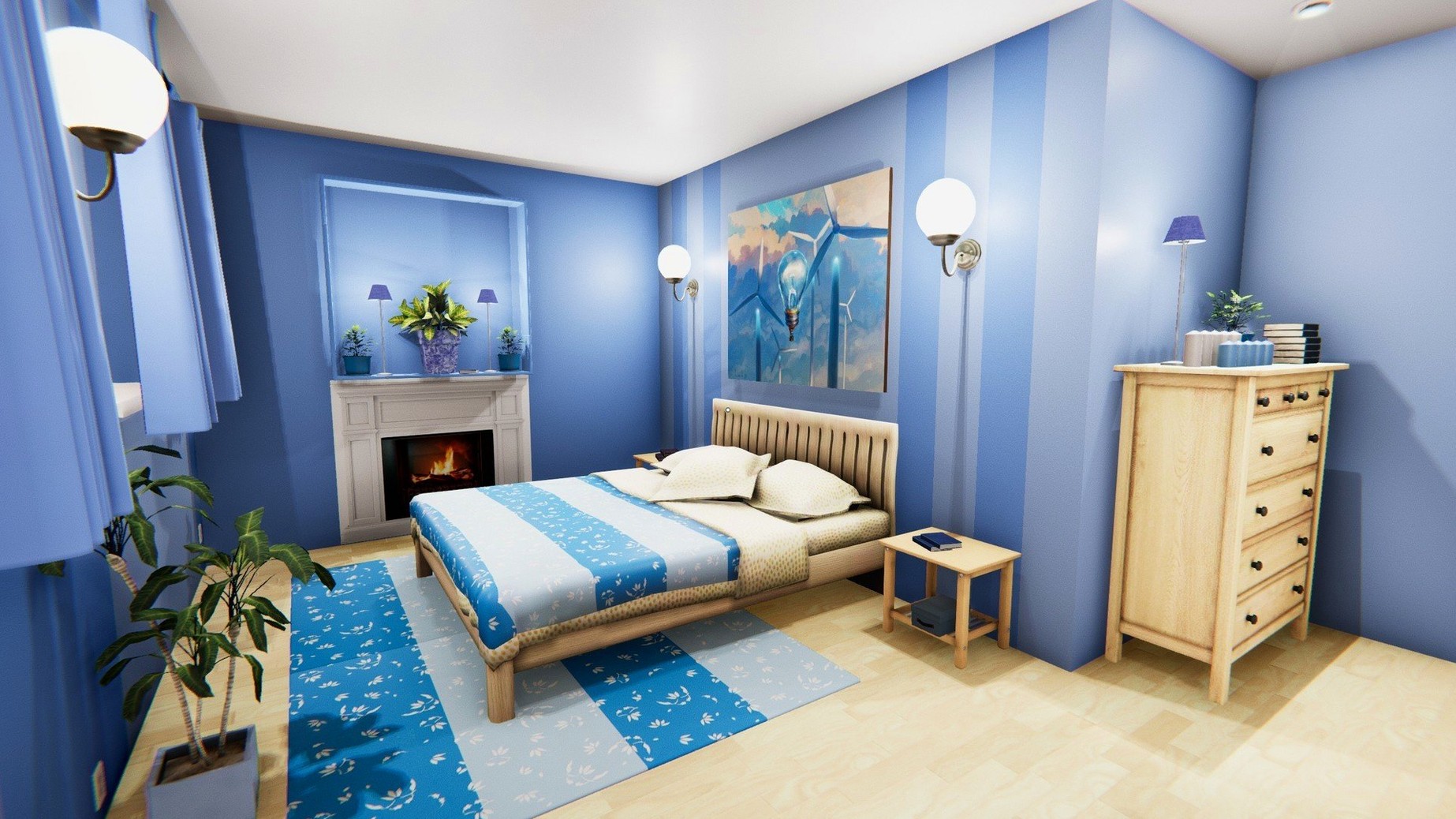
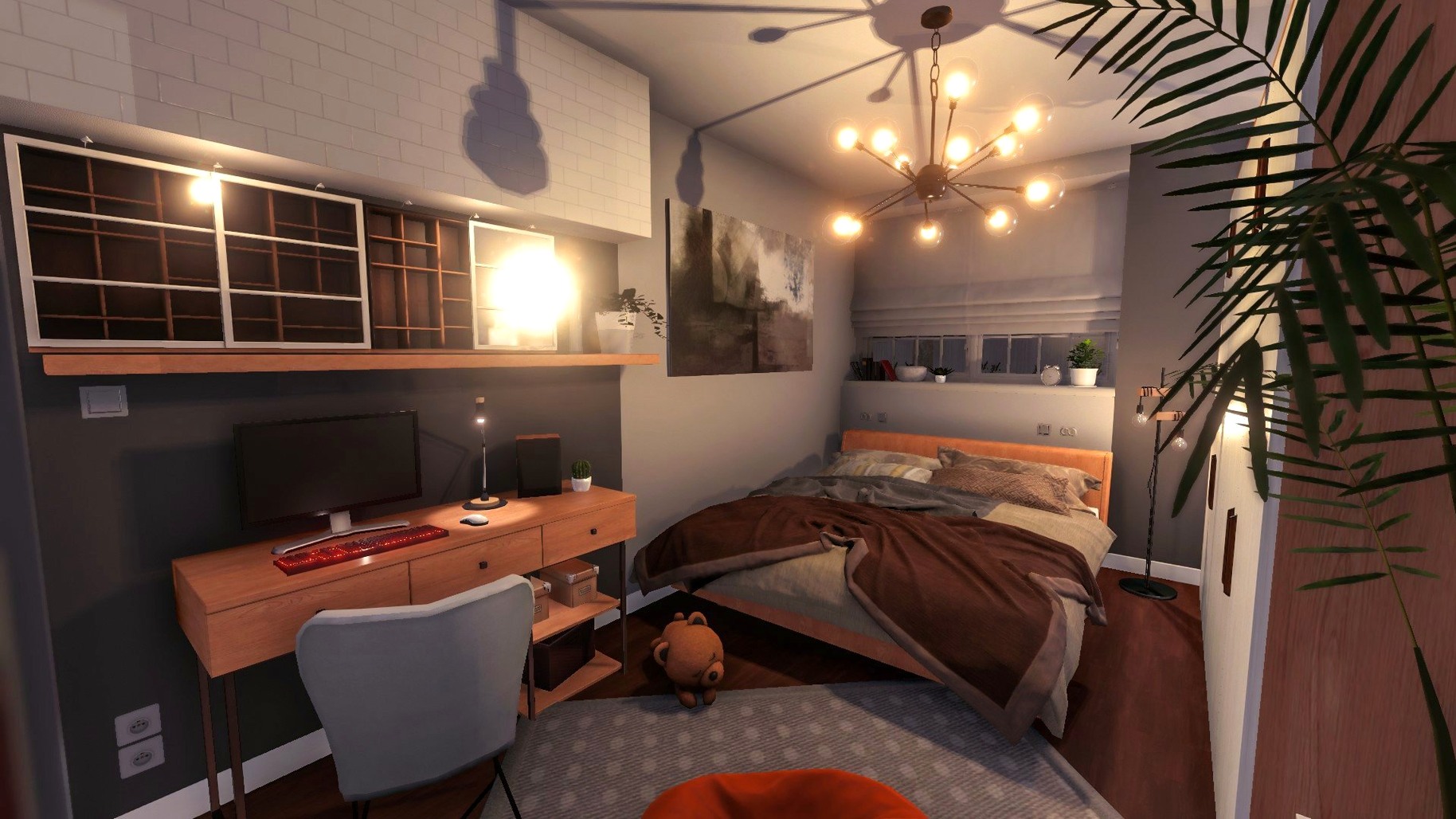
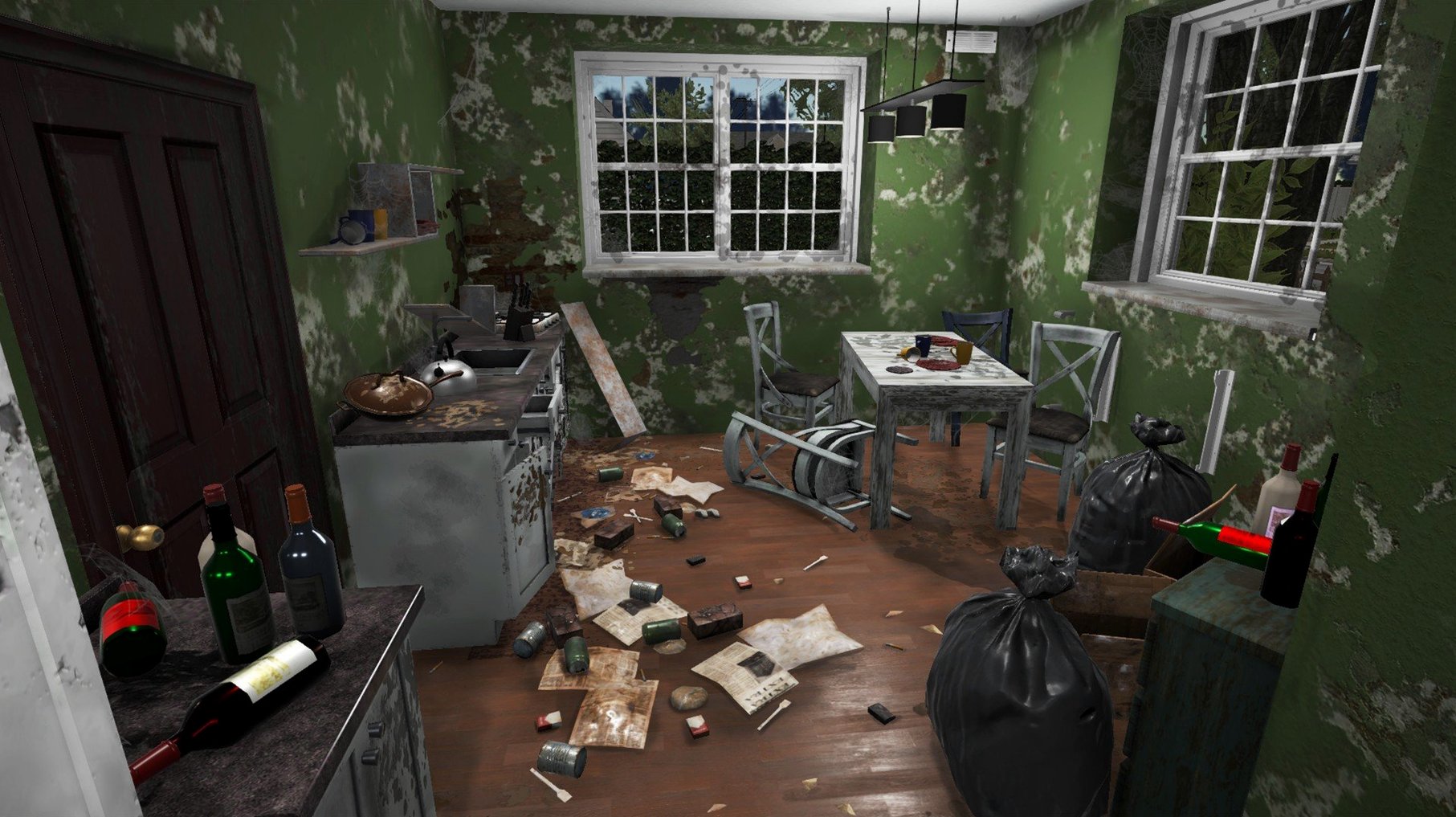
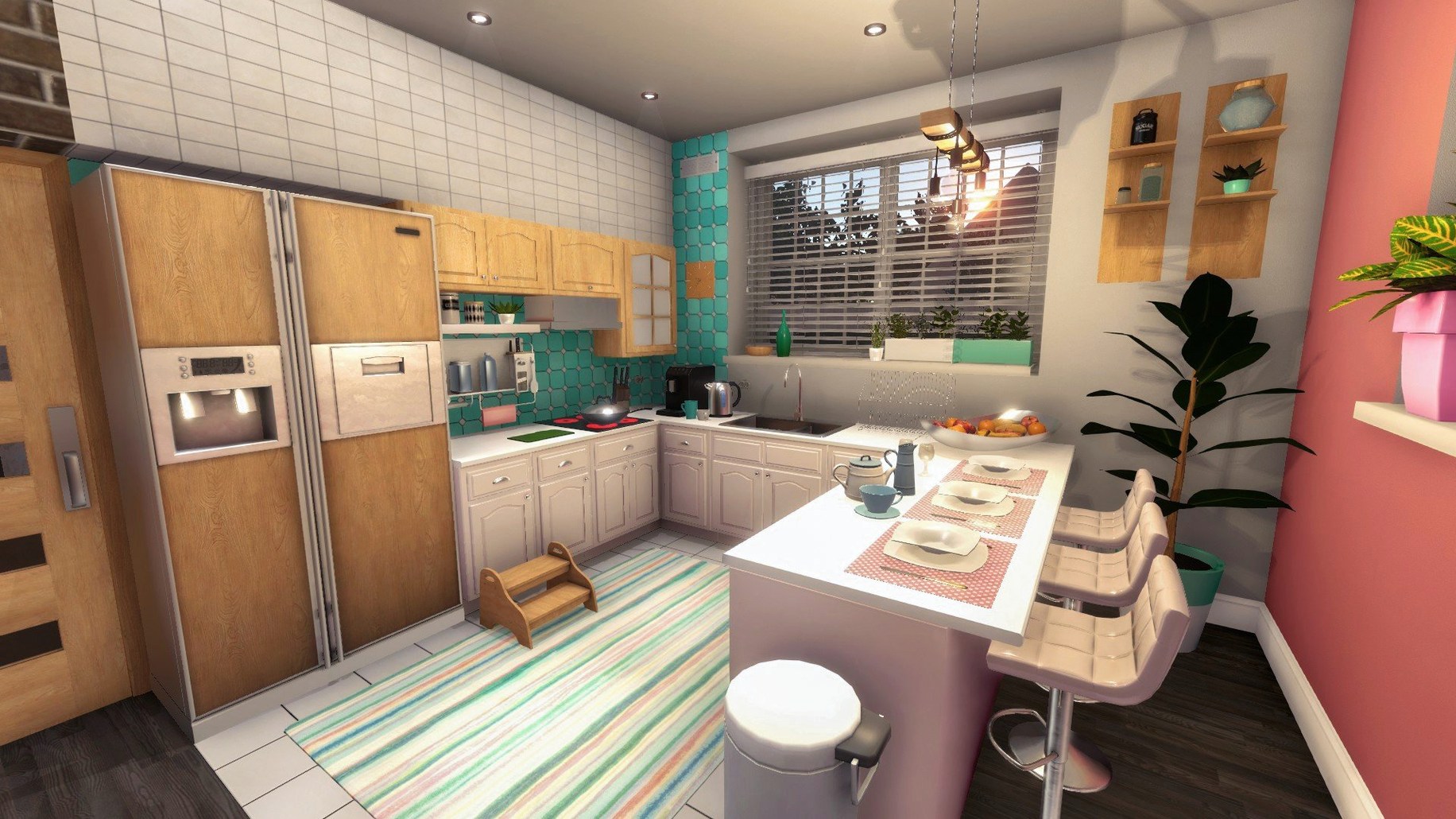
The game finds its audience with players who enjoy methodical, room-by-room transformation. It sets you up as a one-person renovation crew, starting with dirty, neglected spaces and a set of basic tools. Jobs come in through a tablet interface, and each one asks you to handle the unglamorous side of property improvement before any decorating begins.
- Clearing rubbish, scrubbing grime, and picking up discarded items to make a space workable.
- Painting walls and ceilings with a paint roller, applying fresh coats to cover old marks.
- Installing household fixtures such as radiators, shower cabins, and air conditioners.
- Knocking down interior walls with a hammer to open up cramped layouts.
- Building up experience to improve skills, making future jobs quicker and more efficient.
- Using earnings from jobs to purchase a first property of your own and renovate it freely.
The tool set keeps things straightforward: a mop, window cleaner, trowel, hammer, paint roller, and the tablet for managing tasks. The loop of earning, spending, and improving gives the work a practical rhythm that suits the simulation genre.
Why cleaning virtual grime never feels like a chore
One concern that comes up often is whether a game built around cleaning and repair can hold attention across longer sessions. The answer depends on what you find satisfying. House Flipper does not rely on timers or pressure. Jobs unfold at your own pace, and the feedback is entirely visual — a stained wall becomes clean, a room with broken glass becomes habitable. If you enjoy seeing a space transform through small, repeated actions, the loop works. If you need strong narrative or competitive goals, the game provides almost none.
Another common question is about performance on Apple Silicon Macs. The current build runs natively on ARM, and testing on a Mac mini M4 with macOS Tahoe showed stable frame rates even with several light sources placed inside furnished rooms. Older Intel machines with 64-bit processors are also supported, though longer load times are typical when entering larger properties.
People also ask whether the controls feel awkward without a mouse. The game was designed with a cursor in mind, and using a trackpad works fine for most tasks. Painting large wall sections is easier with a mouse, but the difference is small once you adjust the sensitivity in the macOS pointer settings. There is no official controller support.
Finally, a few players wonder about language coverage. With twenty interface languages available, the game covers a broad range. The audio is instrumental only — no voice acting to localise — so language switching affects only text and labels.
Turning a wreck into your first real profit
Imagine a player who has spent the early hours of the game working through client jobs — cleaning someone else’s bathroom, painting a stranger’s living room, assembling radiators in a cramped flat. They have saved enough to buy the cheapest property on the market: a small, neglected house with stained floors, peeling wallpaper, and a bathroom that looks untouched since the 1980s.
They step inside for the first time and the tablet shows no objectives. No client. No budget beyond what they set themselves. The first twenty minutes are pure clearing: picking up empty bottles, removing a broken chair, sweeping glass from a shattered window frame. The mop comes out next, and the stains that looked permanent start to fade after a few passes.
By late morning, they have knocked down a wall between the kitchen and the living area — nothing structural, just a partition that made both rooms feel smaller than they were. The hammer work is quick, but cleaning the debris takes longer than expected. A fresh coat of pale grey paint goes onto the newly opened space, and they spend ten minutes just adjusting a sofa and a coffee table, stepping back to check sight lines from the front door.
The bathroom waits until last. They install a new shower cabin, replace the radiator, and tile the floor with a pattern they found while scrolling through the in-game store. It is not a dramatic renovation by any standard, but the before-and-after contrast is theirs alone. No star rating. No client comment. Just the quiet satisfaction of a space that works better than it did.
Open the store from any wall instead of walking back
A handful of details sit just below the surface, easy to overlook during the first few hours.
- Tapping the tablet key while standing near a wall brings up the store interface instantly, without walking to a designated spot. This saves a surprising amount of time when you are experimenting with paint colours or swapping furniture.
- The minimap in the corner of the screen shows dirt and rubbish as small dots. Experienced players learn to scan it before leaving a room, catching the one piece of trash that rolled under a cabinet.
- Holding the paint roller steady along a wall edge produces a clean line without needing to switch to a smaller brush. The tool handles corners and trim more precisely than it first appears.
- The hammer removes individual wall sections, not entire walls. A light tap takes out one panel, which means you can create half-walls, pass-throughs, or wide doorways without committing to a fully open plan.
- Skills unlocked through experience are not just speed boosts. The cleaning skill widens the mop radius noticeably, and the painting skill lets you cover larger areas with fewer roller strokes.
- The window cleaner works on mirrors. This is never explained, but any reflective surface in a bathroom or bedroom responds to the same tool.
No internet needed and nothing left running after you quit
House Flipper runs as a standalone application with no external dependencies. It does not require an internet connection after installation, and it leaves no background processes running when you quit. This makes it a good candidate for a focused-play setup — perhaps alongside a note-taking app where you sketch rough floor plans, or a podcast player for long renovation sessions.
The game handles macOS Spaces cleanly. You can swipe to another desktop while it runs, and it pauses without issue. Mission Control and Split View work as expected, though the game does not benefit from being squeezed into a narrow window. Full-screen mode is the natural fit.
For players who enjoy documenting their projects, the macOS screenshot tool (Shift-Command-5) captures clean before-and-after shots. Some players keep a folder of renovation records, tracking how each property evolved. The game does not export floor plans or inventories, so external notes are the only way to keep a renovation journal across multiple houses.
A few players combine House Flipper with real-world renovation research — switching to a browser or a reference app to look up colour palettes or furniture arrangements, then returning to test ideas in the game. It is not integrated with any design software, but the low-pressure environment makes it a forgiving sandbox for experimenting with layouts.
workflow: a full bathroom renovation
Here is one way a job flows from start to finish, using the bathroom of a client property as an example.
1. Assess the space. Walk into the bathroom and open the tablet. The task list shows three objectives: clean the floor, install a new shower cabin, and replace the radiator. The minimap reveals dirt concentrated around the toilet and a patch of wall staining near the old radiator.
2. Clear and clean. Pick up any rubbish first — empty bottles, a discarded towel, packaging from a previous installation. Switch to the mop and work methodically from the far corner back toward the door. Watch the minimap dots disappear as you go. Use the window cleaner on the mirror above the sink; the smudge does not appear in the task list, but a clean mirror changes how the whole room feels.
3. Remove old fixtures. Approach the existing radiator and use the hammer to take it off the wall. The same for the shower cabin if one is already in place. Demolition creates debris, so a second pass with the mop is usually needed after this step.
4. Install new fixtures. Open the store via the tablet, select the specified shower cabin model, and position it against the wall. The game snaps it into a valid location automatically. Repeat for the radiator. Both installations require holding the interact button while a progress circle fills — a small wait that reinforces the physicality of the task.
5. Final check. Walk a slow circuit of the room. Check the minimap for missed dirt. Check the task list for any incomplete objectives. If the client wanted a specific tile or paint colour, confirm it matches before marking the job complete on the tablet. The game processes payment and unlocks the next set of available jobs.