Aspecten
 Download (272 MB)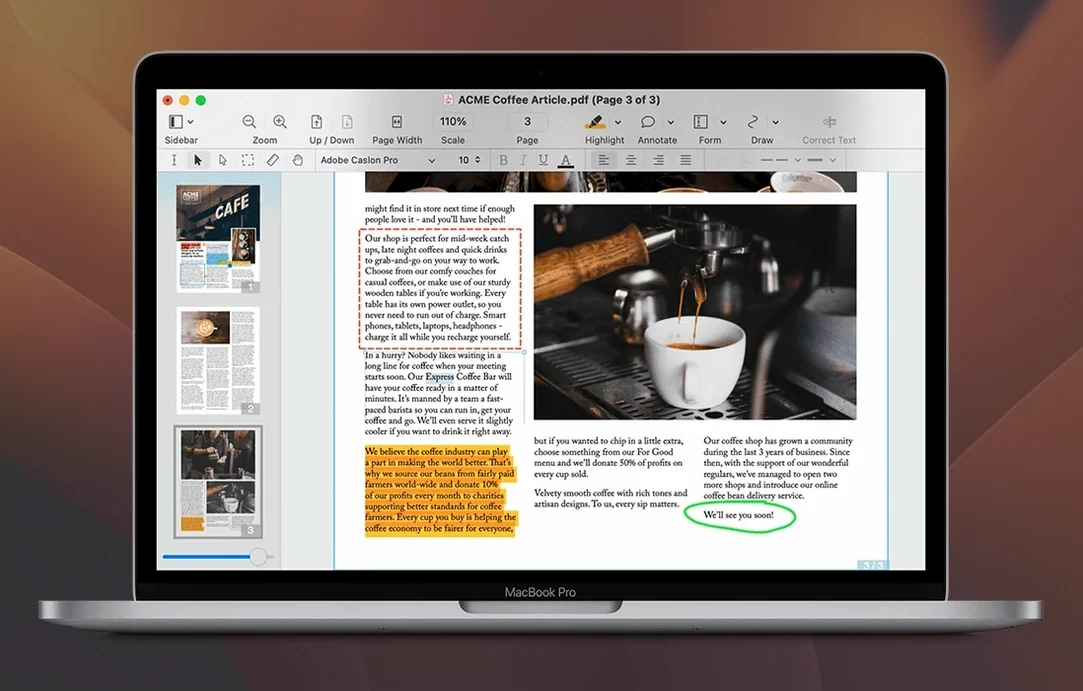
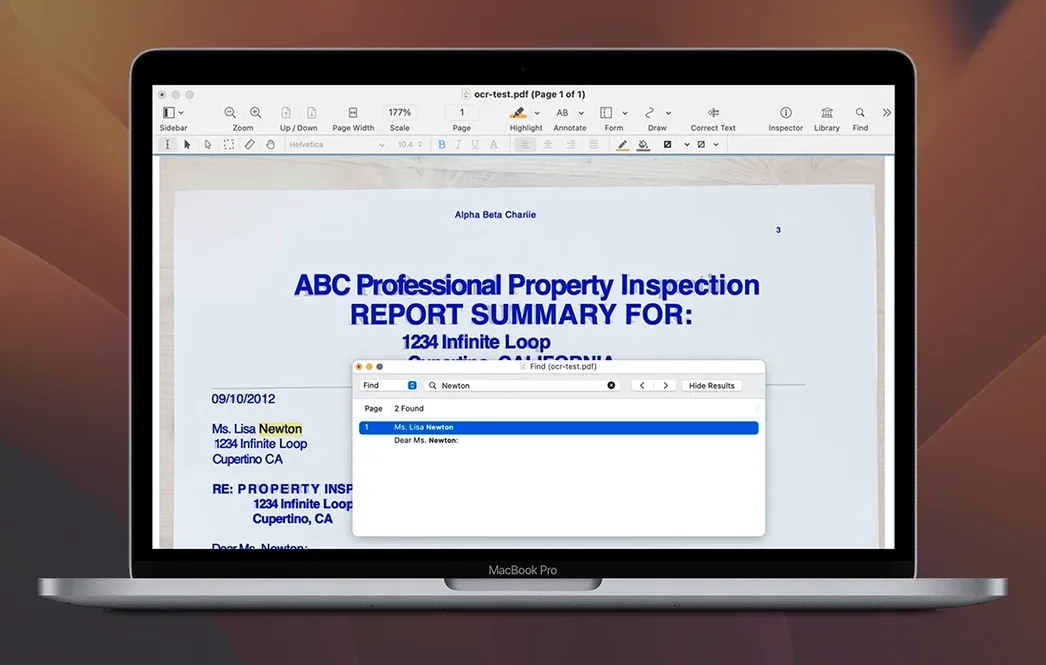
Nitro PDF Pro can extract text from a scanned page and place it into an editable block without leaving the original layout. That single operation — OCR layered directly over the document — shapes much of what the application does. It is built for people who need to alter PDFs rather than simply read them.
| Detail | Value |
|---|---|
| Current version | 13.3.1 |
| macOS minimum | 10.14 Mojave |
| Apple Silicon | Native support |
| Interface languages | English |
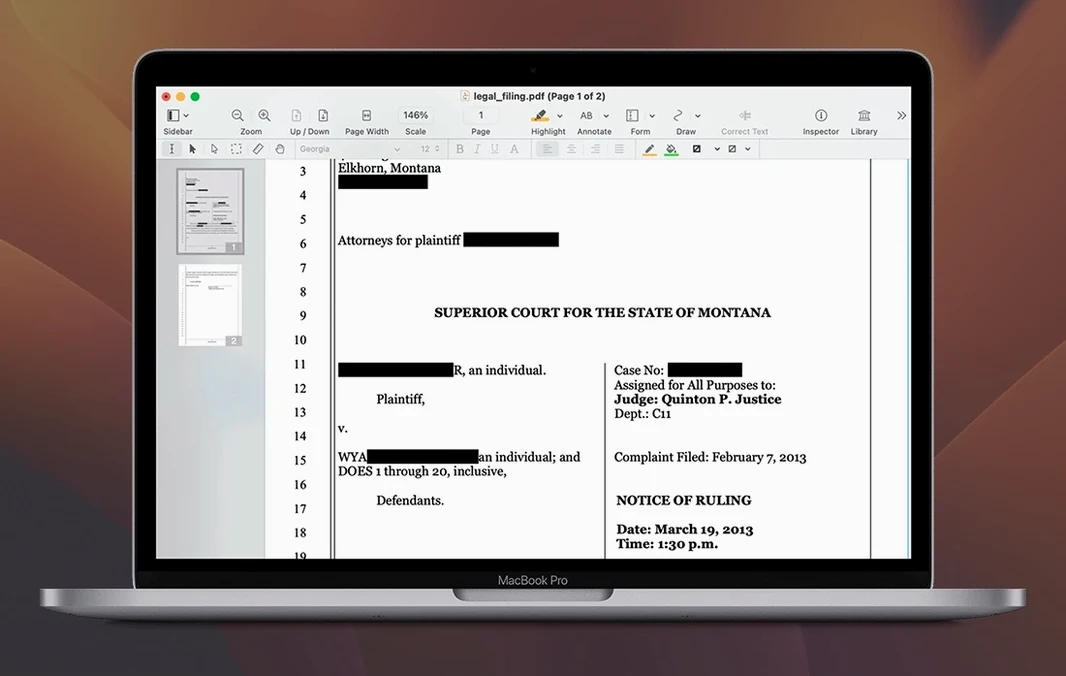
The editing tools treat text as discrete blocks you can retype, resize, and reposition. Images can be swapped out, and the redaction tool removes content at a level deeper than a black rectangle — useful when the hidden matter should stay hidden. Audio annotations sit alongside written comments; a reviewer can record a note and the next person simply plays it back. For structured work, the form builder creates fillable fields that work across Acrobat and browser-based readers, and the website-to-PDF function captures full pages with hyperlinks intact. Export paths to Word, Excel, and PowerPoint preserve fonts and column layouts when copying rich text, which cuts down on reformatting time. Nitro PDF Pro covers a lot of ground, though its interface does not feel fully at home on recent macOS versions — a trade-off between raw capability and fit-and-finish.
Changes in recent versions
Version 13.3.1 tightened a few things that users had been grumbling about. The redaction tool now processes multi-page documents faster, and the block of text that replaces redacted content no longer shifts surrounding layout elements by a few points. That matters when you are sanitising a fifty-page contract and want every clause to stay exactly where it was. OCR accuracy improved for documents scanned at 200 dpi — a common setting on office multifunction printers — though handwritten notes still trip it up.
Batch processing became more predictable. Earlier builds would occasionally stall when converting a mixed folder of Word files and scanned PDFs to a single output format; 13.3.1 handles the queue without pausing. The website-to-PDF function gained support for pages that load content dynamically via JavaScript, so capturing a news article or a product page now pulls in the body text rather than a blank rectangle. Header and footer insertion also stopped stripping hyperlinks from the underlying document, a bug that had annoyed anyone building branded report templates.
Scenario: a contract goes back and forth
A freelance translator receives a scanned PDF contract from a client in Germany. The document is ten pages of dense legal German, printed and rescanned twice, with handwritten margin notes from the client's legal team. She opens it in Nitro PDF Pro, runs OCR to make the body text selectable, then adds her own comments as audio annotations — recording a fifteen-second note about clause 7 rather than typing a paragraph. The client plays the note, edits the clause using the text block tool, and returns the PDF with a revised signature block. The translator opens the revision, checks the changes against her original, and exports the final version to Word for her records. The column structure from the original PDF holds.
This kind of back-and-forth, with scans, audio notes, and direct text edits all happening inside one file format, is where the application makes sense. A simpler PDF reader would have required printing, marking up by hand, and scanning again.
Legal teams redacting contracts and OCR-ing scanned evidence daily
Nitro PDF Pro suits Mac users who edit PDFs as part of a larger document workflow rather than as a standalone task. Legal professionals handling contracts, redactions, and scanned evidence files will use most of its toolkit daily. The redaction tool alone saves the step of exporting to a separate sanitisation utility. Academics working with scanned book chapters and journal articles benefit from the OCR layer and the ability to extract passages as rich text without losing italics or column breaks — a real time-saver when compiling literature notes.
Office teams converting internal reports between PDF and Microsoft formats get quicker turnarounds because the export preserves fonts and formatting. People who fill and create forms regularly will appreciate the cross-platform form builder; a form designed on a Mac opens correctly in Acrobat on Windows and in Chrome's PDF viewer. Small business owners who need to combine invoices, receipts, and statements into a single portfolio file will find the merge-and-organise functions straightforward.
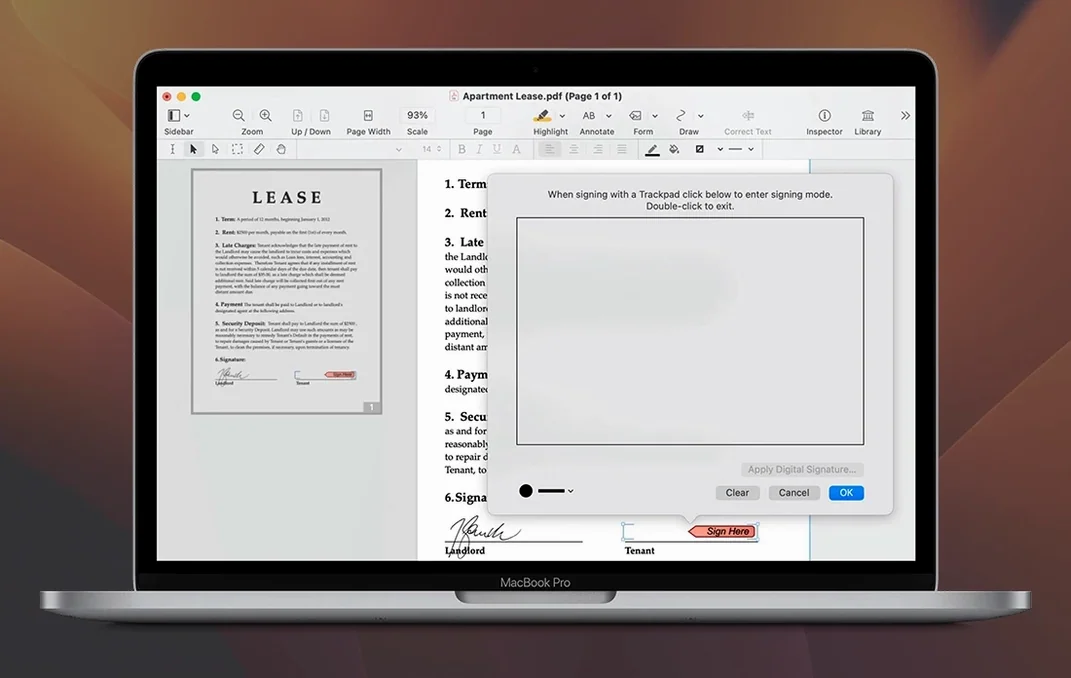
For users who only highlight and sign the occasional document, the application is probably more than they need. Someone looking for a lightweight reader with basic annotation would find a smaller tool more comfortable. Nitro PDF Pro reveals its value when the work demands altering the document itself — retyping a paragraph, swapping an image, building a fillable form from a flat scan.
Clicking text to edit it before running OCR on the scan
New users often assume that clicking any line of text will let them edit it immediately. The application distinguishes between a standard PDF and one that has been OCR-processed; until you run OCR on a scanned page, the text is just a picture. Selecting the OCR tool first saves frustration.
Another recurring error is redacting content by covering it with a black rectangle drawn from the annotation tools. That leaves the underlying text intact and extractable. The dedicated redaction tool — found under a separate menu — permanently removes the selected content and places a non-removable block in its place. Beginners who skip this distinction inadvertently share documents that still contain the "hidden" text.
When exporting to Word, users sometimes expect the result to match the PDF pixel-for-pixel. Nitro PDF Pro preserves fonts, columns, and formatting well, but complex layouts with floating text boxes and overlapping images will need manual tidying after export. Opening the exported file and spending five minutes adjusting margins and paragraph spacing before sending it onward prevents most complaints.
People who download a nitro pro mac full distribution sometimes overlook the Gatekeeper bypass step and assume the application is broken when it refuses to open. Following the Terminal command in the install notes once resolves the block permanently. Others try to install directly from the mounted disk image without dragging the app to the Applications folder, which leads to permission errors when the system tries to write temporary OCR cache files. A simple drag-and-drop during setup avoids that entirely.